Alert Templates
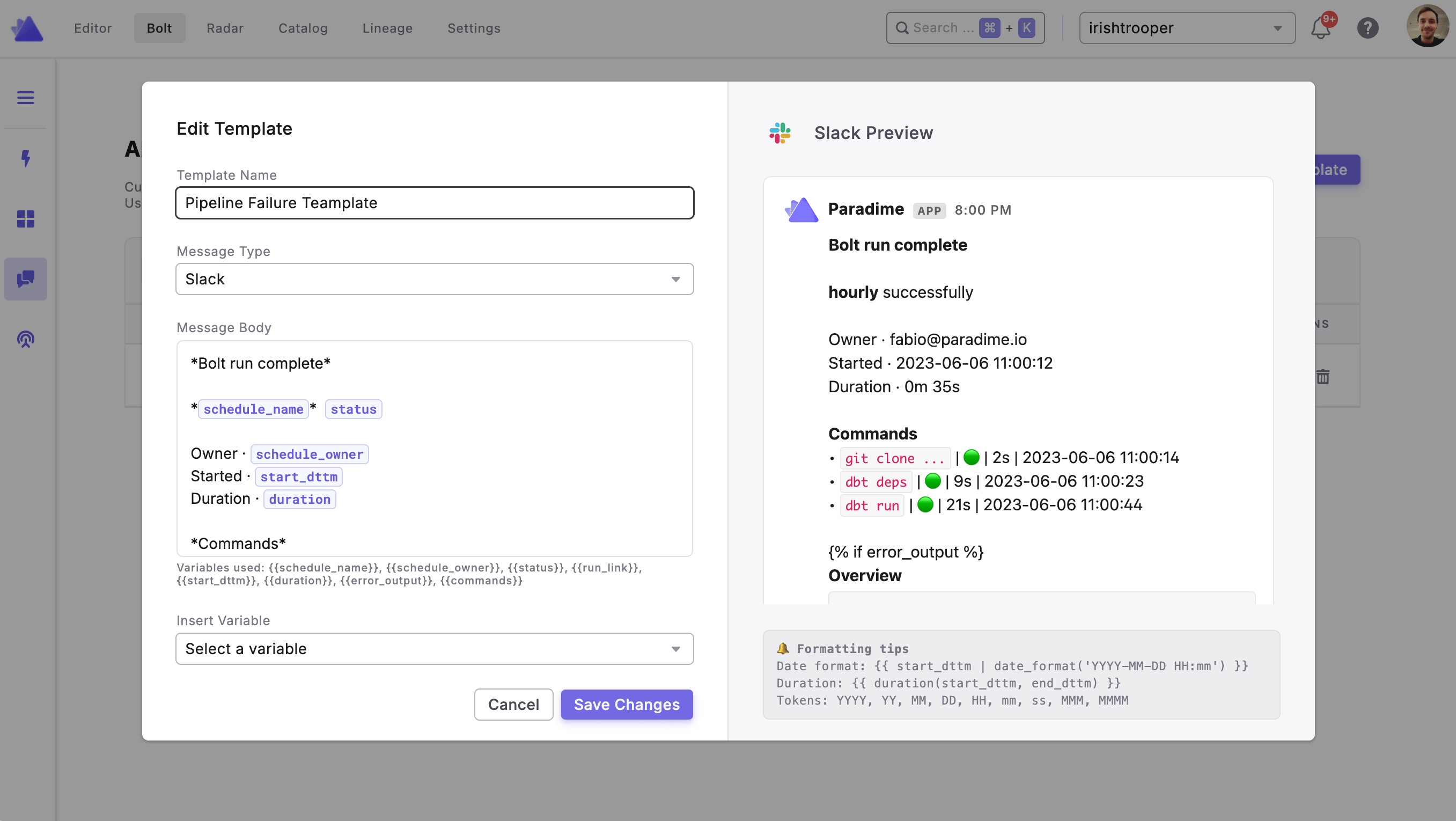
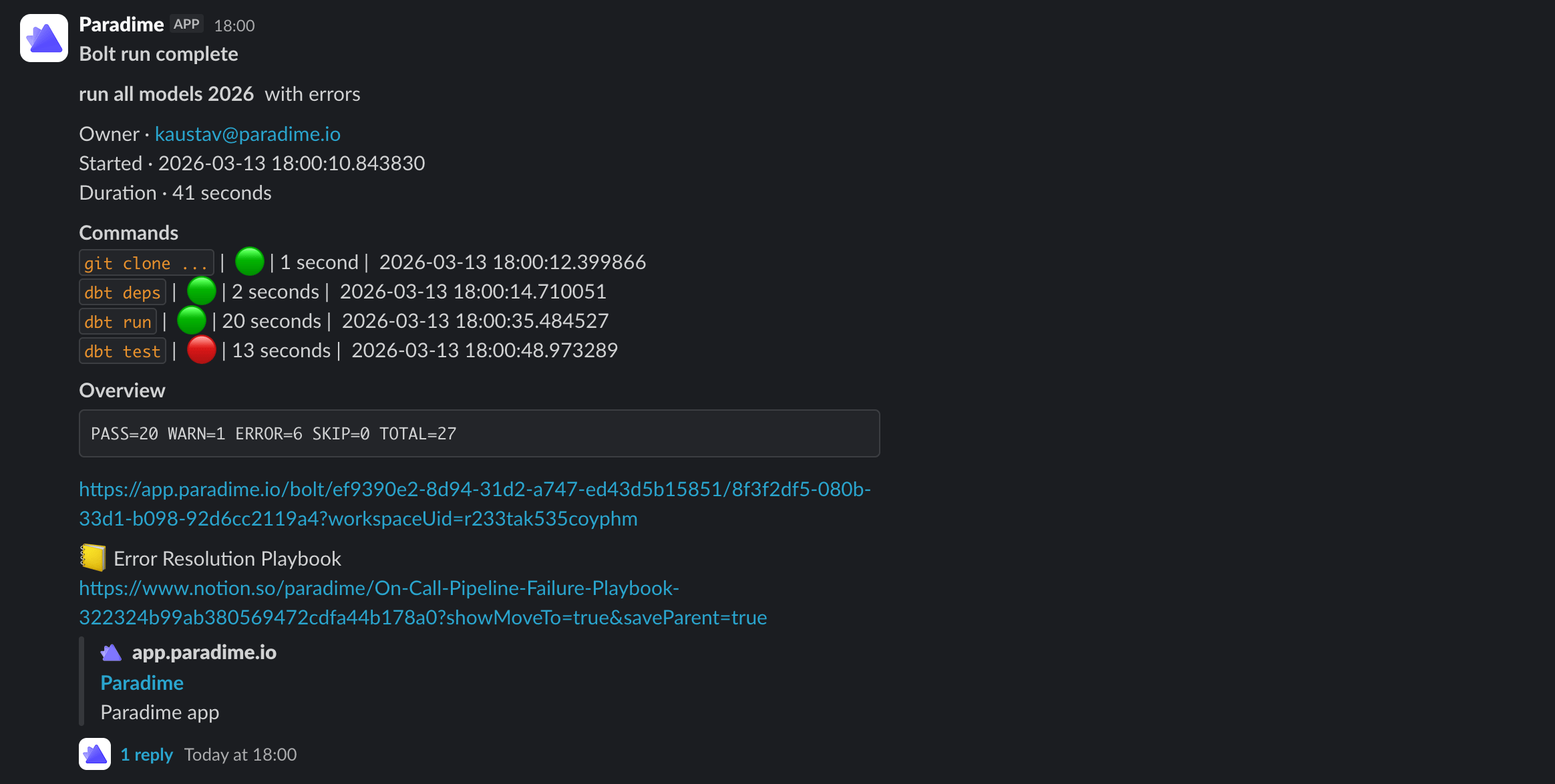
Customize the Slack and Microsoft Teams notifications sent by your Bolt Schedules. Using Jinja2 syntax, templates let you control exactly what your alerts say, surfacing the run context your team needs, in the format that works for them.
Templates are created once in the Alert Templates page and can then be attached to any channel destination across your schedules.
Creating a Template
Navigate to Bolt > Alert Templates in the top navigation
Click + New Template
Give your template a name
Write your message using plain text, template variables, and Jinja expressions
Save the template

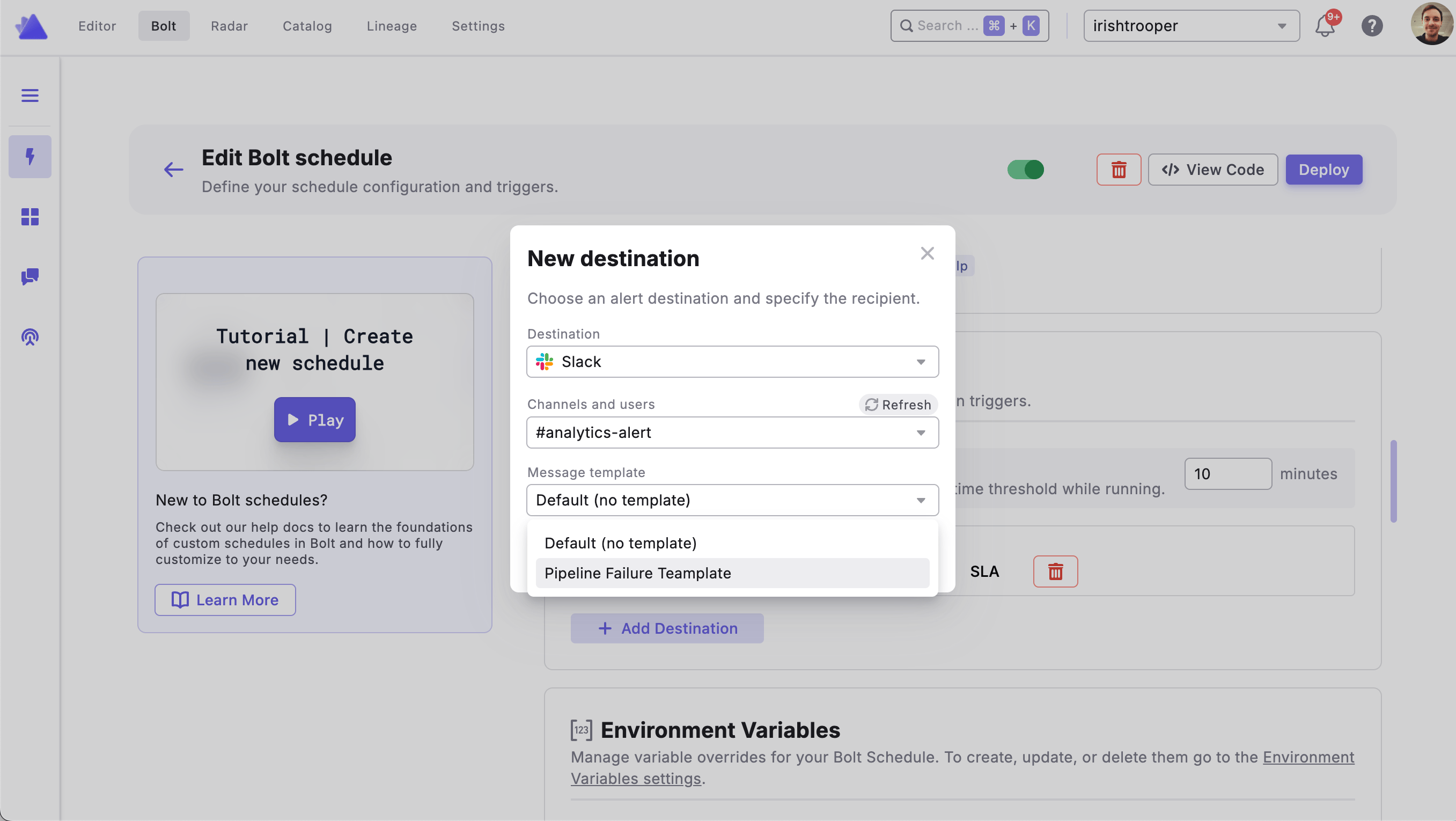
Attaching a Template to a Schedule
Open the Bolt Schedule you want to configure
Navigate to the Notification Settings tab
Under Notification Destinations, locate the Slack or MS Teams channel you want to customize
Select your saved template from the template dropdown on that channel row
Click Deploy to save your changes

Template Variables
Templates use Jinja2 syntax. The following variables are available:
{{ schedule_name }}
Name of the Bolt Schedule
{{ schedule_owner }}
Owner email of the schedule
{{ status }}
Run completion status (e.g. "succeeded", "failed")
{{ status_emoji }}
Emoji representing the run status
{{ run_link }}
URL link to the run in Paradime
{{ run_uuid }}
UUID of the run
{{ start_dttm }}
Run start datetime
{{ end_dttm }}
Run end datetime
{{ duration }}
Run duration (e.g. "5m 32s")
{{ workspace_name }}
Name of the Paradime workspace
{{ branch }}
Git branch used for the run
{{ commit_hash }}
Git commit hash
{{ actor }}
User who triggered the run
{{ commands }} is a list of objects, one per dbt command in the schedule. Each object contains:
command
The dbt command string
status
Completion status
status_emoji
Emoji for the command status
duration
Duration string
start_dttm
Command start datetime
end_dttm
Command end datetime
{{ error_command }}
The command that errored, or None
{{ error_output }}
The error output text, or None
Filters & Helpers
{{ start_dttm | date_format('YYYY-MM-DD HH:mm') }}
Format a datetime string. Supported tokens: YYYY, YY, MMMM, MMM, MM, DD, HH, mm, ss
{{ duration(start_dttm, end_dttm) }}
Compute duration between two datetime strings
Example Template

Last updated
Was this helpful?