> For the complete documentation index, see [llms.txt](https://docs.paradime.io/app-help/llms.txt). Markdown versions of documentation pages are available by appending `.md` to page URLs; this page is available as [Markdown](https://docs.paradime.io/app-help/products/dino-ai/bolt-pipeline-agent/self-healing.md).

# Self-Healing

Self-Healing is the **automated** counterpart to [Fix with DinoAI](/app-help/products/dino-ai/bolt-pipeline-agent/fix-with-dinoai.md). Instead of waiting for someone to click a button in Slack, Paradime detects the failure on schedules that have self-healing enabled and immediately spins up a DinoAI agent against the failed run — in the same Slack thread as the failure notification — so a fix is already in progress by the time a human looks.

<div data-with-frame="true"><figure><img src="/files/8aNt0RYFv5R6W2p8HzMQ" alt=""><figcaption></figcaption></figure></div>

{% hint style="info" %}
You stay in control. Self-Healing always opens a **pull request.** Your team reviews and approves before anything reaches production.
{% endhint %}

#### How it works

When a Bolt run fails on a schedule with `self_healing.enabled = true`:

1. Paradime posts the normal failure notification to the schedule's configured Slack channels.
2. In the **configured `slack_channel`**, Paradime posts a message into the failure thread: `🦖 Self-healing enabled — starting healing session...`
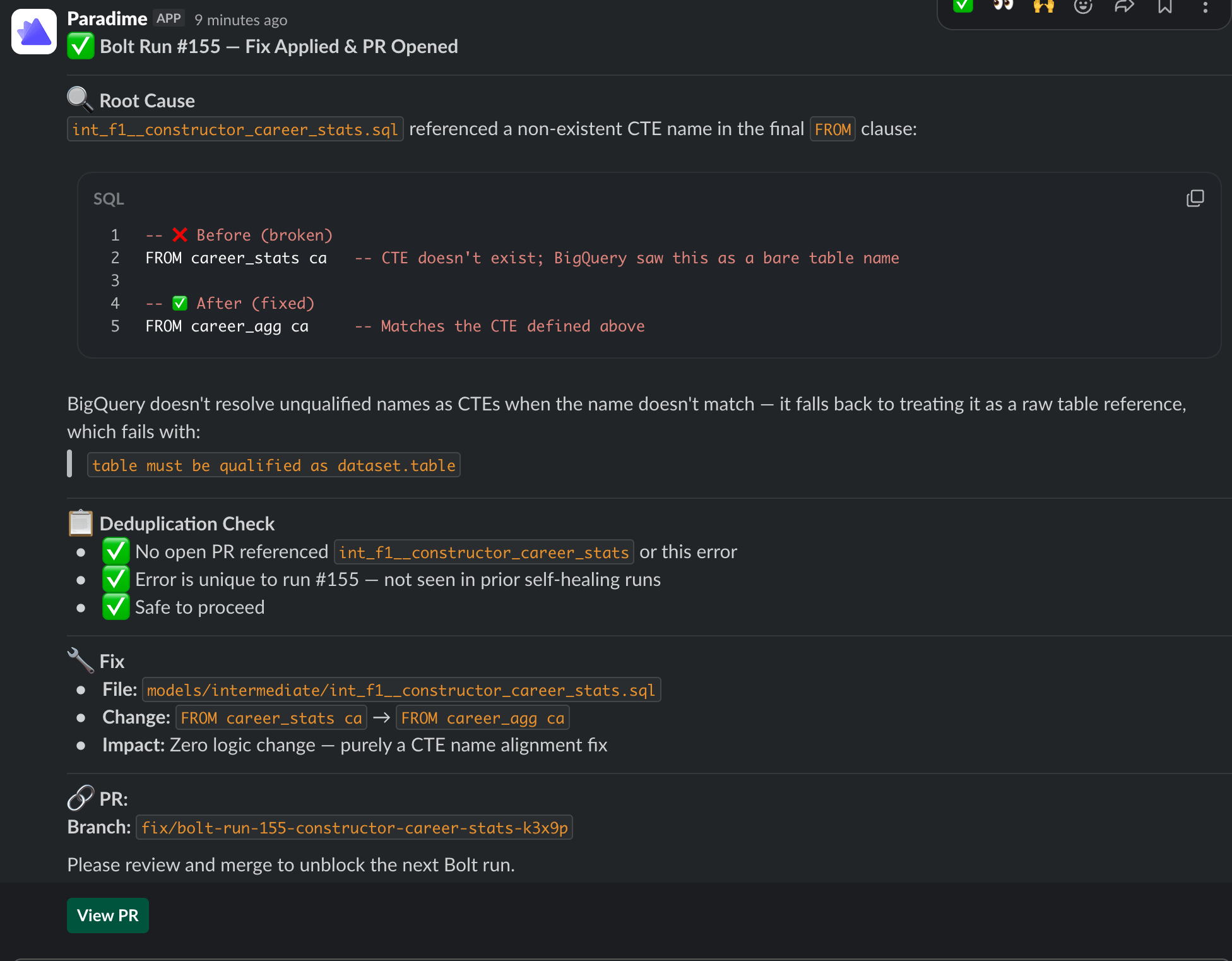
3. Paradime spins up a DinoAI agent session in that thread. The agent is invoked with the prompt: *"Review the run log and fix run\_id `<N>`"*.
4. The agent uses its tools (run logs, repository access, warehouse connection, Slack) to diagnose, implement, and open a PR — the same flow as Fix with DinoAI.
5. If notifications also fire to **other** Slack channels, those channels receive a courtesy pointer: `🦖 Self-healing started in #<primary-channel>`, so reviewers in those channels know where the work is happening.

```mermaid
sequenceDiagram
    participant B as Bolt run (failed)
    participant S as Slack (#alerts)
    participant H as Slack (#agent-demo)<br/>self_healing.slack_channel
    participant A as DinoAI agent

    B->>S: Failure notification
    B->>H: Failure notification
    B->>H: "🦖 Self-healing enabled — starting healing session..."
    B->>A: trigger_dinoai_fix_for_bolt_run(run_id, agent_name)
    B->>S: "🦖 Self-healing started in #agent-demo"
    A->>A: Read logs, write fix, open PR
    A-->>H: Progress + PR link in-thread
```

#### Context the agent receives

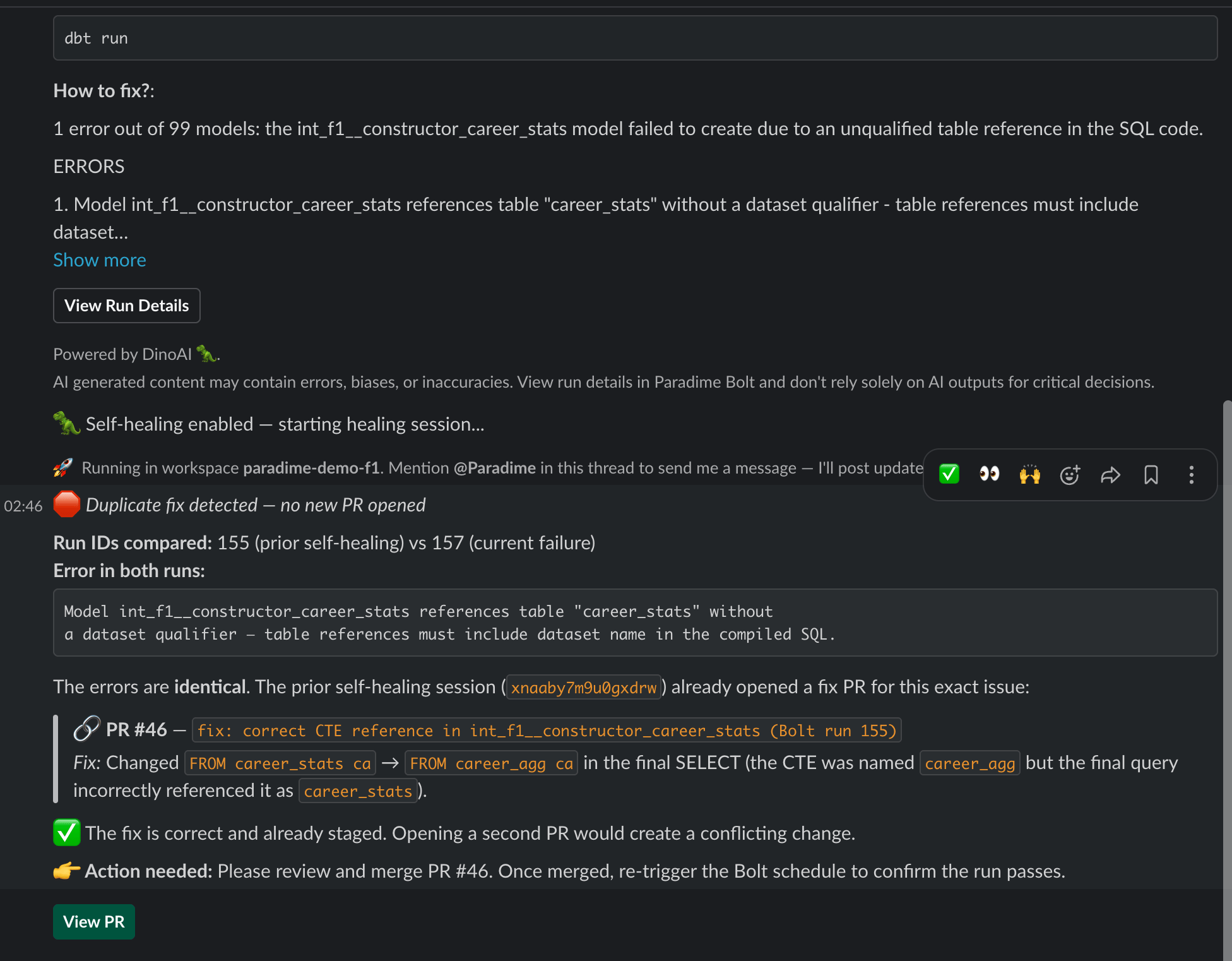
Beyond the run logs, the agent's prompt is enriched with a **prior-attempts** context whenever this schedule has been self-healed before:

This avoids the agent reopening duplicate PRs when an earlier session has already proposed a fix.
<figure><img src="/files/LK2esPXnlUwWcNntXKLs" alt=""><figcaption></figcaption></figure>

#### Self-Healing vs Fix with DinoAI

| Aspect                 | Fix with DinoAI                                       | Self-Healing                                               |
| ---------------------- | ----------------------------------------------------- | ---------------------------------------------------------- |
| Trigger                | Manual — someone clicks the button in Slack           | Automatic — fires as soon as the run fails                 |
| Where it's configured  | Nothing to configure; available on every failure post | Per-schedule, in the Bolt UI or schedules-as-code YAML     |
| Slack channel          | The channel that received the failure notification    | The channel set in `self_healing.slack_channel`            |
| Agent used             | Default Paradime Bolt-fix agent                       | A programmable agent named in `self_healing.agent_name`    |
| Prior-attempts context | No                                                    | Yes — recent sessions for the same schedule are summarised |

Use **Fix with DinoAI** for ad-hoc fixes and exploration. Turn on **Self-Healing** on the schedules where you want a PR to already be waiting when the team logs in.

#### Enabling Self-Healing on a schedule

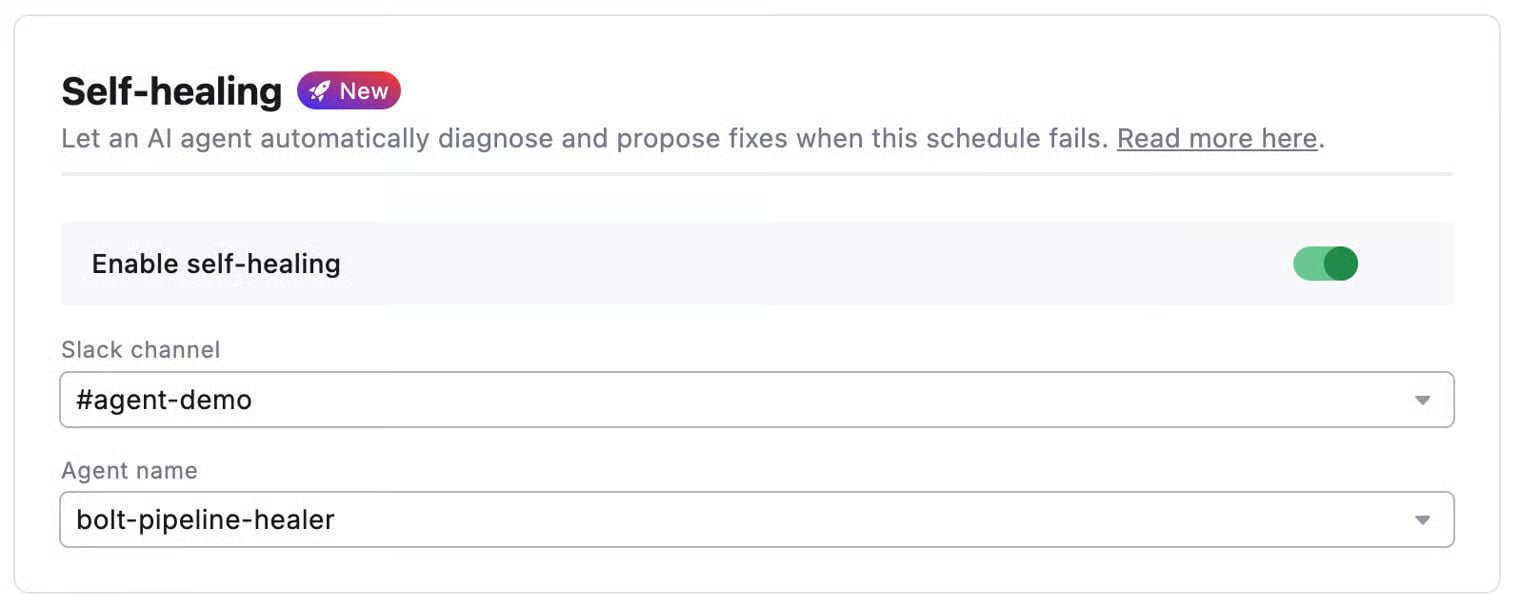
Self-Healing is configured per schedule. See:

* Creating Schedules → Self-Healing — UI walkthrough
* Schedules as Code → Configuration Reference — YAML block (`self_healing.enabled`, `slack_channel`, `agent_name`)

<div data-with-frame="true"><figure><img src="/files/uRVzCq9varY0mIaE173Y" alt=""><figcaption></figcaption></figure></div>

The Slack channel you pick in `self_healing.slack_channel` **must also appear** in the schedule's `notifications.slack_channels`. The agent threads into the existing failure notification — so the notification has to exist for the agent to find its thread.

#### Related

* [Fix with DinoAI](/app-help/products/dino-ai/bolt-pipeline-agent/fix-with-dinoai.md) — Manual one-click fixes from a Slack failure thread
* [Pipeline Insights](/app-help/products/dino-ai/bolt-pipeline-agent/production-pipelines.md) — DinoAI's AI summaries of failed commands
* [Programmable Agents](/app-help/guides-new/programmable-agents/bolt-pipeline-healer.md) — Author a custom `agent_name` for self-healing


---

# Agent Instructions
This documentation is published with GitBook. GitBook is the documentation platform designed so that both humans and AI agents can read, navigate, and reason over technical content effectively. Learn more at gitbook.com.

## Querying This Documentation
If you need additional information that is not directly available in this page, you can query the documentation dynamically by asking a question.

Perform an HTTP GET request on the current page URL with the `ask` query parameter:

```
GET https://docs.paradime.io/app-help/products/dino-ai/bolt-pipeline-agent/self-healing.md?ask=<question>
```

The question should be specific, self-contained, and written in natural language.
The response will contain a direct answer to the question and relevant excerpts and sources from the documentation.

Use this mechanism when the answer is not explicitly present in the current page, you need clarification or additional context, or you want to retrieve related documentation sections.