> ## Documentation Index
> Fetch the complete documentation index at: https://docs.paradime.io/llms.txt
> Use this file to discover all available pages before exploring further.
# Keep Bolt schedules running past a failed command
> Bolt schedules can now keep running after a failed command: set a schedule-level continue on error default and override it per command in the UI, YAML, and API.
*August 12, 2026*
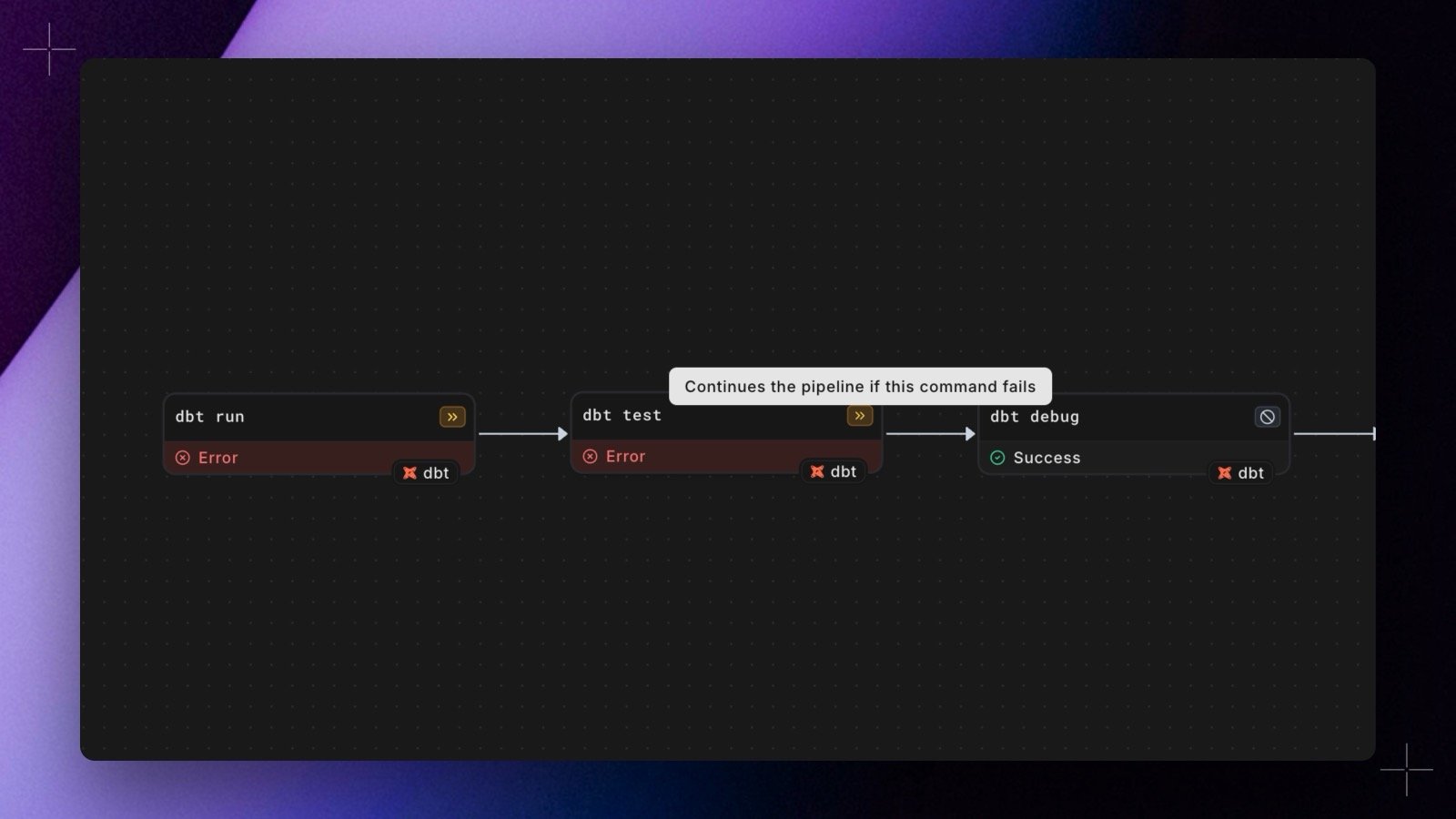 Until now, a failed command skipped everything after it. Bolt schedules now take a **Continue on error** toggle, plus a per-command override (**Default**, **Continue**, or **Stop**) on every command row, so a failing test no longer has to block the rest of the pipeline. The run is still reported as failed, and retries preserve the per-command settings.
The same options are available everywhere schedules are defined: the [schedule form](/products/bolt/creating-schedules/command-settings/index#continue-on-error), [`paradime_schedules.yml`](/products/bolt/creating-schedules/schedules-as-code/configuration-reference#continue-on-error), and the [GraphQL API](/developers/graphql-api/api-reference/bolt-api) via `commandConfigs` on `createBoltSchedule` and `triggerBoltRun`.
Shipped in Paradime v6.6.0, with `paradime schedule verify` and in-app YAML editing support in v6.6.1.
## Related topics
- [Changelog](/changelog/overview.md)
- [Commands](/products/bolt/creating-schedules/command-settings/index.md)
- [Bolt API](/developers/graphql-api/api-reference/bolt-api.md)
- [Debugging Failed Runs](/guides/paradime-101/running-dbt-in-production-with-bolt/debugging-failed-runs.md)
- [Bolt](/developers/python-sdk/modules/bolt.md)
Until now, a failed command skipped everything after it. Bolt schedules now take a **Continue on error** toggle, plus a per-command override (**Default**, **Continue**, or **Stop**) on every command row, so a failing test no longer has to block the rest of the pipeline. The run is still reported as failed, and retries preserve the per-command settings.
The same options are available everywhere schedules are defined: the [schedule form](/products/bolt/creating-schedules/command-settings/index#continue-on-error), [`paradime_schedules.yml`](/products/bolt/creating-schedules/schedules-as-code/configuration-reference#continue-on-error), and the [GraphQL API](/developers/graphql-api/api-reference/bolt-api) via `commandConfigs` on `createBoltSchedule` and `triggerBoltRun`.
Shipped in Paradime v6.6.0, with `paradime schedule verify` and in-app YAML editing support in v6.6.1.
## Related topics
- [Changelog](/changelog/overview.md)
- [Commands](/products/bolt/creating-schedules/command-settings/index.md)
- [Bolt API](/developers/graphql-api/api-reference/bolt-api.md)
- [Debugging Failed Runs](/guides/paradime-101/running-dbt-in-production-with-bolt/debugging-failed-runs.md)
- [Bolt](/developers/python-sdk/modules/bolt.md)