> ## Documentation Index
> Fetch the complete documentation index at: https://docs.paradime.io/llms.txt
> Use this file to discover all available pages before exploring further.
# Create environments and attach schedules to them
> Create multiple Bolt and Agent environments in Settings, each with its own warehouse connection, and pick the environment every Bolt schedule runs in.
*August 12, 2026*
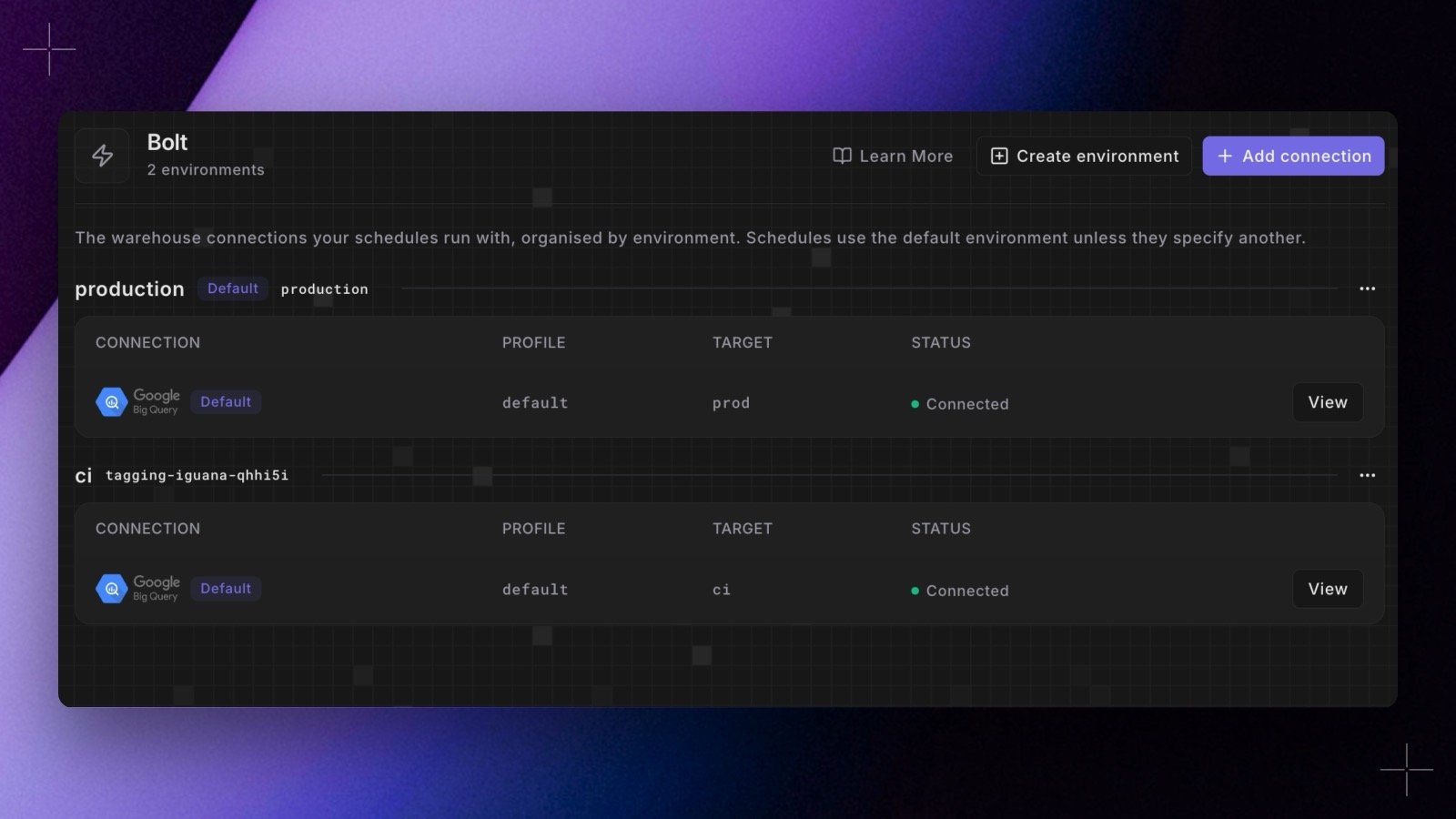 Workspaces are no longer limited to a single production environment. In **Settings > Environments** you can now [create, rename, and manage environments](/products/settings/connections/index#create-and-manage-environments) for Bolt and Agent, each with its own warehouse connection and a per-environment dbt™ partial parsing toggle.
Bolt schedules pick the environment they run in from their [schedule settings](/products/bolt/creating-schedules/schedule-settings), so the same project can run against staging and production connections side by side.
Shipped in Paradime v6.6.0.
## Related topics
- [Changelog](/changelog/overview.md)
- [Environments](/products/settings/connections/index.md)
- [Turbo CI for dbt™ pull requests](/products/bolt/ci-cd/turbo-ci/index.md)
- [Environment Variables](/products/settings/environment-variables/index.md)
- [Weekly Metrics Pulse Reporter](/guides/programmable-agents/weekly-metrics-pulse-agent.md)
Workspaces are no longer limited to a single production environment. In **Settings > Environments** you can now [create, rename, and manage environments](/products/settings/connections/index#create-and-manage-environments) for Bolt and Agent, each with its own warehouse connection and a per-environment dbt™ partial parsing toggle.
Bolt schedules pick the environment they run in from their [schedule settings](/products/bolt/creating-schedules/schedule-settings), so the same project can run against staging and production connections side by side.
Shipped in Paradime v6.6.0.
## Related topics
- [Changelog](/changelog/overview.md)
- [Environments](/products/settings/connections/index.md)
- [Turbo CI for dbt™ pull requests](/products/bolt/ci-cd/turbo-ci/index.md)
- [Environment Variables](/products/settings/environment-variables/index.md)
- [Weekly Metrics Pulse Reporter](/guides/programmable-agents/weekly-metrics-pulse-agent.md)