> ## Documentation Index
> Fetch the complete documentation index at: https://docs.paradime.io/llms.txt
> Use this file to discover all available pages before exploring further.
# DinoAI answers questions from your dbt metadata
> Nine read-only dbt Discovery tools let DinoAI and the MCP server query models, sources, lineage, model health, and run performance from Bolt artifacts.
*August 12, 2026*
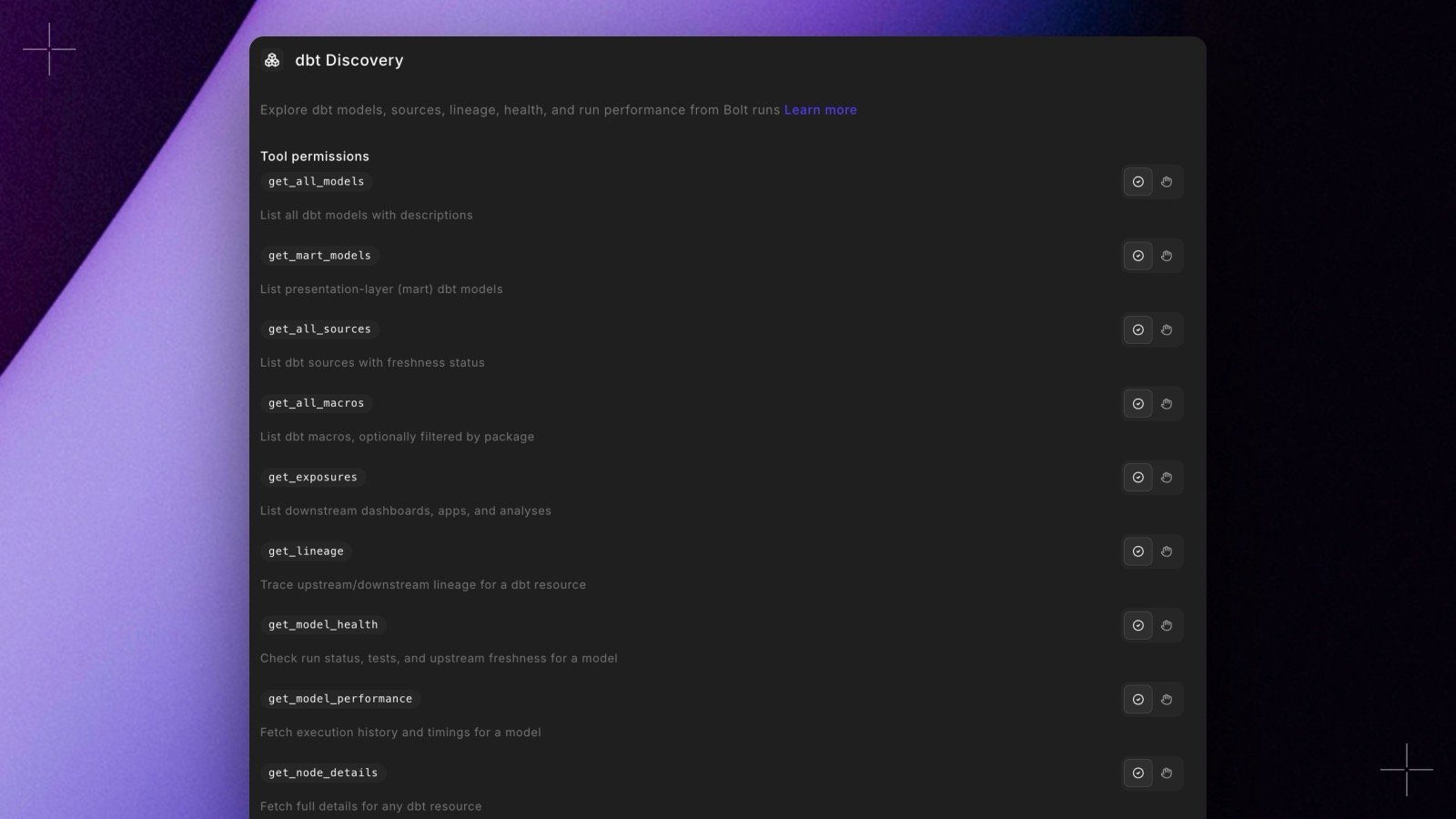 DinoAI gains a **dbt Discovery toolset**: nine read-only tools that answer questions about your project's structure, health, and performance straight from the dbt™ artifacts of your Bolt runs. Ask "Is `stg_orders` healthy?" or "How long did `fct_orders` take over the last 10 runs?" and DinoAI checks model status, test results, upstream freshness, lineage, and historical timings without touching your warehouse.
Tool names and output mirror the dbt-mcp Discovery toolset, so existing prompts transfer unchanged. The tools are available in the editor copilot, background agent sessions, and the [Paradime MCP server](/products/dino-ai/mcp-server/index).
See [dbt Discovery Tools](/products/dino-ai/tools-and-features/dbt-discovery-tools). Shipped in Paradime v6.6.0.
## Related topics
- [Changelog](/changelog/overview.md)
- [dbt Discovery Tools](/products/dino-ai/tools-and-features/dbt-discovery-tools.md)
- [Copilot](/products/dino-ai/copilot/index.md)
- [Paradime Docs Tool](/products/dino-ai/tools-and-features/paradime-docs-tool.md)
- [Ask Mode](/products/dino-ai/copilot/ask-mode.md)
DinoAI gains a **dbt Discovery toolset**: nine read-only tools that answer questions about your project's structure, health, and performance straight from the dbt™ artifacts of your Bolt runs. Ask "Is `stg_orders` healthy?" or "How long did `fct_orders` take over the last 10 runs?" and DinoAI checks model status, test results, upstream freshness, lineage, and historical timings without touching your warehouse.
Tool names and output mirror the dbt-mcp Discovery toolset, so existing prompts transfer unchanged. The tools are available in the editor copilot, background agent sessions, and the [Paradime MCP server](/products/dino-ai/mcp-server/index).
See [dbt Discovery Tools](/products/dino-ai/tools-and-features/dbt-discovery-tools). Shipped in Paradime v6.6.0.
## Related topics
- [Changelog](/changelog/overview.md)
- [dbt Discovery Tools](/products/dino-ai/tools-and-features/dbt-discovery-tools.md)
- [Copilot](/products/dino-ai/copilot/index.md)
- [Paradime Docs Tool](/products/dino-ai/tools-and-features/paradime-docs-tool.md)
- [Ask Mode](/products/dino-ai/copilot/ask-mode.md)