> ## Documentation Index
> Fetch the complete documentation index at: https://docs.paradime.io/llms.txt
> Use this file to discover all available pages before exploring further.
# Pin a dbt™ version per environment
> Bolt and Agent environments can now override the workspace dbt™ version, so one environment can run dbt™ 1.11 while another runs 1.12.
*August 19, 2026*
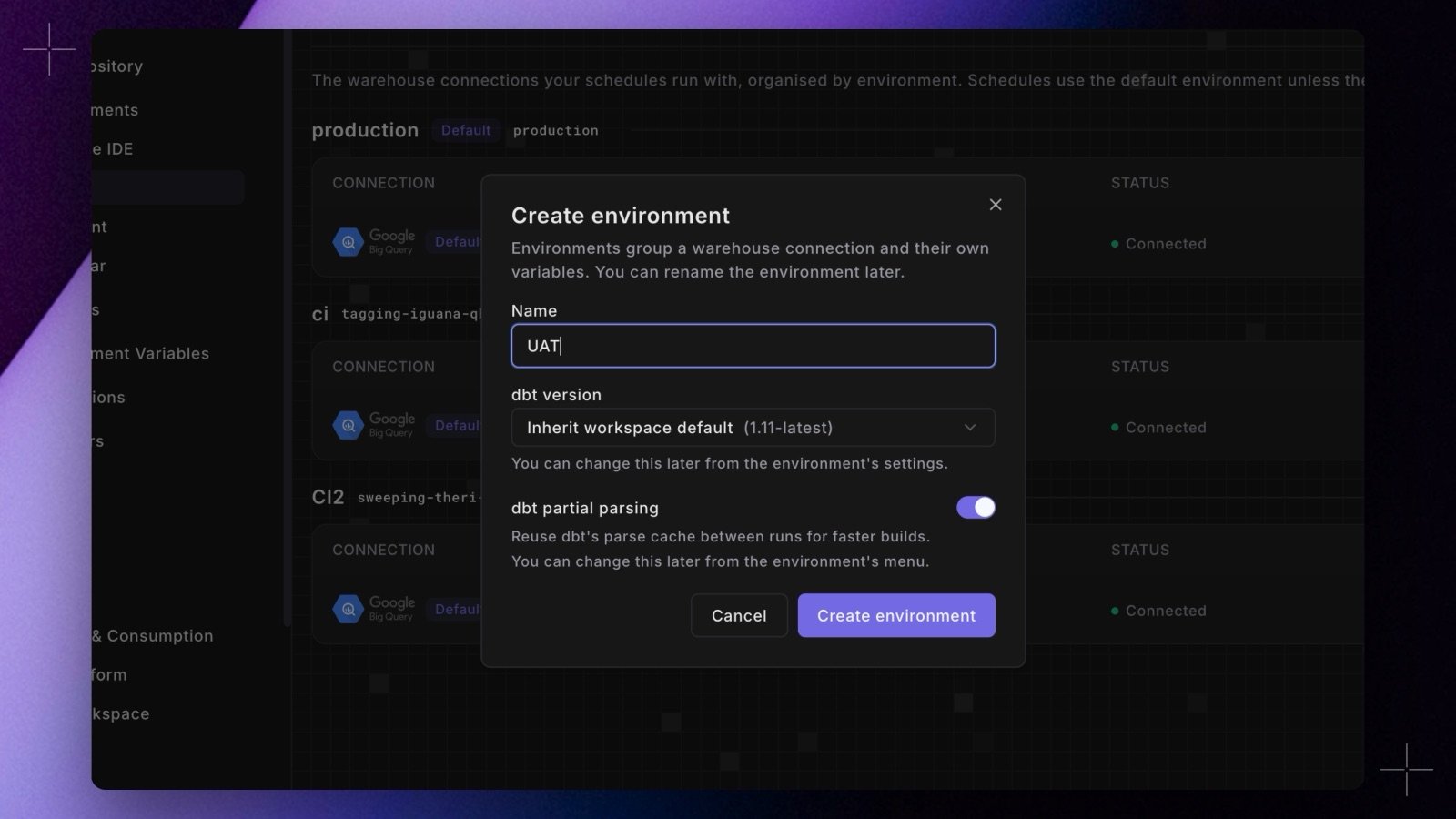 The dbt™ version is no longer a single workspace-wide setting. Each Bolt and Agent environment can now [pin its own version](/products/settings/connections/index#create-and-manage-environments) from the environment settings dialog in **Settings > Environments**: one environment can run dbt™ 1.11 while another runs 1.12, which makes version upgrades testable in a staging environment before production moves.
Environments default to **Inherit workspace default**, so nothing changes until you set an override. Overridden environments show a `dbt ` chip on their row, you can pick an initial version when creating an environment, and changes apply from the environment's next run with no manual redeploy.
Shipped in Paradime v6.7.0.
## Related topics
- [Changelog](/changelog/overview.md)
- [Manage dbt™ version](/products/settings/configuration/manage-dbt-version.md)
- [Environments](/products/settings/connections/index.md)
- [Packages](/guides/dbt-fundamentals/configuring-your-dbt-project/packages.md)
- [GCP Secret Manager](/integrations/gcp-secret-manager.md)
The dbt™ version is no longer a single workspace-wide setting. Each Bolt and Agent environment can now [pin its own version](/products/settings/connections/index#create-and-manage-environments) from the environment settings dialog in **Settings > Environments**: one environment can run dbt™ 1.11 while another runs 1.12, which makes version upgrades testable in a staging environment before production moves.
Environments default to **Inherit workspace default**, so nothing changes until you set an override. Overridden environments show a `dbt ` chip on their row, you can pick an initial version when creating an environment, and changes apply from the environment's next run with no manual redeploy.
Shipped in Paradime v6.7.0.
## Related topics
- [Changelog](/changelog/overview.md)
- [Manage dbt™ version](/products/settings/configuration/manage-dbt-version.md)
- [Environments](/products/settings/connections/index.md)
- [Packages](/guides/dbt-fundamentals/configuring-your-dbt-project/packages.md)
- [GCP Secret Manager](/integrations/gcp-secret-manager.md)