> ## Documentation Index
> Fetch the complete documentation index at: https://docs.paradime.io/llms.txt
> Use this file to discover all available pages before exploring further.
# Follow an agent run step by step from the API
> dinoaiAgentRun returns each step and tool call while a DinoAI agent works, plus its start-up checklist, and Python SDK 6.8.0 and the CLI show them.
*October 8, 2026*
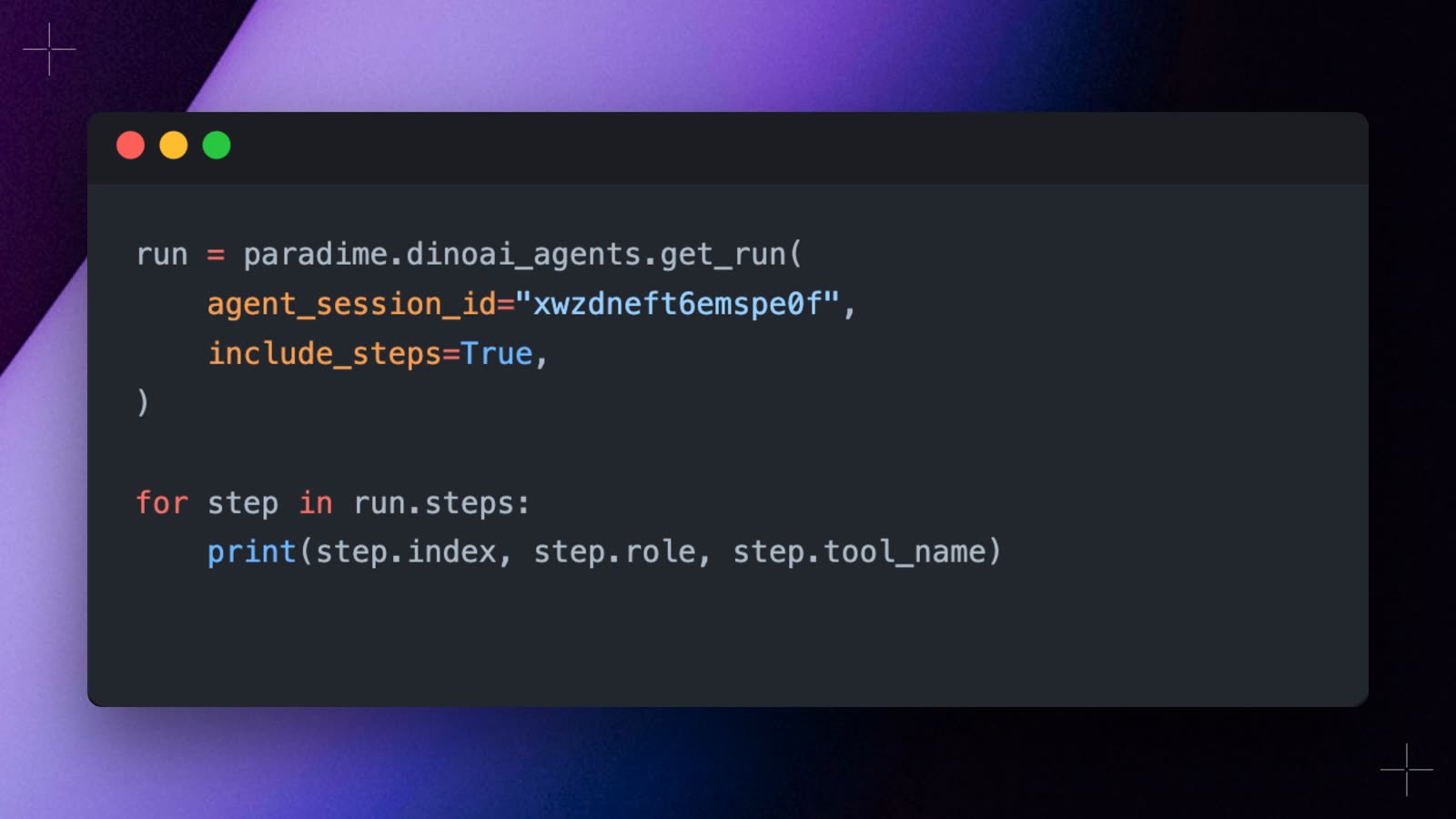 You can now follow a DinoAI agent run from the API the way the session panel shows it, instead of waiting for its final message. `dinoaiAgentRun` has two new fields:
* **`steps`**: every step so far, tool calls included. Pass the last `index` you read as `after` to poll for new steps, and set `includeToolIo` to also get each tool's input and output.
* **`startupSteps`**: the checklist while the agent's environment boots, such as cloning the repository.
Python SDK 6.8.0 adds `include_steps` to `get_run`. This script starts an agent run and prints each tool call as it happens:
```python theme={"system"}
import time
from paradime import Paradime
from paradime.apis.dinoai_agents.types import DinoaiAgentRunStatus
paradime = Paradime(api_endpoint="API_ENDPOINT", api_secret="prdm_cmp_...", workspace_uid="WORKSPACE_UID")
result = paradime.dinoai_agents.trigger_run(
agent="data-quality-checker",
message="Check stg_orders for missing not_null tests.",
)
last_index = None
while True:
run = paradime.dinoai_agents.get_run(
agent_session_id=result.agent_session_id,
include_steps=True,
steps_after=last_index, # only the steps you haven't seen yet
)
for step in run.steps or []:
if step.role == "TOOL":
print(f"Tool call: {step.tool_name}")
elif step.role == "AGENT" and step.content:
print(step.content)
last_index = step.index
if run.status not in (DinoaiAgentRunStatus.QUEUED, DinoaiAgentRunStatus.RUNNING):
print(f"Finished: {run.status.value}")
break
time.sleep(5)
```
The `paradime dinoai` CLI does the same out of the box: it prints one line per tool call while the agent works. See the [DinoAI Programmable Agents API](/developers/graphql-api/api-reference/dinoai-programmable-agents-api) and the [Python SDK](/developers/python-sdk/modules/dinoai-programmable-agents). Shipped in Paradime v6.18.0.
## Related topics
- [Changelog](/changelog/overview.md)
- [DinoAI Programmable Agents API](/developers/graphql-api/api-reference/dinoai-programmable-agents-api.md)
- [Triggering from the API](/products/dino-ai/programmable-agents/api-reference.md)
- [Create Datadog Incident](/guides/orchestrate-data-pipelines/templates/incident-templates/create-datadog-incident.md)
- [Trigger Hightouch Syncs](/guides/orchestrate-data-pipelines/templates/reverse-etl-templates/trigger-hightouch-syncs.md)
This documentation is built and hosted on [Mintlify](https://mintlify.com), a developer documentation platform.
You can now follow a DinoAI agent run from the API the way the session panel shows it, instead of waiting for its final message. `dinoaiAgentRun` has two new fields:
* **`steps`**: every step so far, tool calls included. Pass the last `index` you read as `after` to poll for new steps, and set `includeToolIo` to also get each tool's input and output.
* **`startupSteps`**: the checklist while the agent's environment boots, such as cloning the repository.
Python SDK 6.8.0 adds `include_steps` to `get_run`. This script starts an agent run and prints each tool call as it happens:
```python theme={"system"}
import time
from paradime import Paradime
from paradime.apis.dinoai_agents.types import DinoaiAgentRunStatus
paradime = Paradime(api_endpoint="API_ENDPOINT", api_secret="prdm_cmp_...", workspace_uid="WORKSPACE_UID")
result = paradime.dinoai_agents.trigger_run(
agent="data-quality-checker",
message="Check stg_orders for missing not_null tests.",
)
last_index = None
while True:
run = paradime.dinoai_agents.get_run(
agent_session_id=result.agent_session_id,
include_steps=True,
steps_after=last_index, # only the steps you haven't seen yet
)
for step in run.steps or []:
if step.role == "TOOL":
print(f"Tool call: {step.tool_name}")
elif step.role == "AGENT" and step.content:
print(step.content)
last_index = step.index
if run.status not in (DinoaiAgentRunStatus.QUEUED, DinoaiAgentRunStatus.RUNNING):
print(f"Finished: {run.status.value}")
break
time.sleep(5)
```
The `paradime dinoai` CLI does the same out of the box: it prints one line per tool call while the agent works. See the [DinoAI Programmable Agents API](/developers/graphql-api/api-reference/dinoai-programmable-agents-api) and the [Python SDK](/developers/python-sdk/modules/dinoai-programmable-agents). Shipped in Paradime v6.18.0.
## Related topics
- [Changelog](/changelog/overview.md)
- [DinoAI Programmable Agents API](/developers/graphql-api/api-reference/dinoai-programmable-agents-api.md)
- [Triggering from the API](/products/dino-ai/programmable-agents/api-reference.md)
- [Create Datadog Incident](/guides/orchestrate-data-pipelines/templates/incident-templates/create-datadog-incident.md)
- [Trigger Hightouch Syncs](/guides/orchestrate-data-pipelines/templates/reverse-etl-templates/trigger-hightouch-syncs.md)
This documentation is built and hosted on [Mintlify](https://mintlify.com), a developer documentation platform.