> ## Documentation Index
> Fetch the complete documentation index at: https://docs.paradime.io/llms.txt
> Use this file to discover all available pages before exploring further.
# Clear Paradime local storage
> Clear stored browser data for Paradime in Chrome to fix stale UI state.
Use this fix when the app shows stale UI state or unexpected browser-side issues.
### PARA-1015: Clear Paradime local storage
Some UI issues come from stale local browser data.
In Chrome, clear the stored site data for Paradime:
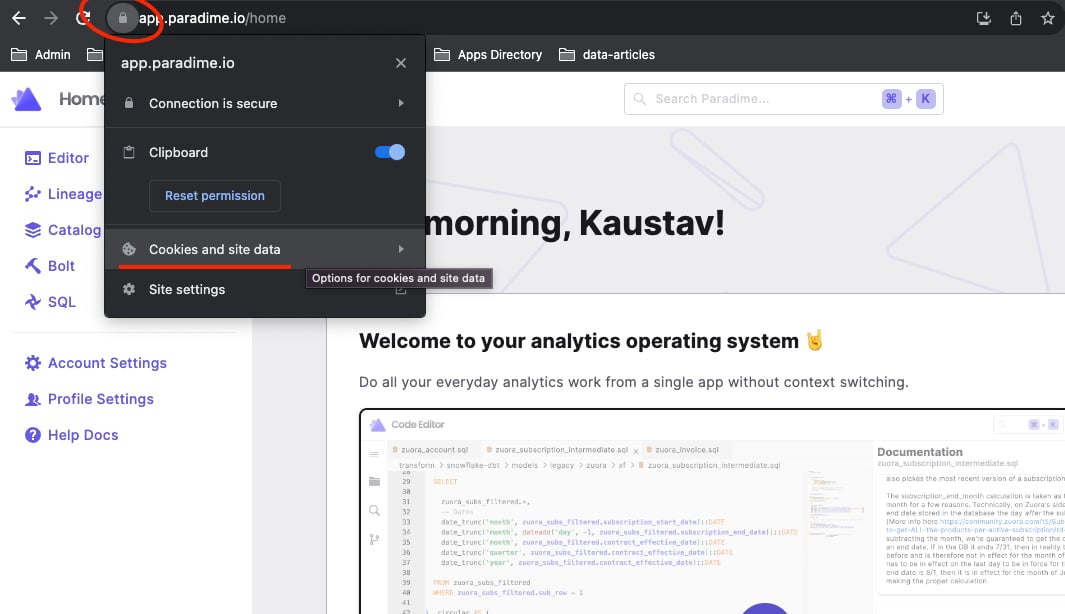
1. Select the lock icon next to the URL.
2. Click **Cookies and site data**.
 3. Click **Manage on-device site data**.
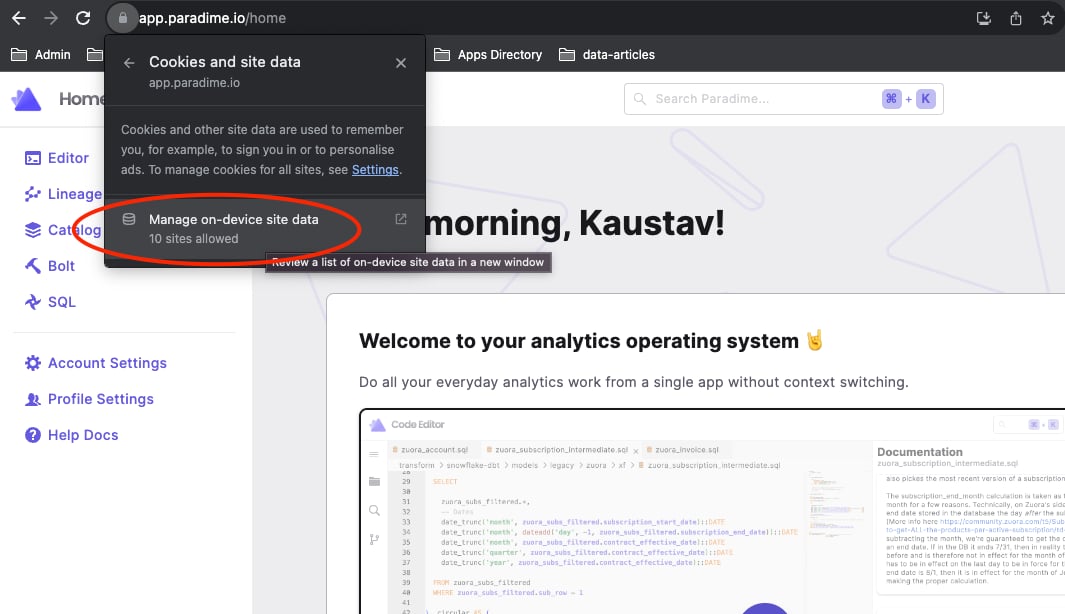 4. Remove data for these domains:
* `api.paradime.io` / `api.us.paradime.io`
* `app.paradime.io` / `app.us.paradime.io`
* `paradime.io`
After that, reload the app.
## Related topics
- [Workspace and warehouse errors](/get-help/error-list/workspace-and-warehouse-errors.md)
- [Snowflake Storage](/integrations/snowflake-storage.md)
- [Snowflake Tools](/products/dino-ai/tools-and-features/warehouse-tool/snowflake-tools.md)
- [Troubleshooting](/developers/virtual-environments/troubleshooting.md)
- [dlt Source and Destination Credentials via Environment Variables](/guides/using-dlt-in-paradime/dlt-source-and-destination-credentials-via-environment-variables.md)
4. Remove data for these domains:
* `api.paradime.io` / `api.us.paradime.io`
* `app.paradime.io` / `app.us.paradime.io`
* `paradime.io`
After that, reload the app.
## Related topics
- [Workspace and warehouse errors](/get-help/error-list/workspace-and-warehouse-errors.md)
- [Snowflake Storage](/integrations/snowflake-storage.md)
- [Snowflake Tools](/products/dino-ai/tools-and-features/warehouse-tool/snowflake-tools.md)
- [Troubleshooting](/developers/virtual-environments/troubleshooting.md)
- [dlt Source and Destination Credentials via Environment Variables](/guides/using-dlt-in-paradime/dlt-source-and-destination-credentials-via-environment-variables.md)