> ## Documentation Index
> Fetch the complete documentation index at: https://docs.paradime.io/llms.txt
> Use this file to discover all available pages before exploring further.
# Confluence Cloud
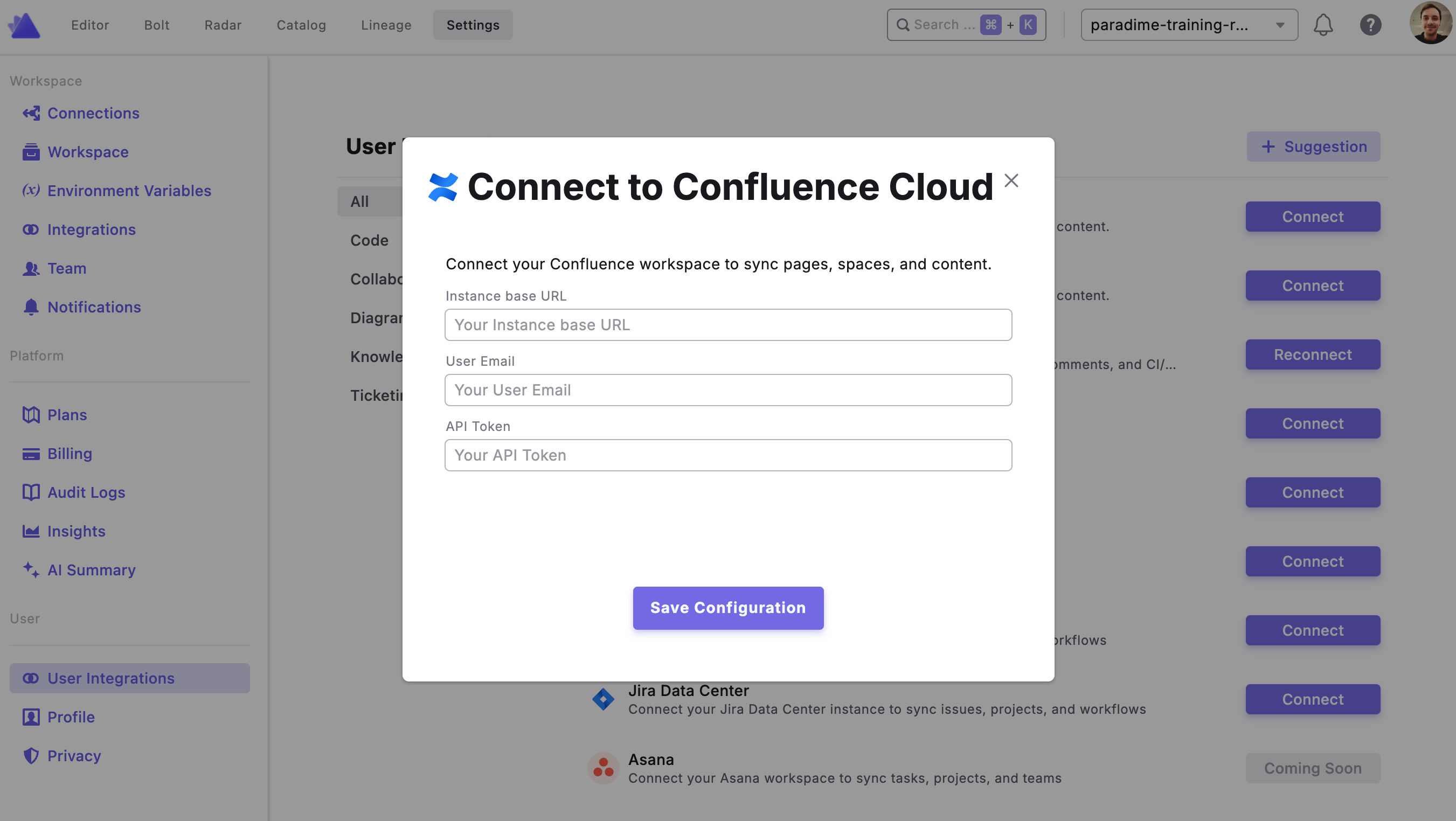
To authorize Confluence, navigate to your **Workspace Settings**, open the **User Integrations** page, find the **Confluence** integration, and click **Connect**. You'll then be prompted to enter your credentials.
The required credentials differ depending on your Confluence setup — make sure you select the correct option for your environment.
For **Confluence Data Center** users, see [Connecting Confluence Data Center to Paradime ](/integrations/jira/jira-data-center)for setup instructions specific to your environment.
Once connected, DinoAI will be able to access Confluence on your behalf using the [Confluence Tool](/products/dino-ai/tools-and-features/confluence-tool).
You will need an Atlassian API token to connect Confluence Cloud. See the table below for instructions on where to find each required field.
| Field | Description | Where to find it |
| --------------------- | -------------------------------------------------------- | ---------------------------------------------------------------------------------------------------- |
| **Instance Base URL** | The base URL of your Confluence Cloud instance | Your Confluence URL, e.g. `https://your-org.atlassian.net` |
| **User Email** | The email address associated with your Atlassian account | Your Atlassian account profile |
| **API Token** | A personal API token to authenticate requests | Go to [id.atlassian.com](https://id.atlassian.com) → **Security** → **Create and manage API tokens** |
 ## Related topics
- [Confluence](/integrations/confluence/index.md)
- [Confluence Tool](/products/dino-ai/tools-and-features/confluence-tool.md)
- [Confluence Data Center](/integrations/confluence/confluence-data-center.md)
- [Jira Cloud](/integrations/jira/jira-cloud.md)
- [Jira Data Center](/integrations/jira/jira-data-center.md)
## Related topics
- [Confluence](/integrations/confluence/index.md)
- [Confluence Tool](/products/dino-ai/tools-and-features/confluence-tool.md)
- [Confluence Data Center](/integrations/confluence/confluence-data-center.md)
- [Jira Cloud](/integrations/jira/jira-cloud.md)
- [Jira Data Center](/integrations/jira/jira-data-center.md)