> ## Documentation Index
> Fetch the complete documentation index at: https://docs.paradime.io/llms.txt
> Use this file to discover all available pages before exploring further.
# Cube CLI
The Cube CLI is a powerful tool that complements your dbt development workflow. While dbt handles data transformation and modeling in your warehouse, Cube CLI enables you to create semantic modeling layers on top of your dbt models. You can develop and validate semantic models to create business-friendly data interfaces, complete with metrics, dimensions, and access controls.
**Prerequisites**
Paradime requires your Cube project to follow this specific folder structure for organizing models and views where the `cube` folder is at the root of your repository:
```text theme={"system"}
cube
|_models
|_cubes
|_views
...
```
## Overview
The Cube CLI utility enables you in Paradime to:
* Validate existing models
## Commands
Make sure to run any of the below command from the cube project directory.
In the Paradime terminal use:
```bash theme={"system"}
cd cube
```
### `validate`
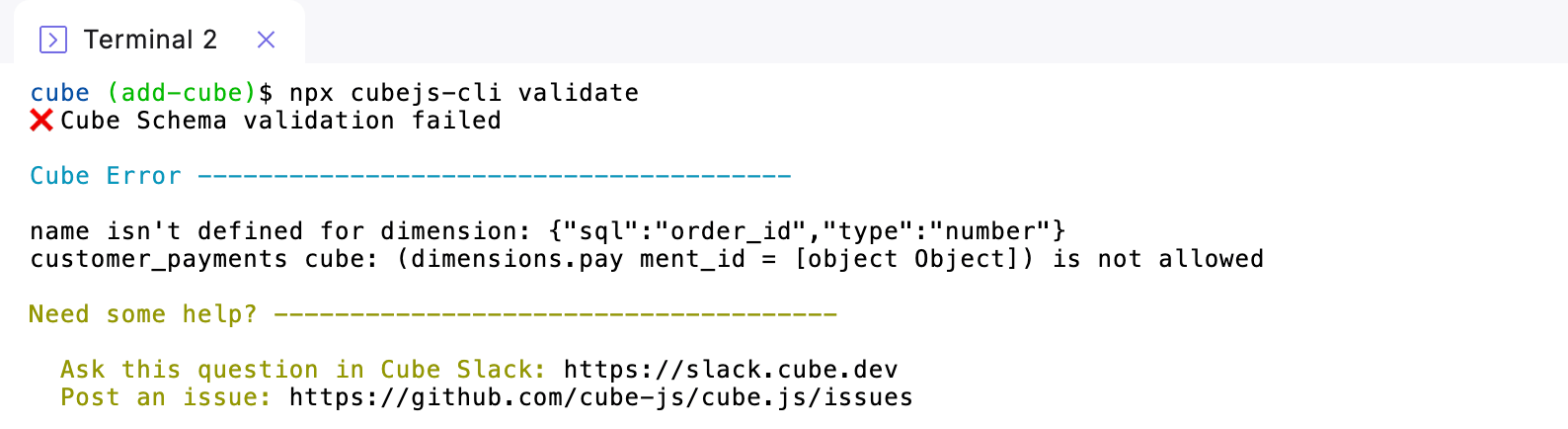
Checks Cube project models for validation errors.
#### Syntax
```bash theme={"system"}
npx cubejs-cli validate
```
**Example Output**
 ## Related topics
- [Bolt CLI](/developers/paradime-cli/bolt-cli.md)
- [Paradime CLI](/developers/paradime-cli/index.md)
- [Tableau CLI](/developers/paradime-cli/tableau-cli.md)
- [Airbyte CLI](/developers/paradime-cli/airbyte-cli.md)
## Related topics
- [Bolt CLI](/developers/paradime-cli/bolt-cli.md)
- [Paradime CLI](/developers/paradime-cli/index.md)
- [Tableau CLI](/developers/paradime-cli/tableau-cli.md)
- [Airbyte CLI](/developers/paradime-cli/airbyte-cli.md)