> ## Documentation Index
> Fetch the complete documentation index at: https://docs.paradime.io/llms.txt
> Use this file to discover all available pages before exploring further.
# Fivetran
To create API keys and Secret in Fivetran, you will need have **Account Administrator** access. See also the Fivetran docs [here](https://fivetran.com/docs/rest-api/getting-started).
## Generate API Key
**Fivetran only supports a single, account-level API key.** If one already exists, creating a new one will disable the existing key and connectivity for any applications using the existing key will stop working.
If a key already exists in your account, you should ask within your organization for the existing API Key and Secret.
1. To generate API credentials login to [Fivetran](https://fivetran.com/) as a user with the Account Administrator role.
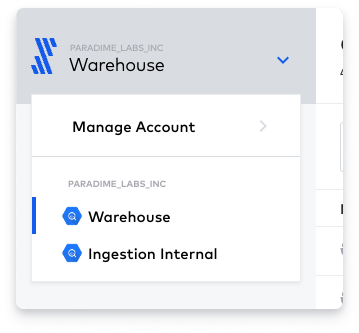
2. On the top-left corner of your screen, click the drop-down with your account name and click on **Manage Account** to view your Fivetran account settings.
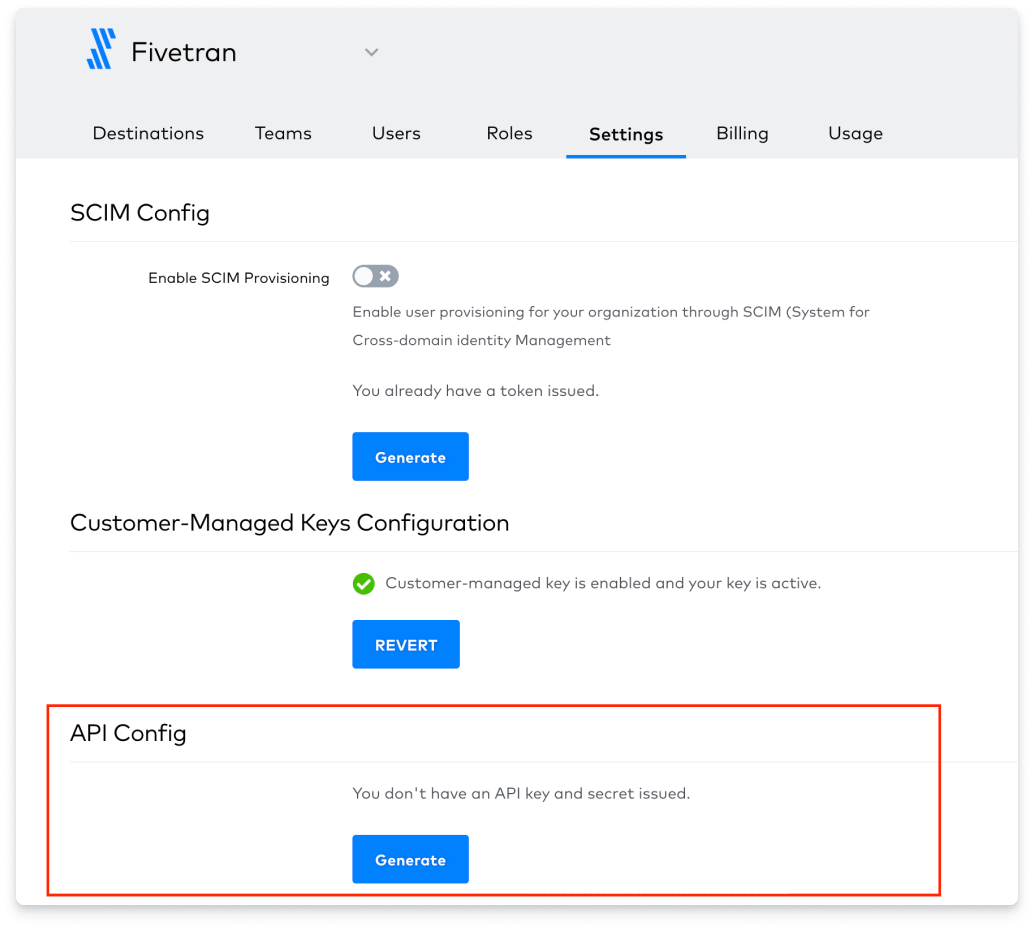
 3. Select the **Settings tab** and in the API Config section at the bottom click on the Generate Button and make a note of the API key and API secret as we will need those to setup the Paradime integration.
 ## Connect the Fivetran Integration
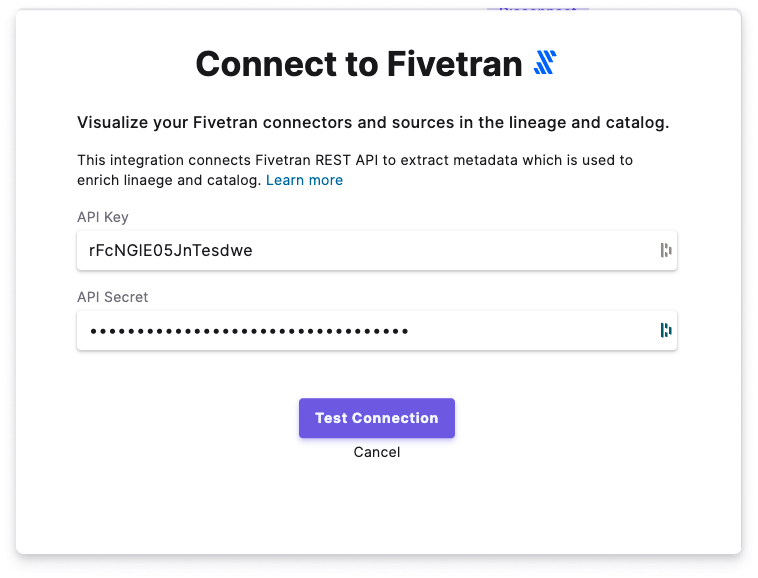
The Fivetran integration can be connected by a Paradime **Admin user**. To enable the integration, in Paradime navigate to your *Account Settings > Integrations*, find the Fivetran integration and click *Connect*.
1. Add the API Key and Secret for your Fivetran account
2. Click on Test Connection to validate that Paradime can connect to Fivetran and start importing Metadata from your Connectors.
## Connect the Fivetran Integration
The Fivetran integration can be connected by a Paradime **Admin user**. To enable the integration, in Paradime navigate to your *Account Settings > Integrations*, find the Fivetran integration and click *Connect*.
1. Add the API Key and Secret for your Fivetran account
2. Click on Test Connection to validate that Paradime can connect to Fivetran and start importing Metadata from your Connectors.
 *Paradime uses the Fivetran API and Webhooks to extract Metadata from your connectors and the most recent status of each ingestion into your destinations.*
## Related topics
- [Fivetran assets](/products/data-catalog/data-assets/fivetran-assets.md)
- [Fivetran CLI](/developers/paradime-cli/fivetran-cli.md)
- [Fivetran Connector Sync](/products/bolt/creating-schedules/command-settings/fivetran-connector-sync.md)
- [Integration errors](/get-help/error-list/integration-errors.md)
- [Paradime CLI](/developers/paradime-cli/index.md)
*Paradime uses the Fivetran API and Webhooks to extract Metadata from your connectors and the most recent status of each ingestion into your destinations.*
## Related topics
- [Fivetran assets](/products/data-catalog/data-assets/fivetran-assets.md)
- [Fivetran CLI](/developers/paradime-cli/fivetran-cli.md)
- [Fivetran Connector Sync](/products/bolt/creating-schedules/command-settings/fivetran-connector-sync.md)
- [Integration errors](/get-help/error-list/integration-errors.md)
- [Paradime CLI](/developers/paradime-cli/index.md)