> ## Documentation Index
> Fetch the complete documentation index at: https://docs.paradime.io/llms.txt
> Use this file to discover all available pages before exploring further.
# Google Docs
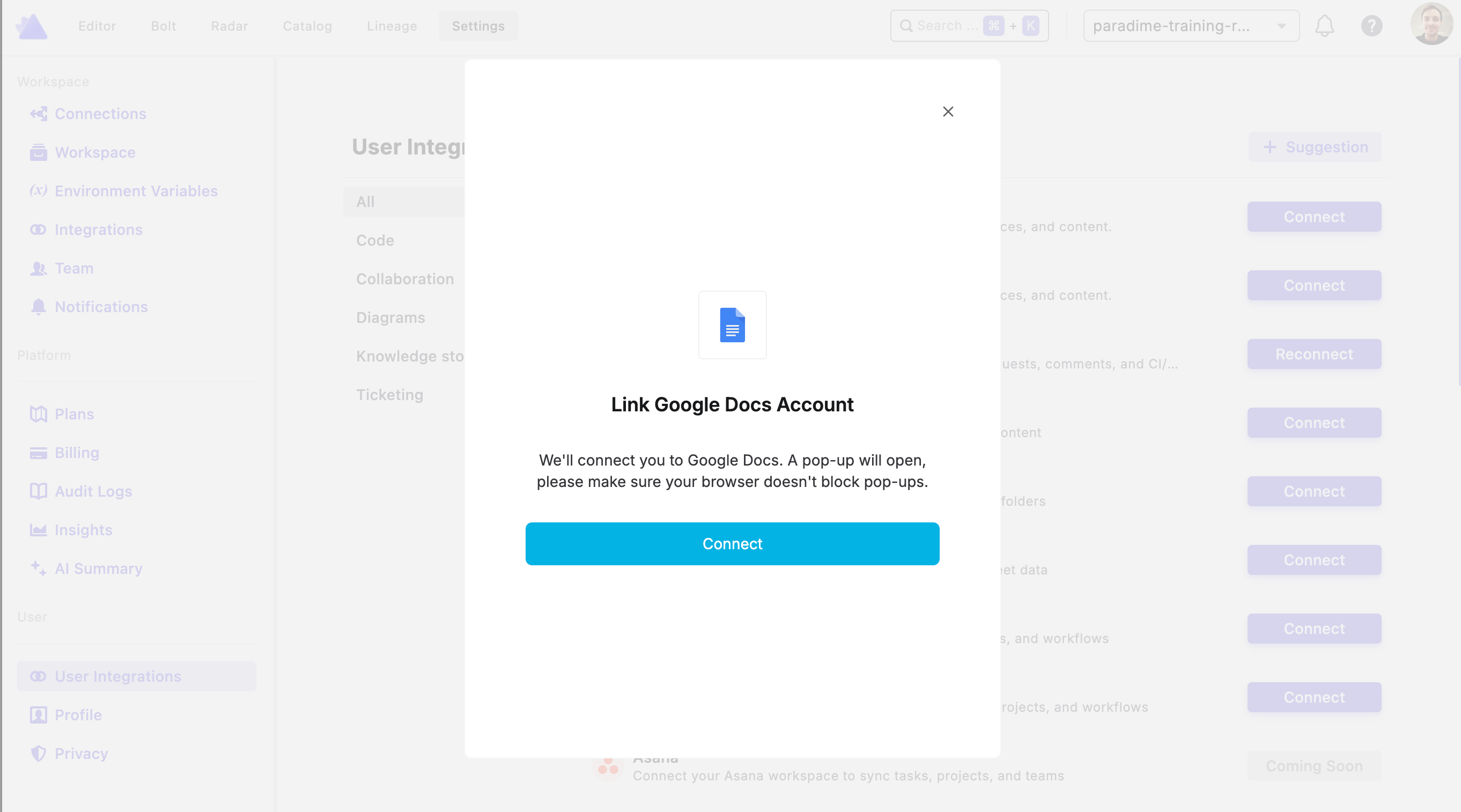
To authorize Google Docs, navigate to your **Workspace Settings** and then **User Integrations** page, find the **Google Docs** integration, and click **Connect**. You'll then be prompted to log in to your Google account to complete the authorization.
Once connected, DinoAI will be able to access Google Docs on your behalf using the [Google Docs Tool](/products/dino-ai/tools-and-features/google-docs-tool).
 ## Related topics
- [Google Docs Tool](/products/dino-ai/tools-and-features/google-docs-tool.md)
- [Google Sheets](/integrations/google-sheets.md)
- [Google Drive Search Tool](/products/dino-ai/tools-and-features/google-drive-search-tool.md)
- [Tools and Features](/products/dino-ai/tools-and-features/index.md)
- [Tools Reference](/products/dino-ai/programmable-agents/tools-reference.md)
## Related topics
- [Google Docs Tool](/products/dino-ai/tools-and-features/google-docs-tool.md)
- [Google Sheets](/integrations/google-sheets.md)
- [Google Drive Search Tool](/products/dino-ai/tools-and-features/google-drive-search-tool.md)
- [Tools and Features](/products/dino-ai/tools-and-features/index.md)
- [Tools Reference](/products/dino-ai/programmable-agents/tools-reference.md)