> ## Documentation Index
> Fetch the complete documentation index at: https://docs.paradime.io/llms.txt
> Use this file to discover all available pages before exploring further.
# Prettier
export const Arcade = ({src, title}) =>
;
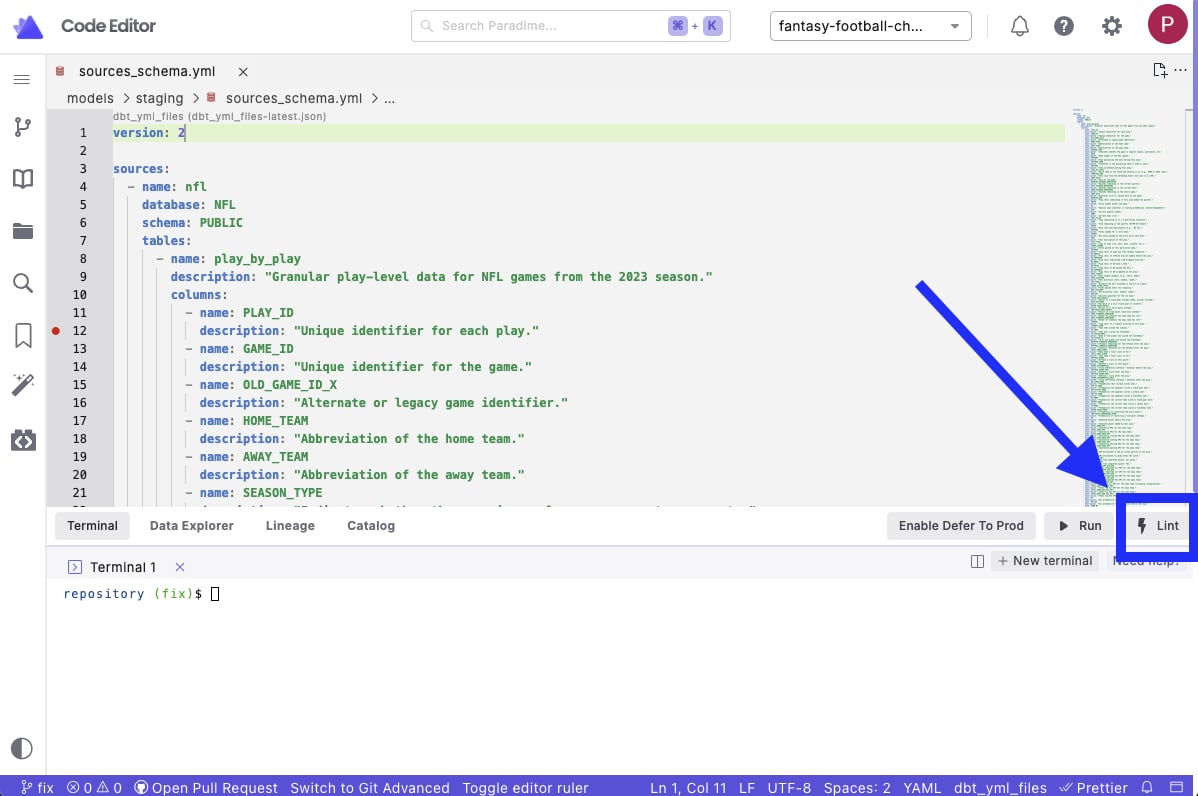
Paradime provides native integration with [Prettier](https://prettier.io/playground/), enabling automatic formatting of YAML files in your dbt™ project directly from the IDE. This integration helps maintain consistent code style and catch potential YAML errors early.
### Integration Features
* One-click YAML formatting through the Lint button
* Built-in error detection
* Native IDE integration
* Customizable formatting rules
***
### Using the Integration
1. Open a `.sql` file in your editor
2. Click the **Lint** button in the [Command Panel](/products/code-ide/command-panel/index)
3. Review the changes made in [Git Lite](/products/code-ide/left-panel/git-lite)
* Syntax errors
* Style violations
* Formatting suggestions
4. If satisfied with Lint updates, [Commit and Push](/products/code-ide/left-panel/git-lite#commit-and-push-your-changes) your changes to your remote branch.
 ## Configuration
While the integration works out of the box, you can customize Prettier's behavior:
1. Create a `.prettierrc.yaml` file in your dbt™ project root directory (same location as your `dbt_project.yml`)
2. Add your configuration:
```yaml theme={"system"}
# .prettierrc.yaml example file
yamlCopyparser: yaml
trailingComma: es5
tabWidth: 4
semi: false
singleQuote: true
printWidth: 100
```
Visit [prettier documentation](https://prettier.io/docs/en/configuration.html) a complete list of configuration options.
### Error Detection
When the integration runs Prettier on a `.yml` file, it automatically:
* Validates YAML syntax
* Flags potential errors
* Shows formatting issues
* Provides error details in the output tab
***
Want to automate YAML formatting? Learn how to set up [Prettier pre-commit hooks](/integrations/pre-commit/prettier-hooks) to format files before each commit.
## Related topics
- [Prettier Hooks](/integrations/pre-commit/prettier-hooks.md)
- [Enforce SQL and YAML Best Practices](/guides/paradime-101/getting-started-with-the-paradime-ide/utilizing-advanced-developer-features/enforce-sql-and-yaml-best-practices.md)
- [Lint](/products/code-ide/command-panel/code-quality.md)
- [Paradime Setup and Configuration](/integrations/pre-commit/paradime-setup-and-configuration.md)
## Configuration
While the integration works out of the box, you can customize Prettier's behavior:
1. Create a `.prettierrc.yaml` file in your dbt™ project root directory (same location as your `dbt_project.yml`)
2. Add your configuration:
```yaml theme={"system"}
# .prettierrc.yaml example file
yamlCopyparser: yaml
trailingComma: es5
tabWidth: 4
semi: false
singleQuote: true
printWidth: 100
```
Visit [prettier documentation](https://prettier.io/docs/en/configuration.html) a complete list of configuration options.
### Error Detection
When the integration runs Prettier on a `.yml` file, it automatically:
* Validates YAML syntax
* Flags potential errors
* Shows formatting issues
* Provides error details in the output tab
***
Want to automate YAML formatting? Learn how to set up [Prettier pre-commit hooks](/integrations/pre-commit/prettier-hooks) to format files before each commit.
## Related topics
- [Prettier Hooks](/integrations/pre-commit/prettier-hooks.md)
- [Enforce SQL and YAML Best Practices](/guides/paradime-101/getting-started-with-the-paradime-ide/utilizing-advanced-developer-features/enforce-sql-and-yaml-best-practices.md)
- [Lint](/products/code-ide/command-panel/code-quality.md)
- [Paradime Setup and Configuration](/integrations/pre-commit/paradime-setup-and-configuration.md)