> ## Documentation Index
> Fetch the complete documentation index at: https://docs.paradime.io/llms.txt
> Use this file to discover all available pages before exploring further.
# Slack
Monitor your Paradime activity through Slack channels, where you'll receive notifications about Bolt Runs executions, Bolt System alerts, and Radar Data Alerts.
## Connecting the Slack integration
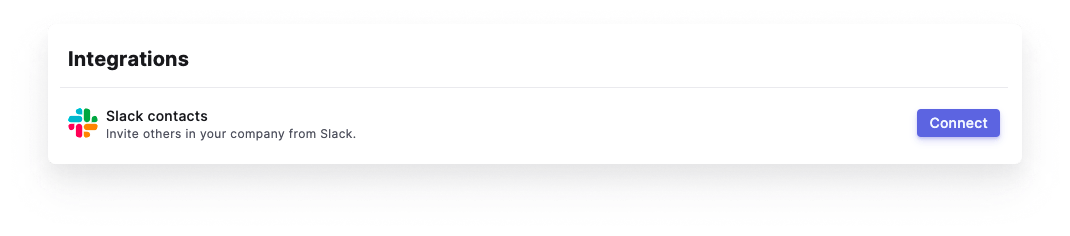
Paradime Slack App integration is set up by the **Admin user** for the organization profile. To enable the integration, open your *Account Settings > Integrations*, find the Paradime Slack App and click Connect.
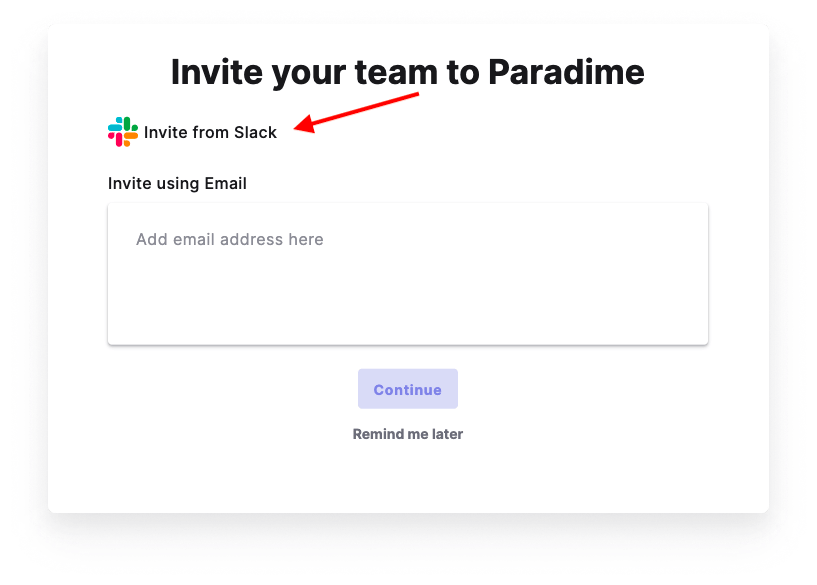
 Another option is to enable it right from the Invite Members modal:
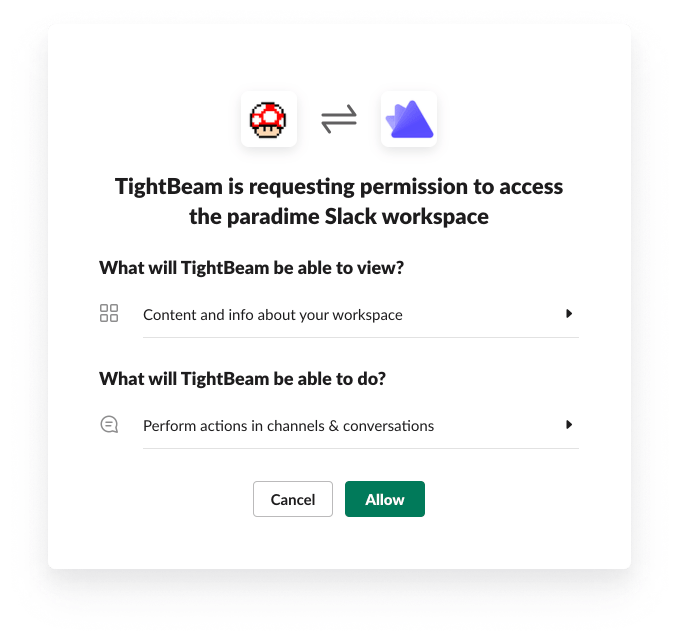
 You will be redirected to authorize in Slack. Please enter your credentials and sign in to Slack.
 ## Invite team members via Slack
Using the Slack app will make it easier to invite your team members to your Paradime workspace. After connecting the integration you will be able to select users directly from your Slack workspace and send an invite link via Slack.
## Get notifications via Slack
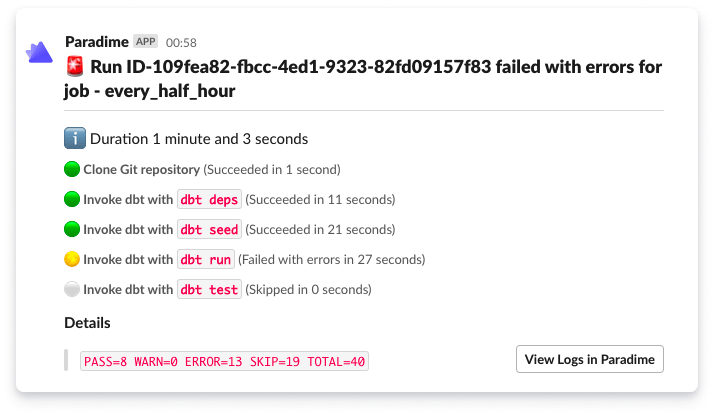
The Slack integration in Paradime enables you to send alerts to a Slack channel and/or Slack users when a schedule run succeeds or fails.
## Invite team members via Slack
Using the Slack app will make it easier to invite your team members to your Paradime workspace. After connecting the integration you will be able to select users directly from your Slack workspace and send an invite link via Slack.
## Get notifications via Slack
The Slack integration in Paradime enables you to send alerts to a Slack channel and/or Slack users when a schedule run succeeds or fails.
 ### Slack App Permissions
The Paradime Slack app needs the following permissions as follows:
| Slack App Scope | Description | Reason |
| ------------------- | ----------------------------------------------------------------------------- | ------------------------------------------------------------------------------------------------------------------------ |
| `channels:read` | View basic information about public channels in a workspace | To help users choose which Slack channels to send notifications to in Bolt |
| `chat:write` | Send messages as @Paradime | To enable Paradime to send notification messages to user chosen private Slack channels where Paradime app has been added |
| `chat:write.public` | Send messages to channels @Paradime isn't a member of | To enable Paradime to send notification messages to user chosen Slack channels |
| `groups:read` | View basic information about private channels that Paradime has been added to | To list private Slack channels where end users can send notifications |
| `users:read` | View people in a workspace | To invite users to Paradime from Slack |
| `users:read.email` | View email addresses of people in a workspace | To add users invited to Paradime from Slack to the Paradime db |
## Related topics
- [Security model](/resources/other-important-stuff/security-model.md)
- [Slack Agent](/products/dino-ai/slack-agent/index.md)
- [Slack Alerts](/integrations/elementary-data/sending-alerts/slack-alerts.md)
- [Send Elementary alerts to Slack](/products/bolt/creating-schedules/templates/observability-templates/send-elementary-alerts-to-slack.md)
- [Trigger a Slack notification when a Bolt run is overrunning](/developers/webhooks/custom-webhook-guides/slack-notification.md)
### Slack App Permissions
The Paradime Slack app needs the following permissions as follows:
| Slack App Scope | Description | Reason |
| ------------------- | ----------------------------------------------------------------------------- | ------------------------------------------------------------------------------------------------------------------------ |
| `channels:read` | View basic information about public channels in a workspace | To help users choose which Slack channels to send notifications to in Bolt |
| `chat:write` | Send messages as @Paradime | To enable Paradime to send notification messages to user chosen private Slack channels where Paradime app has been added |
| `chat:write.public` | Send messages to channels @Paradime isn't a member of | To enable Paradime to send notification messages to user chosen Slack channels |
| `groups:read` | View basic information about private channels that Paradime has been added to | To list private Slack channels where end users can send notifications |
| `users:read` | View people in a workspace | To invite users to Paradime from Slack |
| `users:read.email` | View email addresses of people in a workspace | To add users invited to Paradime from Slack to the Paradime db |
## Related topics
- [Security model](/resources/other-important-stuff/security-model.md)
- [Slack Agent](/products/dino-ai/slack-agent/index.md)
- [Slack Alerts](/integrations/elementary-data/sending-alerts/slack-alerts.md)
- [Send Elementary alerts to Slack](/products/bolt/creating-schedules/templates/observability-templates/send-elementary-alerts-to-slack.md)
- [Trigger a Slack notification when a Bolt run is overrunning](/developers/webhooks/custom-webhook-guides/slack-notification.md)