> ## Documentation Index
> Fetch the complete documentation index at: https://docs.paradime.io/llms.txt
> Use this file to discover all available pages before exploring further.
# Elementary Commands
> Enhance data observability with Elementary CLI integration in Paradime Bolt - seamlessly monitor and validate your dbt™ data pipeline execution and testing.
## Overview
Paradime Bolt ships natively with Elementary CLI to streamline data observability as part of your data pipeline
**Prerequisites**
* Configure [Elementary in your dbt™ project](/integrations/elementary-data/index).
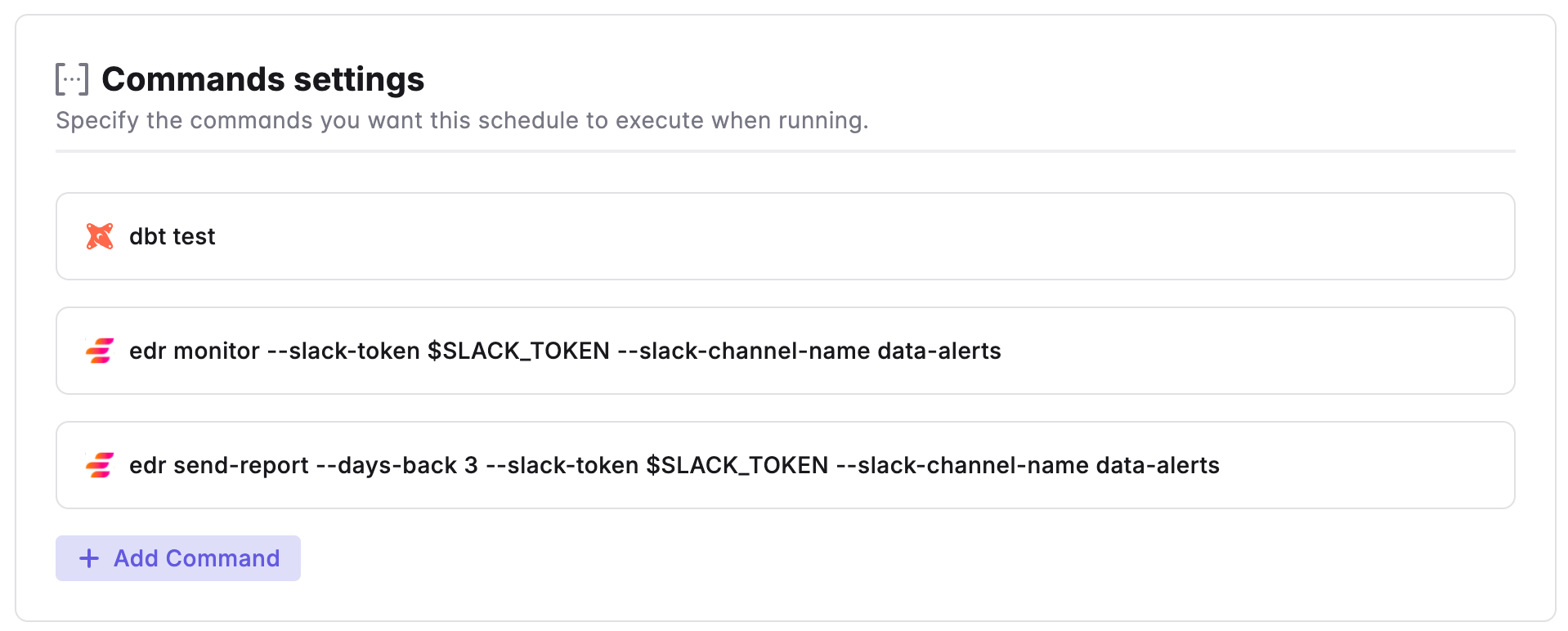 For a comprehensive guide on [Elementary CLI commands and flags guide](/integrations/elementary-data/cli-commands-and-usage).
***
Now, let's learn how to configure the [Trigger Types](/products/bolt/creating-schedules/trigger-types) of a Bolt Schedule.
## Related topics
- [Elementary Data](/integrations/elementary-data/index.md)
- [3. Command Settings](/products/bolt/creating-schedules/command-settings/index.md)
- [CLI Commands and Usage](/integrations/elementary-data/cli-commands-and-usage.md)
- [Send Elementary alerts to Slack](/products/bolt/creating-schedules/templates/observability-templates/send-elementary-alerts-to-slack.md)
- [Send Elementary alerts to MS Teams](/products/bolt/creating-schedules/templates/observability-templates/send-elementary-alerts-to-ms-teams.md)
For a comprehensive guide on [Elementary CLI commands and flags guide](/integrations/elementary-data/cli-commands-and-usage).
***
Now, let's learn how to configure the [Trigger Types](/products/bolt/creating-schedules/trigger-types) of a Bolt Schedule.
## Related topics
- [Elementary Data](/integrations/elementary-data/index.md)
- [3. Command Settings](/products/bolt/creating-schedules/command-settings/index.md)
- [CLI Commands and Usage](/integrations/elementary-data/cli-commands-and-usage.md)
- [Send Elementary alerts to Slack](/products/bolt/creating-schedules/templates/observability-templates/send-elementary-alerts-to-slack.md)
- [Send Elementary alerts to MS Teams](/products/bolt/creating-schedules/templates/observability-templates/send-elementary-alerts-to-ms-teams.md)