> ## Documentation Index
> Fetch the complete documentation index at: https://docs.paradime.io/llms.txt
> Use this file to discover all available pages before exploring further.
# Monte Carlo Commands
> Integrate Monte Carlo with Paradime Bolt to sync dbt™ metadata, manifests, and run results to Monte Carlo dashboard for enhanced data pipeline visibility.
## Overview
Paradime Bolt integrates with by Montecarlo feeding the [manifest file](https://docs.getdbt.com/reference/artifacts/manifest-json), [run results file](https://docs.getdbt.com/reference/artifacts/run-results-json), and optionally, a file containing the logs generated by dbt™ during command execution. This will make dbt™ metadata available within the Monte Carlo dashboard.
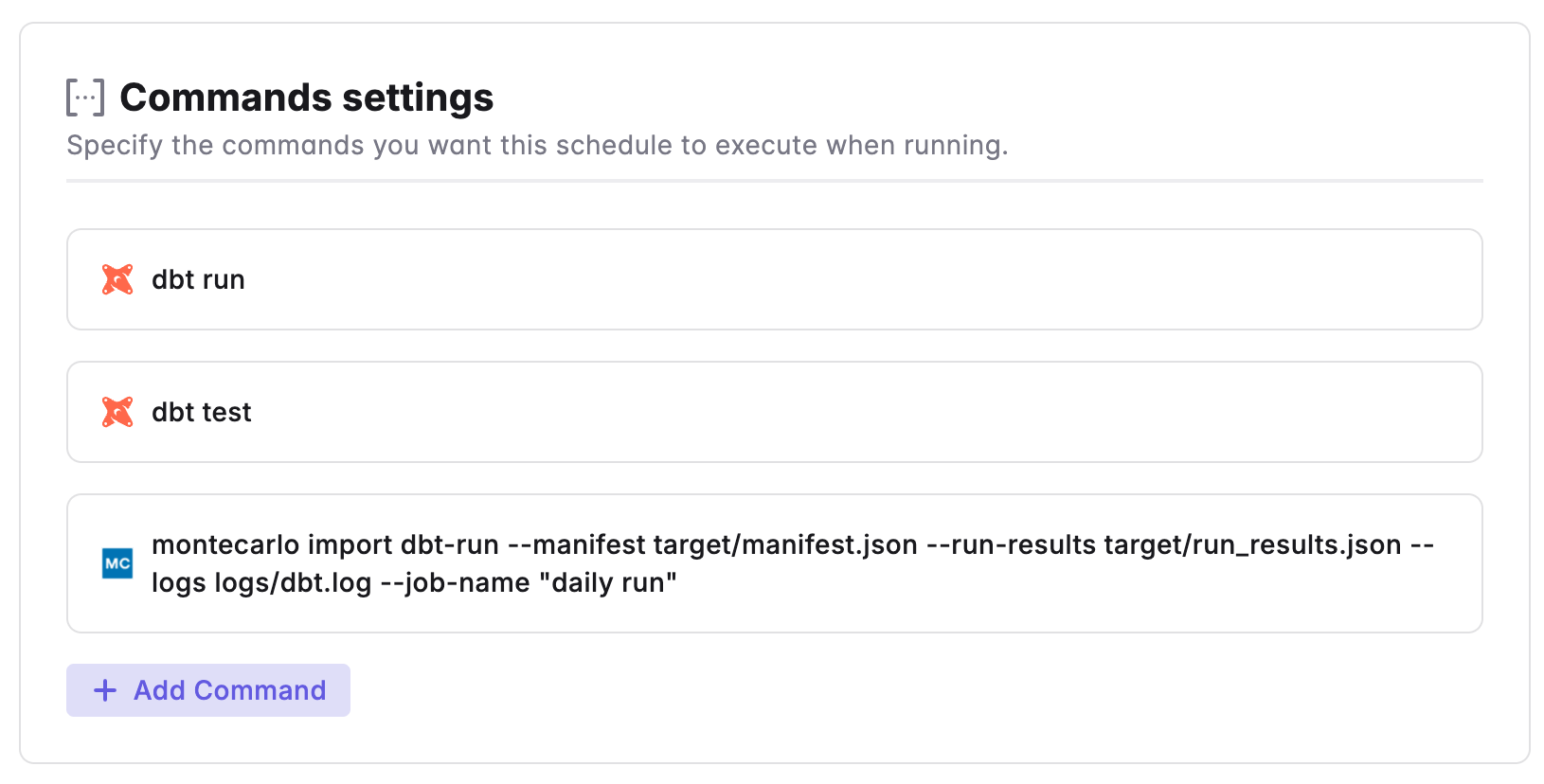 **Prerequisites**
* Configure the [**Monte Carlo integration.**](/integrations/monte-carlo)
* Whenever a dbt command is executed, files in the `target` directory will be overwritten. So you will need to run the MC CLI command after each dbt command.
**Note**
If you want to enable Paradime to automatically send all dbt™ artifacts for all runs, you can choose to set the variable[`RUN_MONTECARLO_UPLOAD`](/integrations/monte-carlo#step-6-enable-the-integration) to `TRUE`.
## import dbt-run[#](https://clidocs.getmontecarlo.com/#montecarlo-import-dbt-run)
Import dbt run artifacts CLI
```
montecarlo import dbt-run [OPTIONS]
```
| Flag | Type | Description |
| ----------------- | ------------------ | ------------------------------------------------------------------------------------------------------------------------------------------------------------------------------- |
| `--project-name` | *`Optional, TEXT`* |
**Prerequisites**
* Configure the [**Monte Carlo integration.**](/integrations/monte-carlo)
* Whenever a dbt command is executed, files in the `target` directory will be overwritten. So you will need to run the MC CLI command after each dbt command.
**Note**
If you want to enable Paradime to automatically send all dbt™ artifacts for all runs, you can choose to set the variable[`RUN_MONTECARLO_UPLOAD`](/integrations/monte-carlo#step-6-enable-the-integration) to `TRUE`.
## import dbt-run[#](https://clidocs.getmontecarlo.com/#montecarlo-import-dbt-run)
Import dbt run artifacts CLI
```
montecarlo import dbt-run [OPTIONS]
```
| Flag | Type | Description |
| ----------------- | ------------------ | ------------------------------------------------------------------------------------------------------------------------------------------------------------------------------- |
| `--project-name` | *`Optional, TEXT`* | Project name (perhaps a logical group of dbt models, analogous to a workspace in Paradime)
- Default: default-project
|
| `--job-name` | *`Optional, TEXT`* | Job name (perhaps a logical sequence of dbt executions, analogous to a schedule name in Paradime)
- Default: default-job
|
| `--manifest` | *`Required, TEXT`* | Path to the dbt manifest file (manifest.json) |
| `--run-results` | *`Required, TEXT`* | Path to the dbt run results file (run\_results.json) |
| `--logs` | *`Required, TEXT`* | Path to a file containing dbt run logs |
| `--connection-id` | *`Required, TEXT`* | Identifier of warehouse or lake connection to use to resolve dbt models to tables.
Required if you have more than one warehouse or lake connection.
|
Check [Monte Carlo's CLI Reference](https://clidocs.getmontecarlo.com) for a complete list of CLI arguments.
***
Now, let's learn how to configure the [Trigger Types](/products/bolt/creating-schedules/trigger-types) of a Bolt Schedule.
## Related topics
- [3. Command Settings](/products/bolt/creating-schedules/command-settings/index.md)
- [Monte Carlo](/integrations/monte-carlo.md)
- [Commands](/guides/dbt-fundamentals/running-dbt/mastering-the-dbt-cli/commands.md)
- [dbt™ Commands](/products/bolt/creating-schedules/command-settings/dbt-tm-commands.md)
- [Command Panel](/products/code-ide/command-panel/index.md)