> ## Documentation Index
> Fetch the complete documentation index at: https://docs.paradime.io/llms.txt
> Use this file to discover all available pages before exploring further.
# 7. Trigger Integrations
> Set up Bolt schedule triggers to automatically connect pipeline execution with external tools and services.
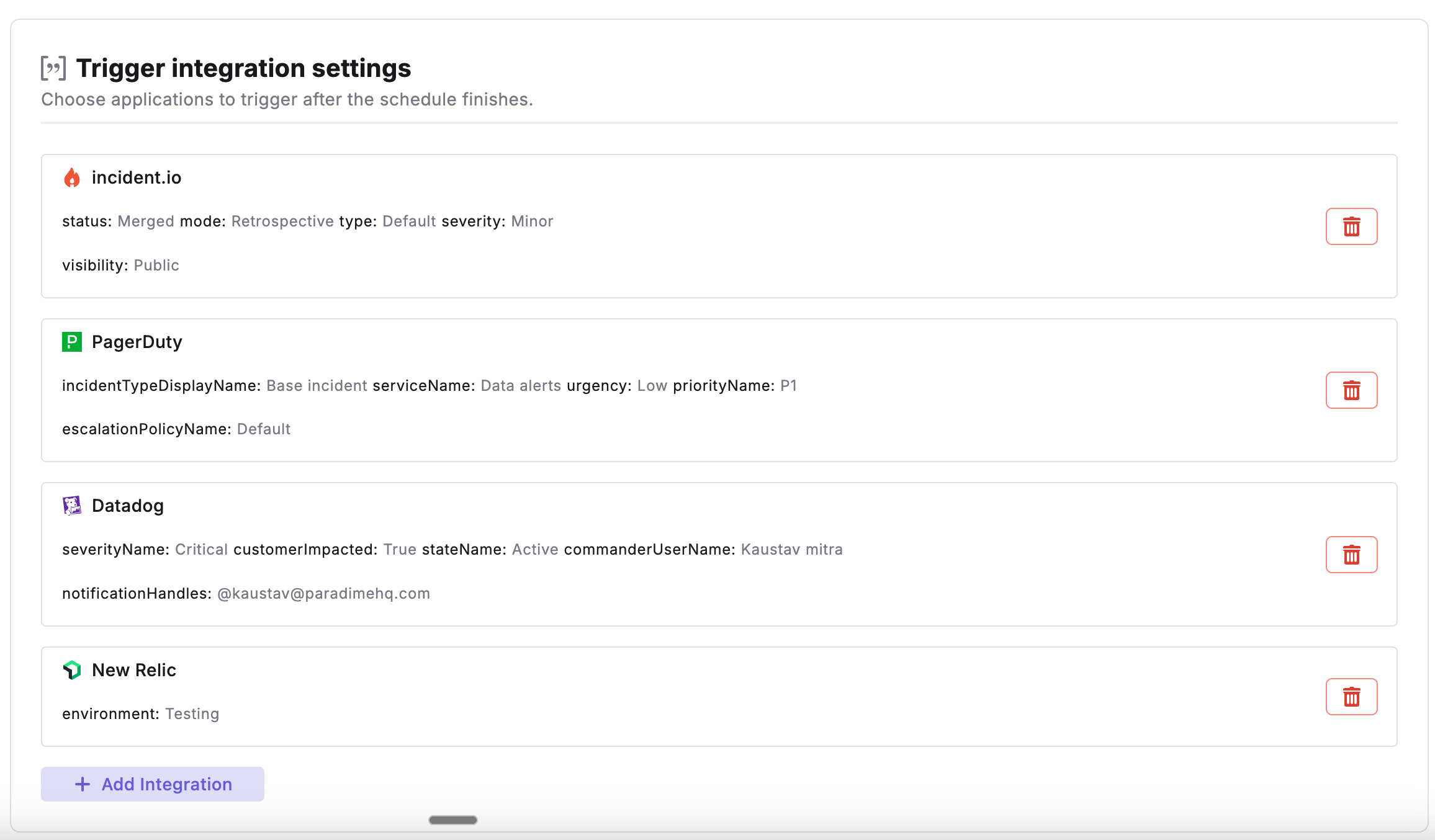
After configuring [Schedule Settings](/products/bolt/creating-schedules/trigger-types) and [Command Settings](/products/bolt/creating-schedules/command-settings/index) of a Bolt Schedule, you can set up triggers to automate actions when runs complete. Trigger Settings allow you to connect Bolt to external tools and services, enabling automated workflows based on your pipeline execution results.
 ### Overview
With Bolt Triggers, you can:
* Automatically execute actions when runs complete
* Connect Bolt to external tools and services
* Configure which schedules activate specific triggers
* Customize trigger behavior and parameters
* Integrate pipeline execution with your broader data and DevOps workflows
### How Triggers Work
Triggers are evaluated **after a Bolt run completes**. Here's the execution flow:
1. **Bolt Schedule Execution**: Your configured commands run in sequence according to Command Settings
2. **Run Completion**: The schedule completes with either a success or failure status
3. **Trigger Evaluation**: Paradime evaluates configured triggers based on the run outcome
4. **Action Execution**: Triggers automatically execute their configured actions with run details
### Trigger Execution Logic
Paradime follows a specific trigger execution logic to ensure actions are executed appropriately:
1. **Run Status Detection**: When a Bolt schedule completes, Paradime determines the run status (success or failure)
2. **Trigger Filtering**: Only triggers configured for the specific run outcome are evaluated
3. **Automatic Action Execution**: Each connected service receives relevant information such as:
* Schedule name and workspace details
* Direct link to Paradime run logs
* Run ID and execution timestamps
* Commands that were executed
* Branch information
* Run status and details
4. **Independent Trigger Execution**: Each trigger operates independently - if one integration fails, others will still execute
### Available Trigger Types
#### Incident Management Triggers
Automatically create incidents in your incident management platform when runs **fail**.
Create incidents in Datadog alongside infrastructure monitoring
Create Slack-native incidents with automatic channel creation
Create incidents in PagerDuty with on-call escalation
**Note:** Incident management triggers only activate on **failed runs**. Successful runs do not trigger incident creation.
## Related topics
- [7. Trigger Integrations](/products/bolt/creating-schedules/trigger-integrations/index.md)
- [Paradime CLI](/developers/paradime-cli/index.md)
- [Integrations](/products/bolt/integrations/index.md)
- [4. Trigger Types](/products/bolt/creating-schedules/trigger-types.md)
- [Trigger Datadog Incidents](/products/bolt/creating-schedules/trigger-integrations/trigger-datadog-incidents.md)
### Overview
With Bolt Triggers, you can:
* Automatically execute actions when runs complete
* Connect Bolt to external tools and services
* Configure which schedules activate specific triggers
* Customize trigger behavior and parameters
* Integrate pipeline execution with your broader data and DevOps workflows
### How Triggers Work
Triggers are evaluated **after a Bolt run completes**. Here's the execution flow:
1. **Bolt Schedule Execution**: Your configured commands run in sequence according to Command Settings
2. **Run Completion**: The schedule completes with either a success or failure status
3. **Trigger Evaluation**: Paradime evaluates configured triggers based on the run outcome
4. **Action Execution**: Triggers automatically execute their configured actions with run details
### Trigger Execution Logic
Paradime follows a specific trigger execution logic to ensure actions are executed appropriately:
1. **Run Status Detection**: When a Bolt schedule completes, Paradime determines the run status (success or failure)
2. **Trigger Filtering**: Only triggers configured for the specific run outcome are evaluated
3. **Automatic Action Execution**: Each connected service receives relevant information such as:
* Schedule name and workspace details
* Direct link to Paradime run logs
* Run ID and execution timestamps
* Commands that were executed
* Branch information
* Run status and details
4. **Independent Trigger Execution**: Each trigger operates independently - if one integration fails, others will still execute
### Available Trigger Types
#### Incident Management Triggers
Automatically create incidents in your incident management platform when runs **fail**.
Create incidents in Datadog alongside infrastructure monitoring
Create Slack-native incidents with automatic channel creation
Create incidents in PagerDuty with on-call escalation
**Note:** Incident management triggers only activate on **failed runs**. Successful runs do not trigger incident creation.
## Related topics
- [7. Trigger Integrations](/products/bolt/creating-schedules/trigger-integrations/index.md)
- [Paradime CLI](/developers/paradime-cli/index.md)
- [Integrations](/products/bolt/integrations/index.md)
- [4. Trigger Types](/products/bolt/creating-schedules/trigger-types.md)
- [Trigger Datadog Incidents](/products/bolt/creating-schedules/trigger-integrations/trigger-datadog-incidents.md)