> ## Documentation Index
> Fetch the complete documentation index at: https://docs.paradime.io/llms.txt
> Use this file to discover all available pages before exploring further.
# dbt™ assets
> Paradime dbt™ Assets: Centralize and manage dbt™ data assets efficiently. Ensure streamlined project workflows.
Paradime's Catalog provides comprehensive coverage of your dbt™ project assets. In the catalog, you can discover and explore[ dbt™ models](/products/data-catalog/data-assets/dbt-assets/index#dbt-tm-models), [tests](/products/data-catalog/data-assets/dbt-assets/index#dbt-tm-tests), [macros](/products/data-catalog/data-assets/dbt-assets/index#dbt-tm-macros), and [exposures](/products/data-catalog/data-assets/dbt-assets/index#dbt-tm-exposures) with detailed metadata. Each asset type offers searchable documentation, real-time execution data, and integrated lineage views to help you understand your project structure and maintain data quality.
***
### dbt™ Models
In the Paradime catalog you can find dbt™ models with metadata directly from your `.yml` and information schema.
**What can you find in a dbt™ model data product?**
On the right side of the selected dbt™ model, discover high-level information like: model quality, model properties, and classification.\
\
Additionally, find the description of dbt™ model from it's associated dbt™ `.yml` file
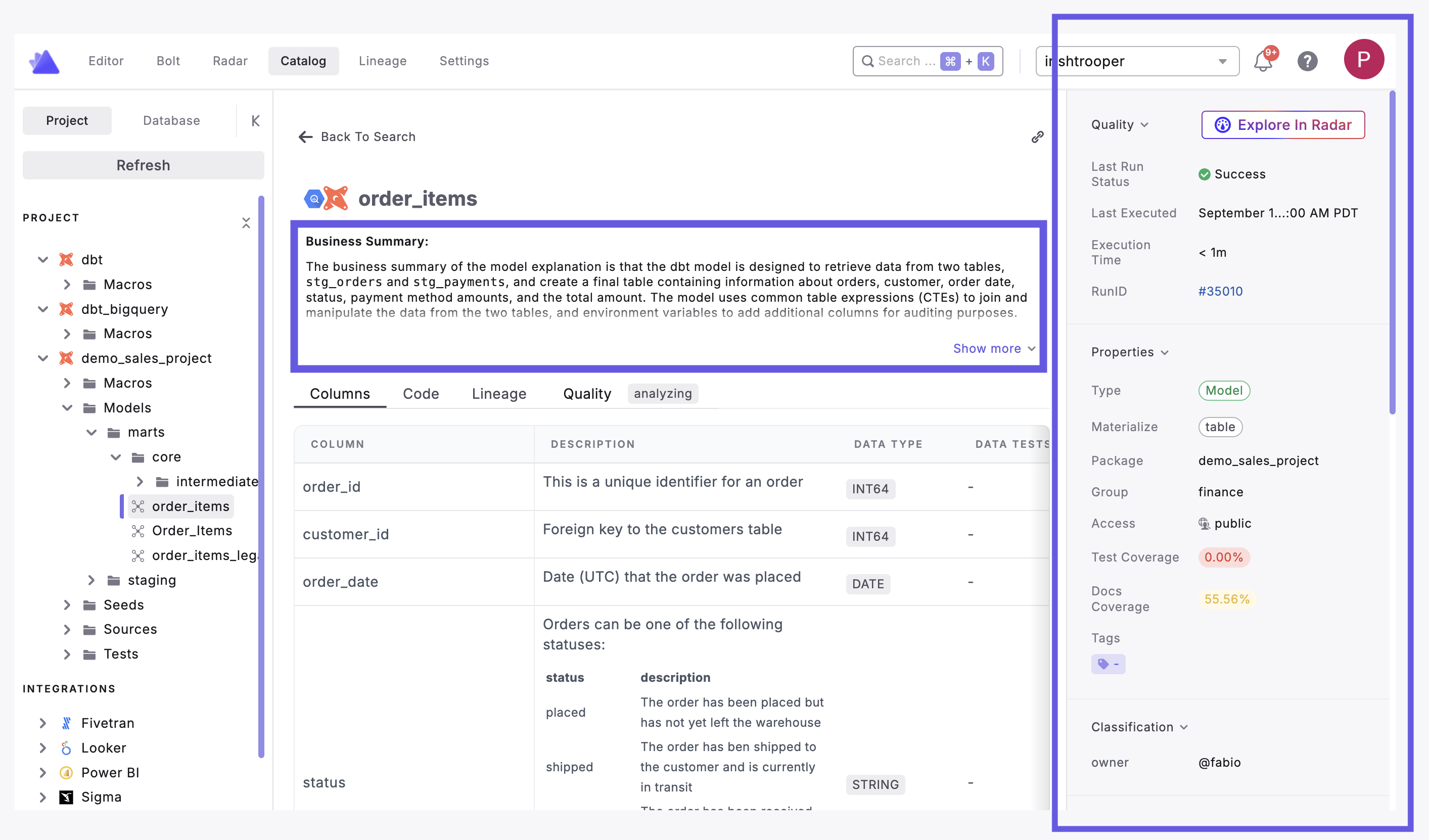 View metadata associated with your dbt™ model, including:
* **Column**: The column name from the dbt™ `.yml` file
* **Column Description:** the description of the column from the dbt™ `.yml` file
* **Data type**: the data type from the dbt™ `.yml` file
* **Data Tests**: dbt™ tests definition(s) from the dbt™ `.yml` file
* **Classification**: your meta `key`**:**`value` linked to the dbt™ model columns
View metadata associated with your dbt™ model, including:
* **Column**: The column name from the dbt™ `.yml` file
* **Column Description:** the description of the column from the dbt™ `.yml` file
* **Data type**: the data type from the dbt™ `.yml` file
* **Data Tests**: dbt™ tests definition(s) from the dbt™ `.yml` file
* **Classification**: your meta `key`**:**`value` linked to the dbt™ model columns
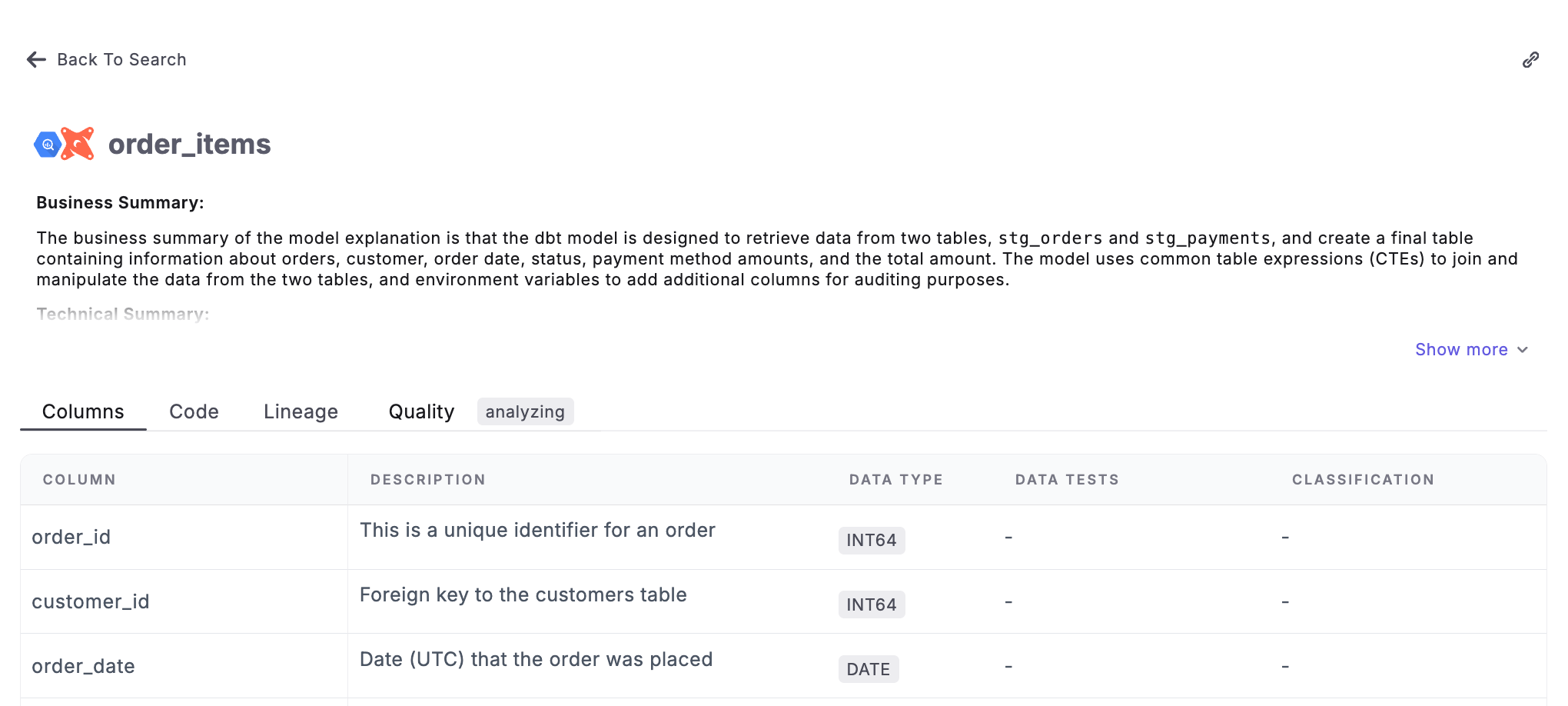 View dbt™ model's source code and compiled SQL code
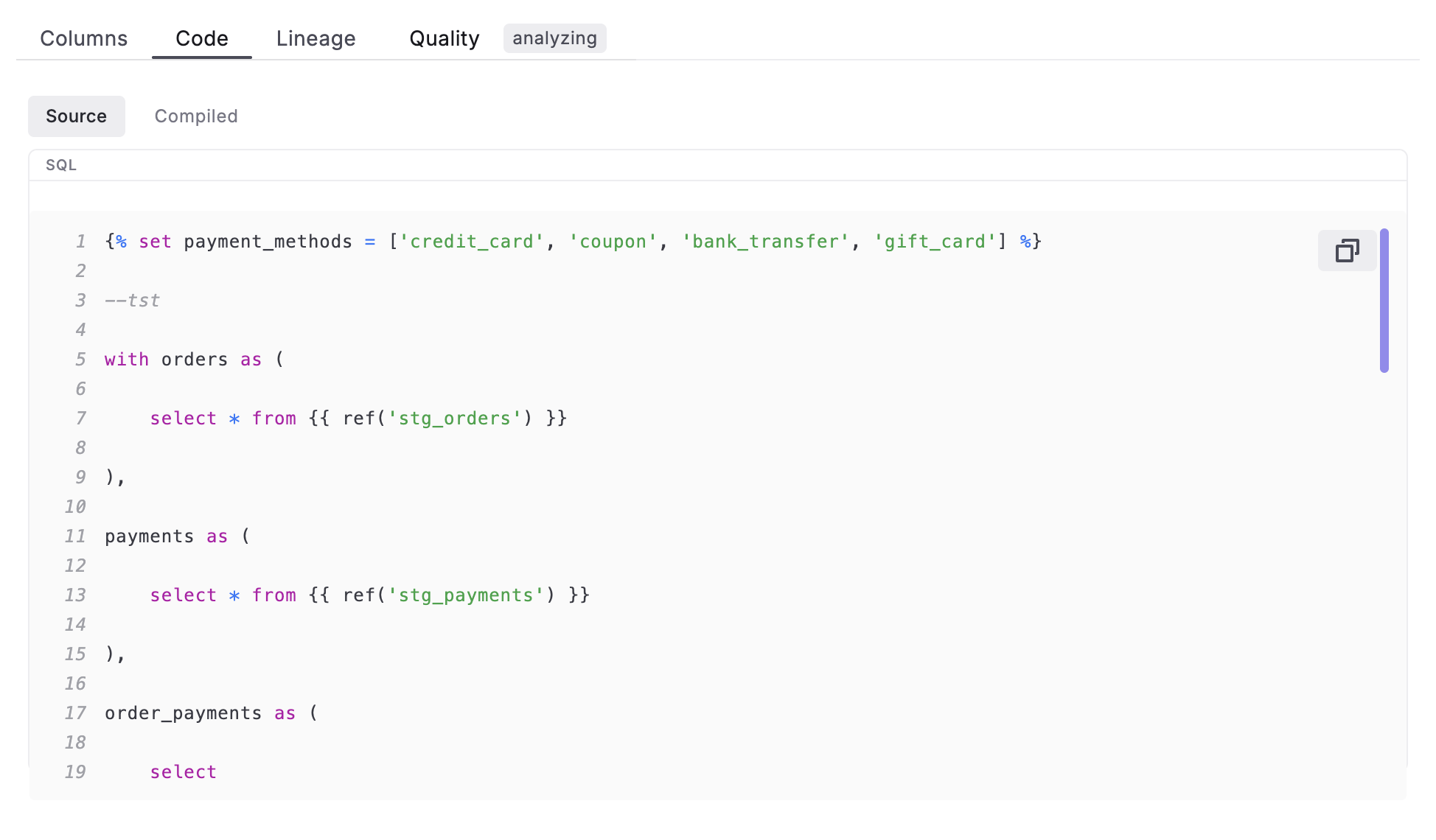 View dbt™ model's [lineage](/products/data-catalog/lineage/index) (upstream and downstream nodes). Expand & filter nodes.
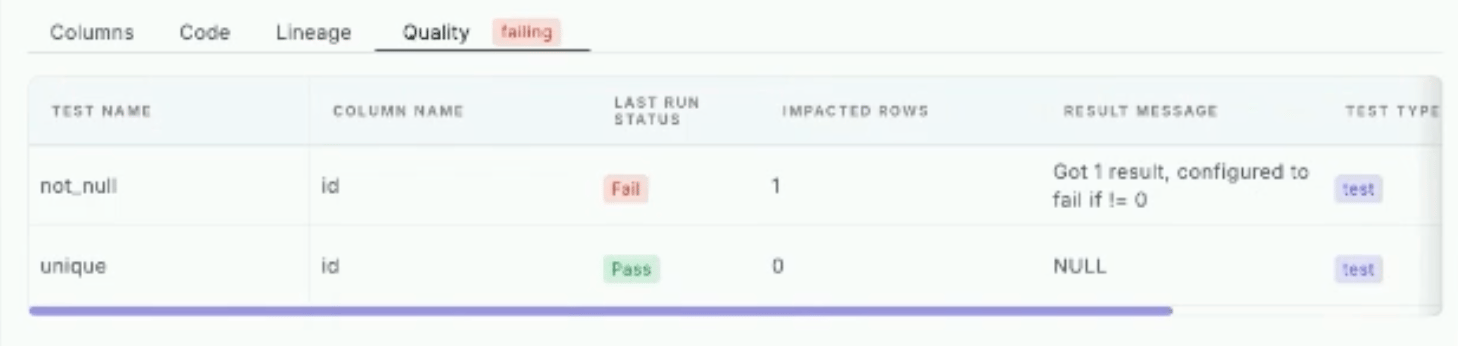
 Monitor tests associated with dbt™ models. Metadata includes:
* **Test Name:** Name of test used (ex. `not_null`, `unique`)
* **Column Name:** Column being tested
* **Last Run Status:** The status (pass, fail) of latest run.
* **Impacted Rows:** Rows impacted by test
* **Result Message**
* **Test Type**
\
Perfect for monitoring and maintaining data quality standards.
Monitor tests associated with dbt™ models. Metadata includes:
* **Test Name:** Name of test used (ex. `not_null`, `unique`)
* **Column Name:** Column being tested
* **Last Run Status:** The status (pass, fail) of latest run.
* **Impacted Rows:** Rows impacted by test
* **Result Message**
* **Test Type**
\
Perfect for monitoring and maintaining data quality standards.
 ***
### dbt™ Tests
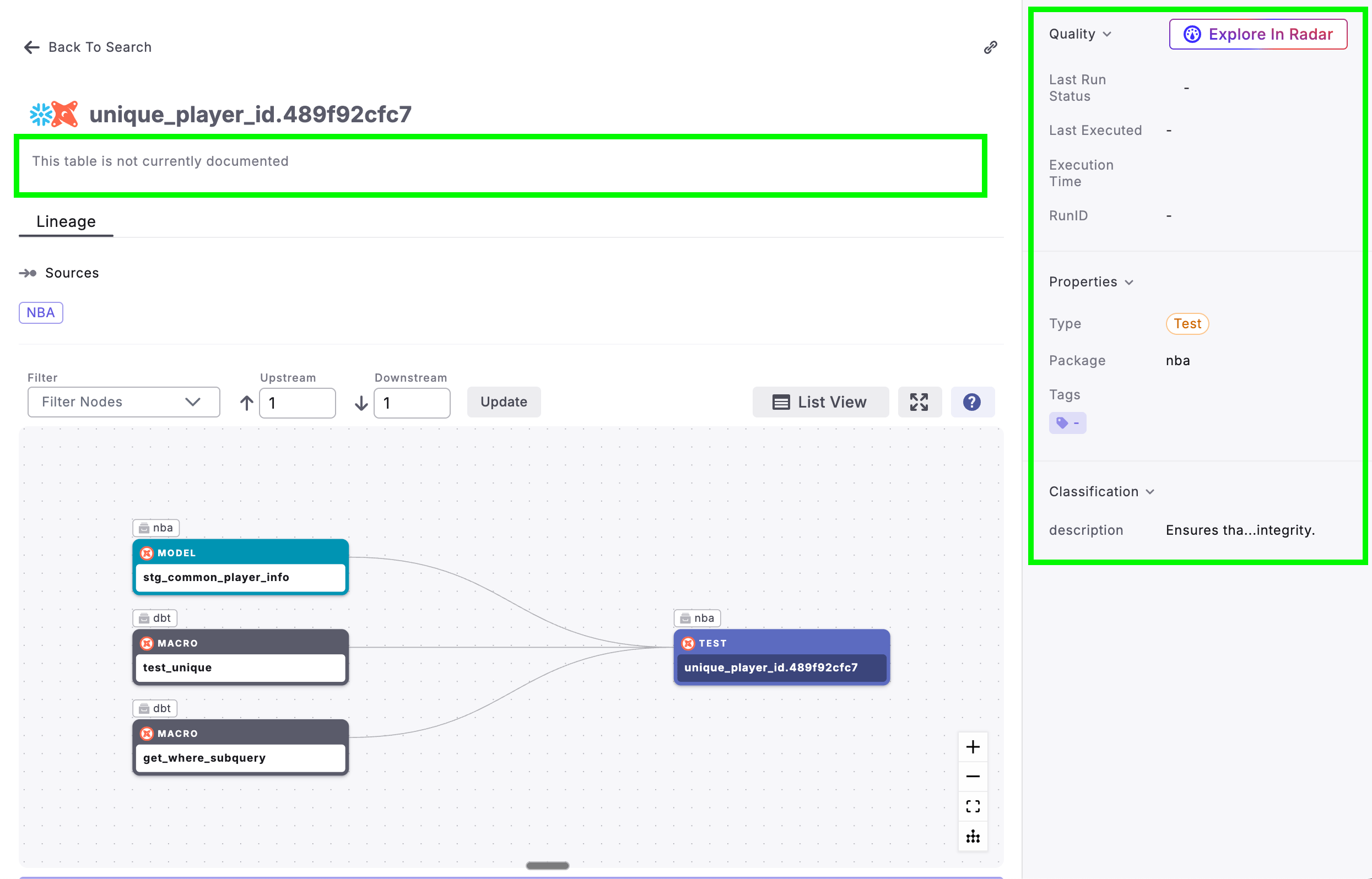
In the Paradime catalog you can view metadata related to dbt™ tests with metadata and lineage.
On the right side of the selected dbt™ test, discover high-level information like: test quality, test properties, and classifications.
Additionally, find the description of dbt™ test from it's associated dbt™ `.yml` file
***
### dbt™ Tests
In the Paradime catalog you can view metadata related to dbt™ tests with metadata and lineage.
On the right side of the selected dbt™ test, discover high-level information like: test quality, test properties, and classifications.
Additionally, find the description of dbt™ test from it's associated dbt™ `.yml` file
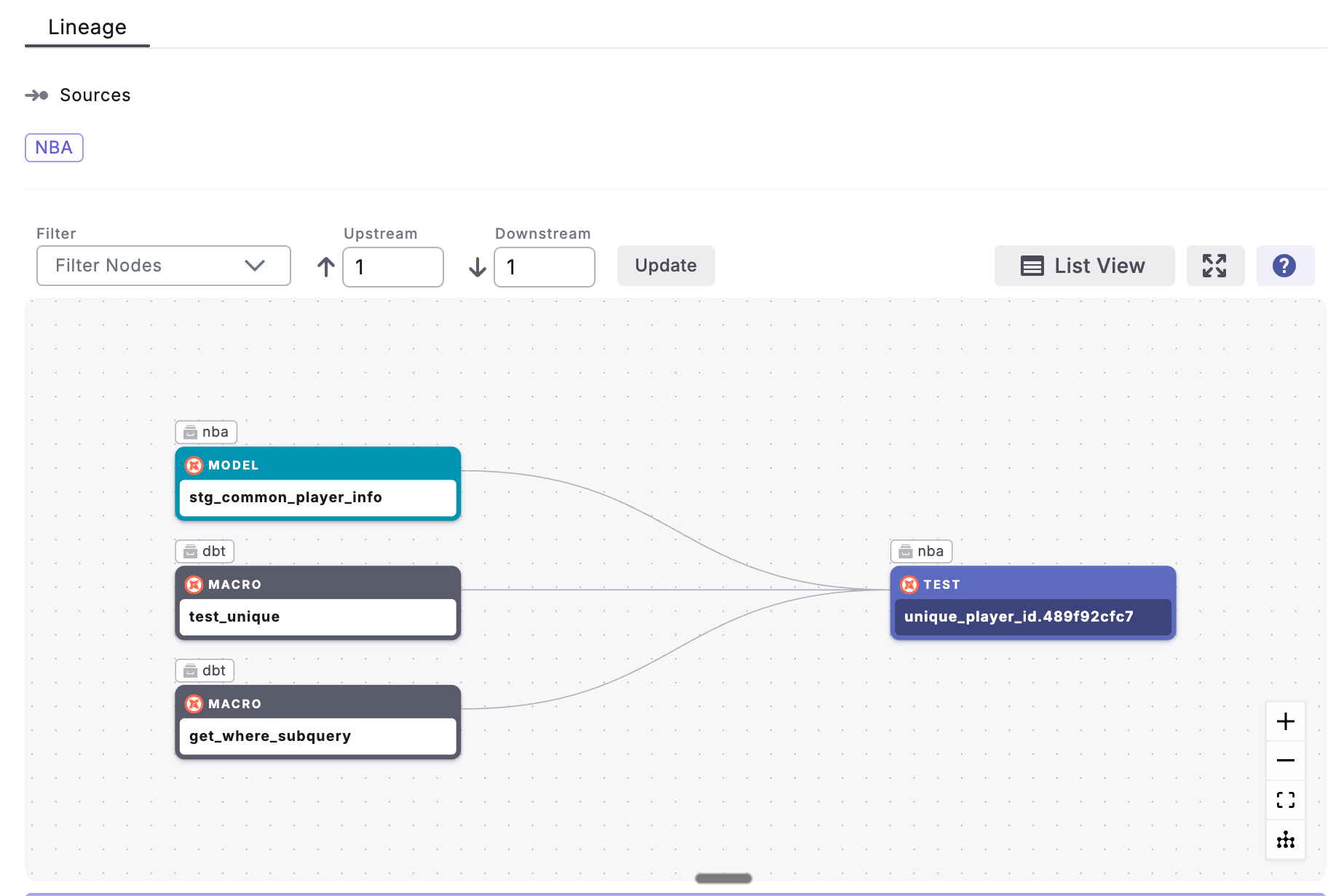
 View dbt™ test's [lineage](/products/data-catalog/lineage/index) (upstream and downstream nodes). Expand & filter nodes.
 ***
### dbt™ Macros
In the Paradime catalog you can find dbt™ macros with metadata from your project.
On the right side of the selected dbt™ macro, discover high-level information like: macro type, macro package, and classification.
Additionally, find the description of dbt™ macro from it's associated dbt™ `.yml` file
***
### dbt™ Macros
In the Paradime catalog you can find dbt™ macros with metadata from your project.
On the right side of the selected dbt™ macro, discover high-level information like: macro type, macro package, and classification.
Additionally, find the description of dbt™ macro from it's associated dbt™ `.yml` file
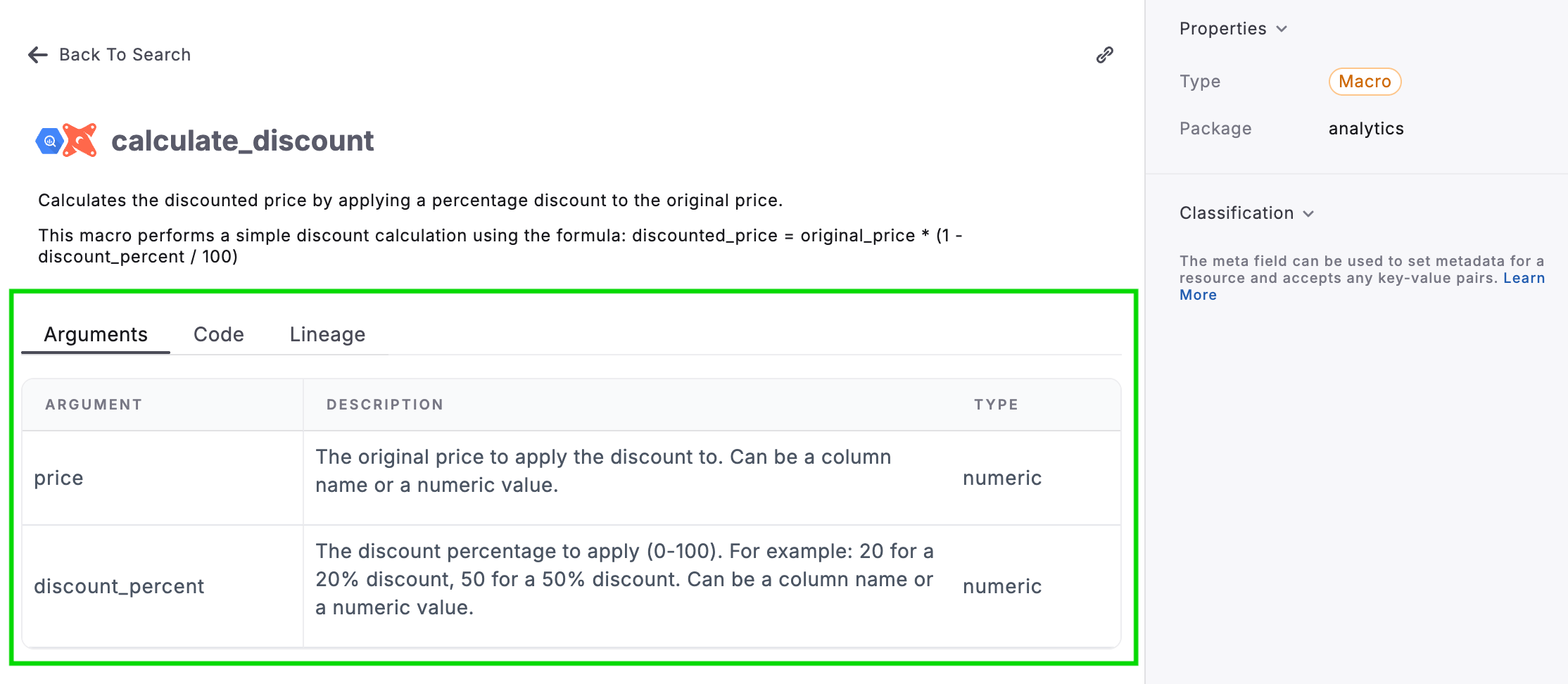
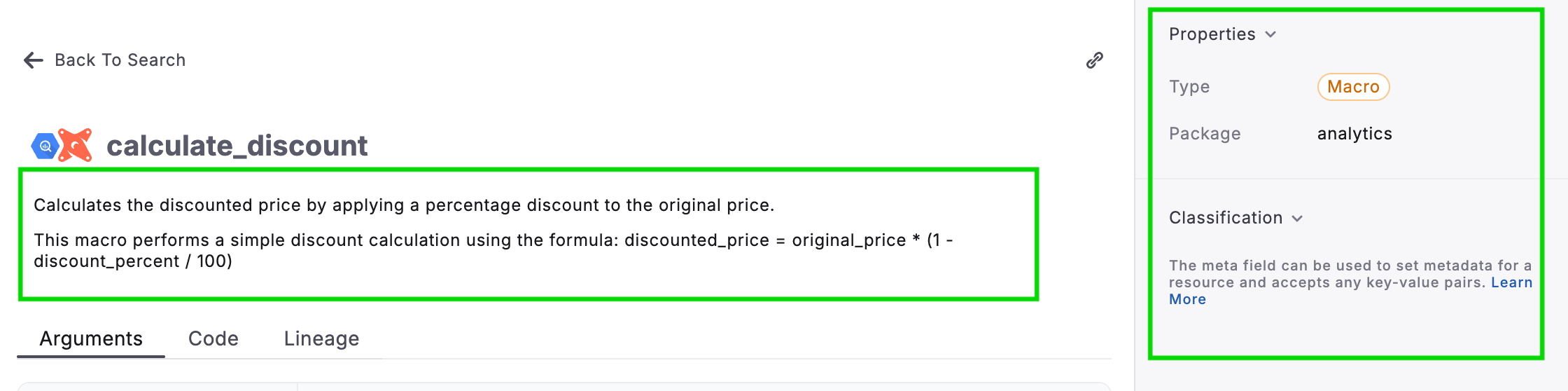 View the macro arguments and description when available in the associated dbt™ `.yml` file
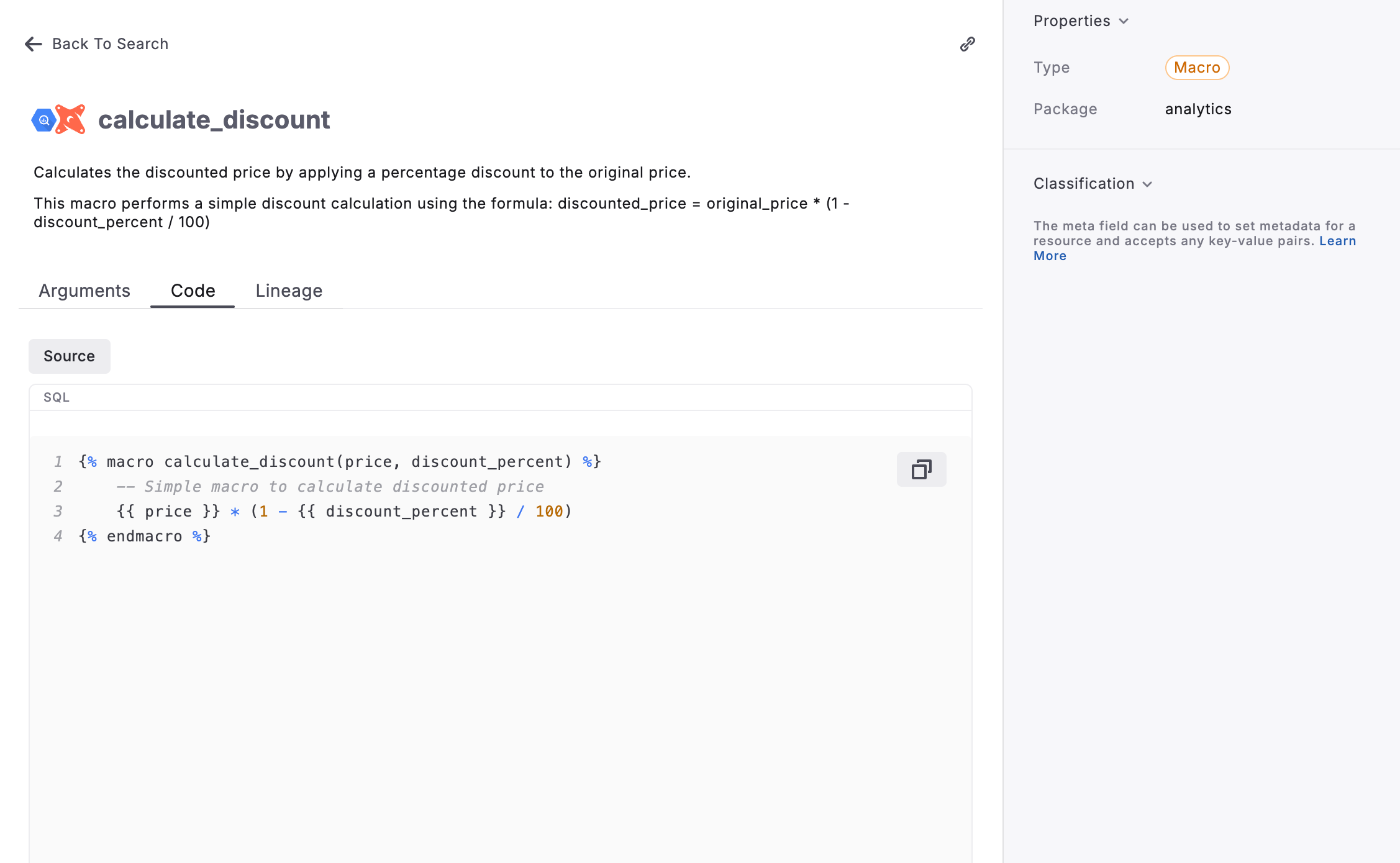
 View dbt™ macro's source code and compiled SQL code
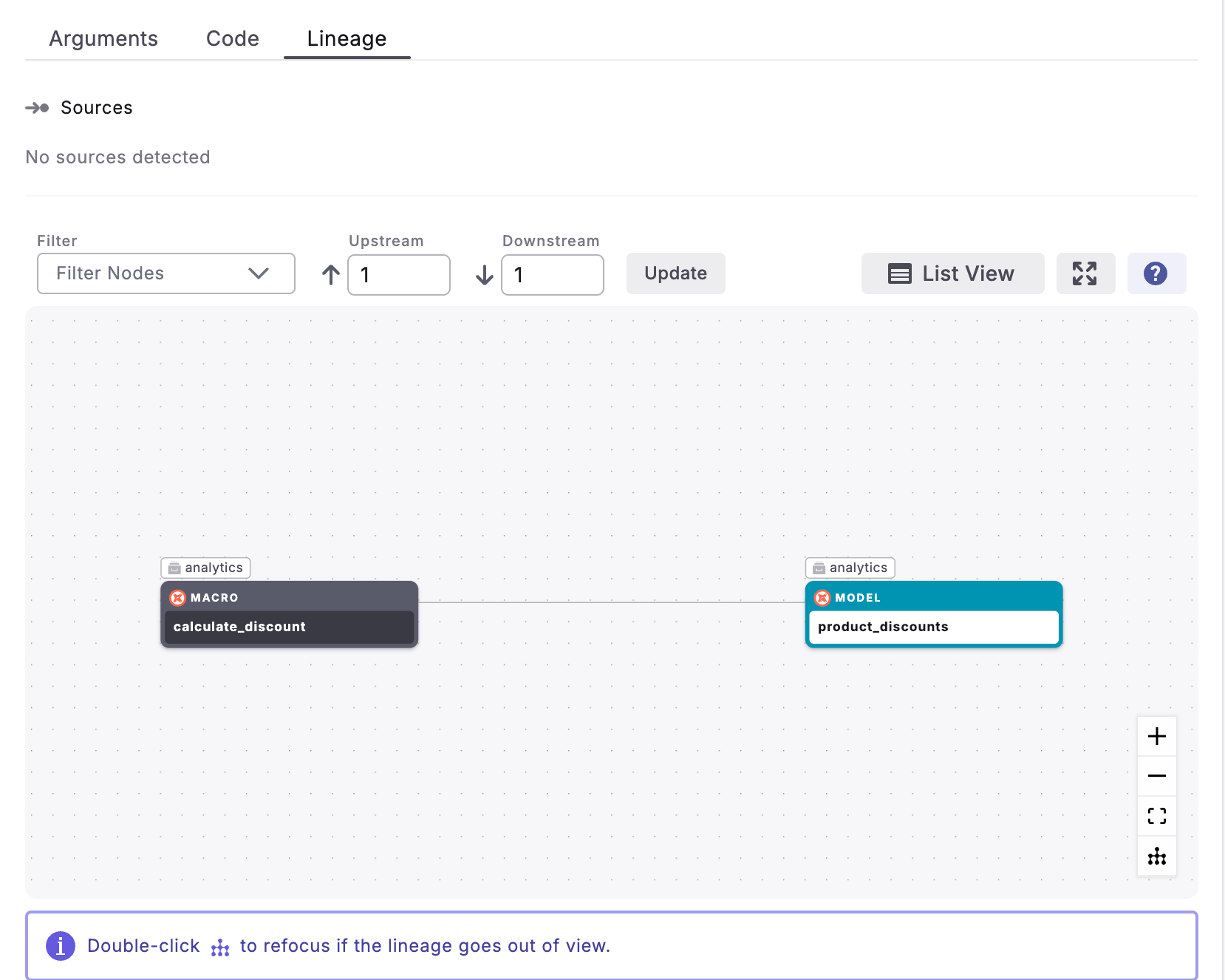
 View dbt™ macro's [lineage](/products/data-catalog/lineage/index) (upstream and downstream nodes). Expand & filter nodes.
 ***
### dbt™ Exposures
In the Paradime catalog you can find dbt™ exposures with metadata directly from your .yml file
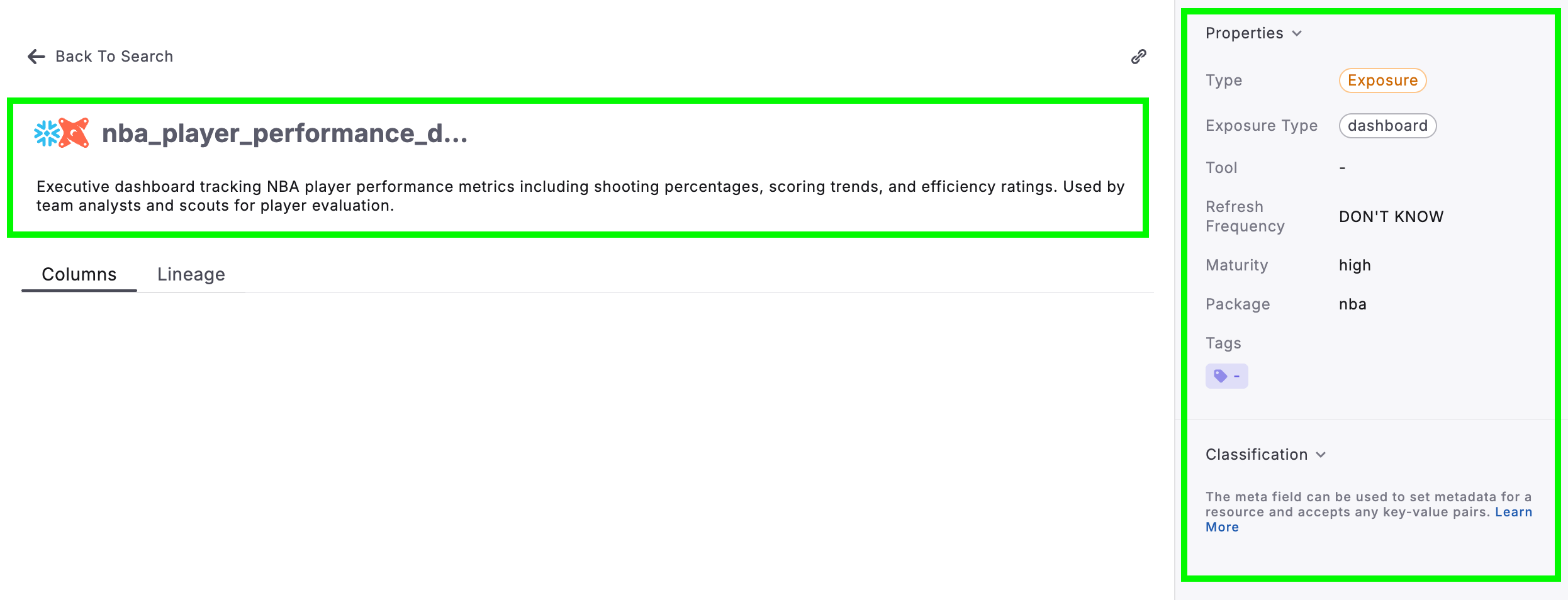
On the right side of the selected dbt™ exposure, discover high-level information like: test quality, test properties, and classifications.
Additionally, find the description of dbt™ exposure from it's associated dbt™ `.yml` file
***
### dbt™ Exposures
In the Paradime catalog you can find dbt™ exposures with metadata directly from your .yml file
On the right side of the selected dbt™ exposure, discover high-level information like: test quality, test properties, and classifications.
Additionally, find the description of dbt™ exposure from it's associated dbt™ `.yml` file
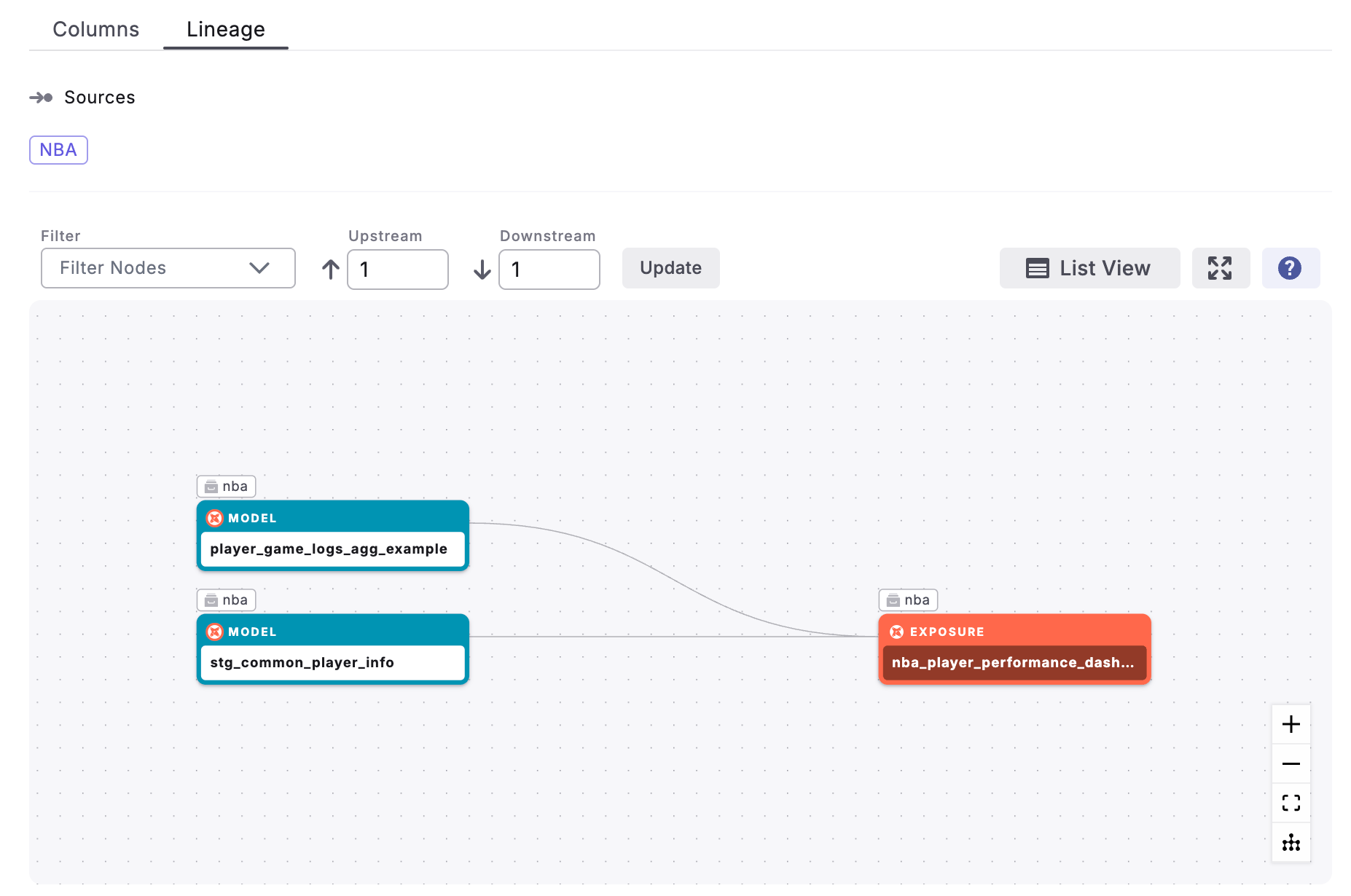
 View dbt™ exposure's [lineage](/products/data-catalog/lineage/index) (upstream and downstream nodes). Expand & filter nodes.
 ## Related topics
- [Data Assets](/products/data-catalog/data-assets/index.md)
- [Catalog Tool](/products/dino-ai/tools-and-features/catalog-tool.md)
- [Data Catalog](/products/data-catalog/index.md)
- [Tableau assets](/products/data-catalog/data-assets/tableau-assets.md)
- [Looker assets](/products/data-catalog/data-assets/looker-assets.md)
## Related topics
- [Data Assets](/products/data-catalog/data-assets/index.md)
- [Catalog Tool](/products/dino-ai/tools-and-features/catalog-tool.md)
- [Data Catalog](/products/data-catalog/index.md)
- [Tableau assets](/products/data-catalog/data-assets/tableau-assets.md)
- [Looker assets](/products/data-catalog/data-assets/looker-assets.md)