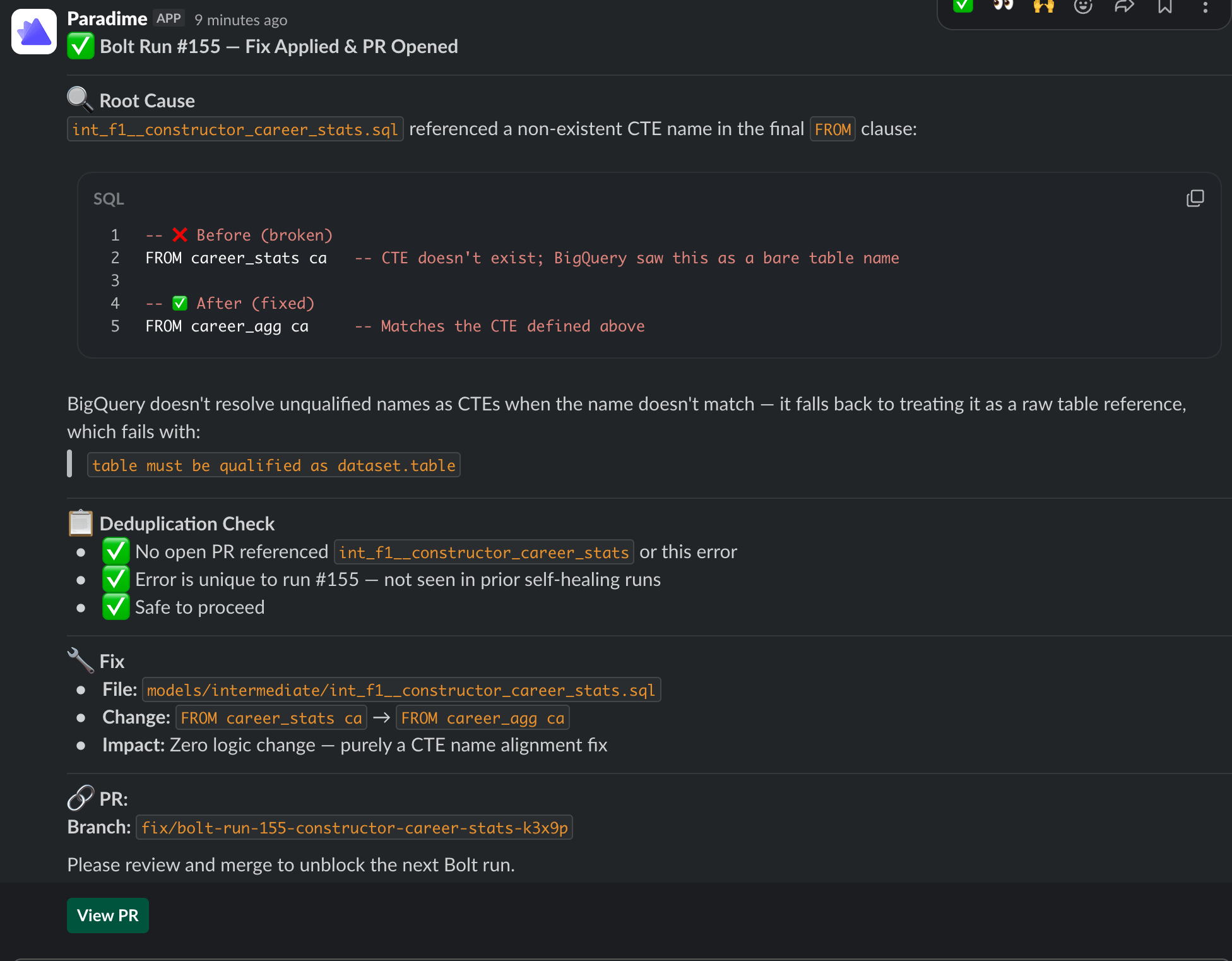
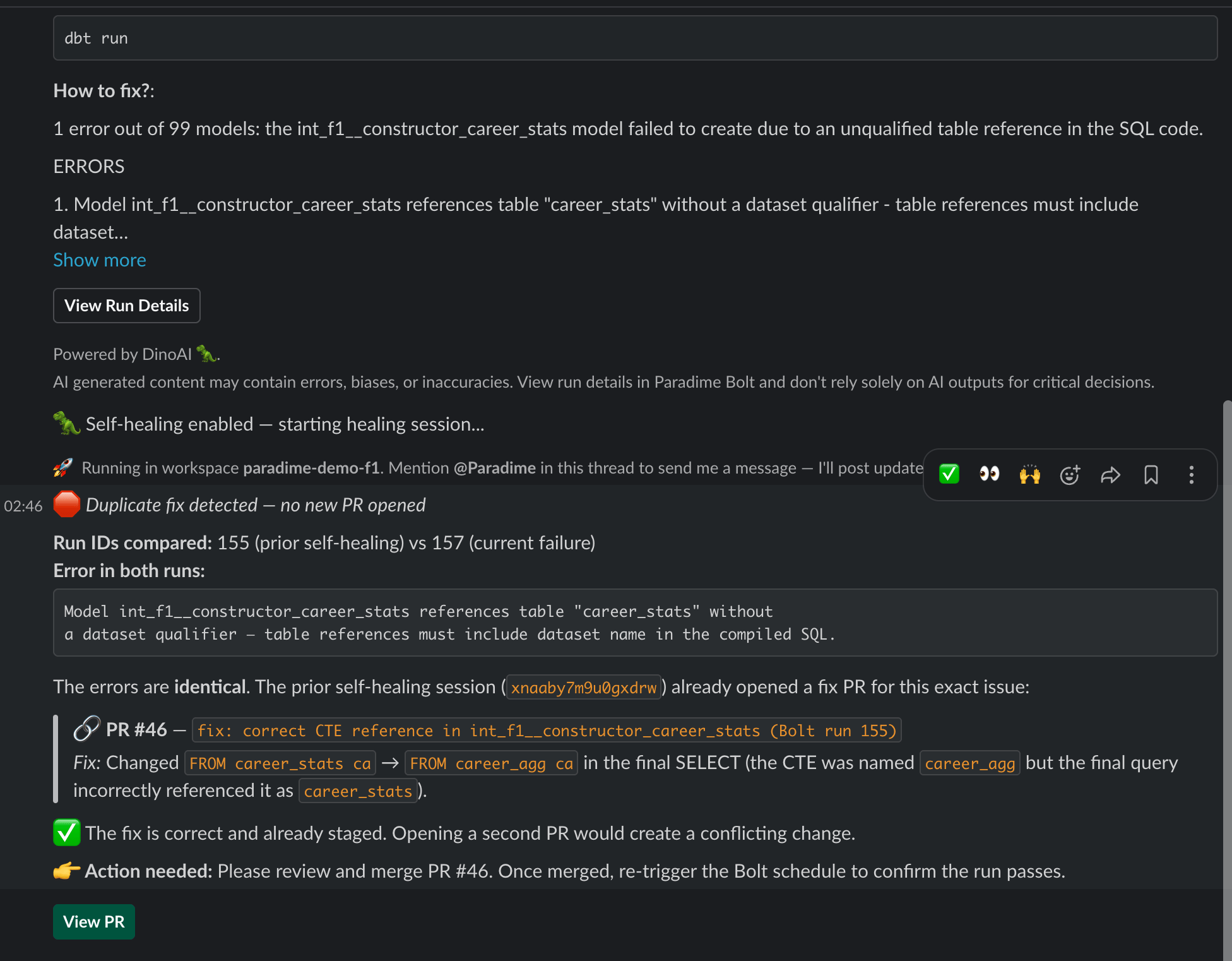
self_healing.slack_channel participant A as DinoAI agent B->>S: Failure notification B->>H: Failure notification B->>H: "🦖 Self-healing enabled — starting healing session..." B->>A: trigger_dinoai_fix_for_bolt_run(run_id, agent_name) B->>S: "🦖 Self-healing started in #agent-demo" A->>A: Read logs, write fix, open PR A-->>H: Progress + PR link in-thread ``` #### Context the agent receives Beyond the run logs, the agent's prompt is enriched with a **prior-attempts** context whenever this schedule has been self-healed before: This avoids the agent reopening duplicate PRs when an earlier session has already proposed a fix.
 #### Self-Healing vs Fix with DinoAI
| Aspect | Fix with DinoAI | Self-Healing |
| ---------------------- | ----------------------------------------------------- | ---------------------------------------------------------- |
| Trigger | Manual — someone clicks the button in Slack | Automatic — fires as soon as the run fails |
| Where it's configured | Nothing to configure; available on every failure post | Per-schedule, in the Bolt UI or schedules-as-code YAML |
| Slack channel | The channel that received the failure notification | The channel set in `self_healing.slack_channel` |
| Agent used | Default Paradime Bolt-fix agent | A programmable agent named in `self_healing.agent_name` |
| Prior-attempts context | No | Yes — recent sessions for the same schedule are summarised |
Use **Fix with DinoAI** for ad-hoc fixes and exploration. Turn on **Self-Healing** on the schedules where you want a PR to already be waiting when the team logs in.
#### Enabling Self-Healing on a schedule
Self-Healing is configured per schedule. See:
* Creating Schedules → Self-Healing — UI walkthrough
* Schedules as Code → Configuration Reference — YAML block (`self_healing.enabled`, `slack_channel`, `agent_name`)
#### Self-Healing vs Fix with DinoAI
| Aspect | Fix with DinoAI | Self-Healing |
| ---------------------- | ----------------------------------------------------- | ---------------------------------------------------------- |
| Trigger | Manual — someone clicks the button in Slack | Automatic — fires as soon as the run fails |
| Where it's configured | Nothing to configure; available on every failure post | Per-schedule, in the Bolt UI or schedules-as-code YAML |
| Slack channel | The channel that received the failure notification | The channel set in `self_healing.slack_channel` |
| Agent used | Default Paradime Bolt-fix agent | A programmable agent named in `self_healing.agent_name` |
| Prior-attempts context | No | Yes — recent sessions for the same schedule are summarised |
Use **Fix with DinoAI** for ad-hoc fixes and exploration. Turn on **Self-Healing** on the schedules where you want a PR to already be waiting when the team logs in.
#### Enabling Self-Healing on a schedule
Self-Healing is configured per schedule. See:
* Creating Schedules → Self-Healing — UI walkthrough
* Schedules as Code → Configuration Reference — YAML block (`self_healing.enabled`, `slack_channel`, `agent_name`)
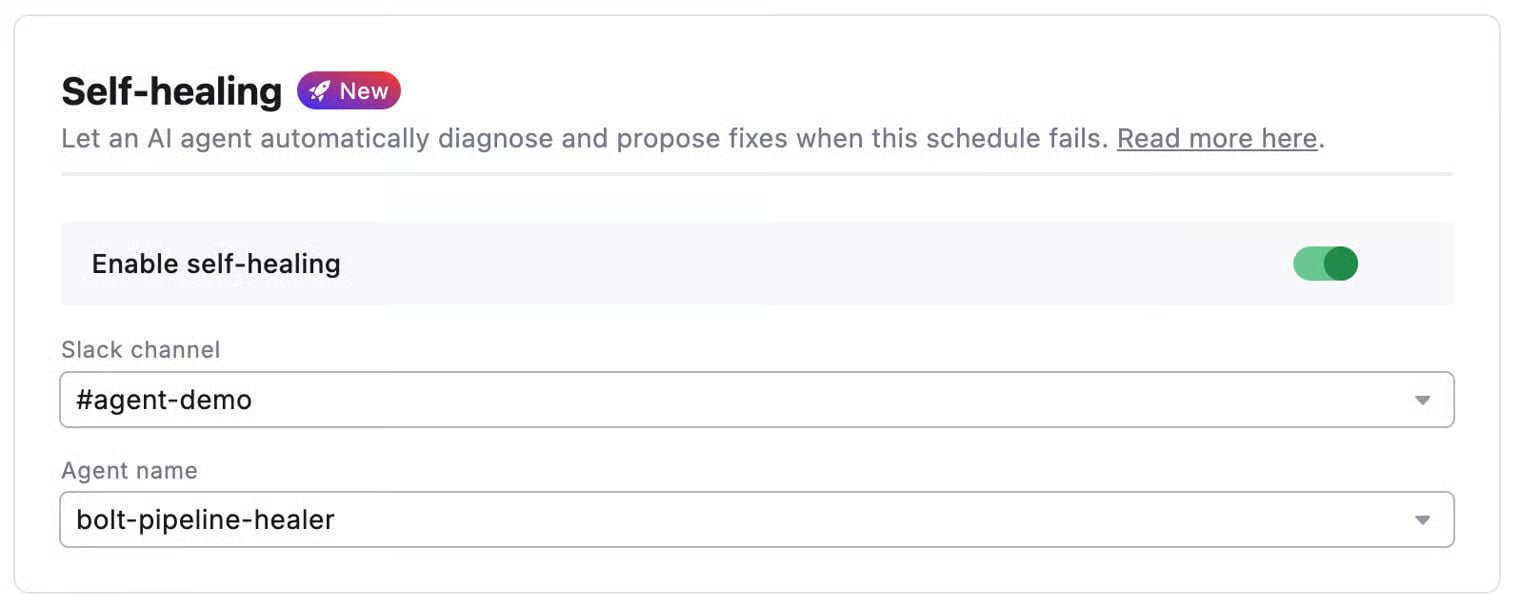 The Slack channel you pick in `self_healing.slack_channel` **must also appear** in the schedule's `notifications.slack_channels`. The agent threads into the existing failure notification — so the notification has to exist for the agent to find its thread.
#### Related
* [Fix with DinoAI](/products/dino-ai/bolt-pipeline-agent/fix-with-dinoai) — Manual one-click fixes from a Slack failure thread
* [Pipeline Insights](/products/dino-ai/bolt-pipeline-agent/production-pipelines) — DinoAI's AI summaries of failed commands
* [Programmable Agents](/guides/programmable-agents/bolt-pipeline-healer) — Author a custom `agent_name` for self-healing
## Related topics
- [2. Self-Healing](/products/bolt/creating-schedules/2.-self-healing.md)
- [Bolt Pipeline Agent](/products/dino-ai/bolt-pipeline-agent/index.md)
- [Bolt Pipeline Healer](/guides/programmable-agents/bolt-pipeline-healer.md)
- [bolt-ci-healer](/guides/programmable-agents/bolt-ci-healer.md)
- [Pipeline Insights](/products/dino-ai/bolt-pipeline-agent/production-pipelines.md)
The Slack channel you pick in `self_healing.slack_channel` **must also appear** in the schedule's `notifications.slack_channels`. The agent threads into the existing failure notification — so the notification has to exist for the agent to find its thread.
#### Related
* [Fix with DinoAI](/products/dino-ai/bolt-pipeline-agent/fix-with-dinoai) — Manual one-click fixes from a Slack failure thread
* [Pipeline Insights](/products/dino-ai/bolt-pipeline-agent/production-pipelines) — DinoAI's AI summaries of failed commands
* [Programmable Agents](/guides/programmable-agents/bolt-pipeline-healer) — Author a custom `agent_name` for self-healing
## Related topics
- [2. Self-Healing](/products/bolt/creating-schedules/2.-self-healing.md)
- [Bolt Pipeline Agent](/products/dino-ai/bolt-pipeline-agent/index.md)
- [Bolt Pipeline Healer](/guides/programmable-agents/bolt-pipeline-healer.md)
- [bolt-ci-healer](/guides/programmable-agents/bolt-ci-healer.md)
- [Pipeline Insights](/products/dino-ai/bolt-pipeline-agent/production-pipelines.md)