> ## Documentation Index
> Fetch the complete documentation index at: https://docs.paradime.io/llms.txt
> Use this file to discover all available pages before exploring further.
# Kiro
> Connect the Paradime MCP server to Kiro by adding a remote server to your Kiro mcp.json, and how to reconnect an expired connection.
First complete [Steps 1–2 in the Overview](/products/dino-ai/mcp-server) to generate your MCP token and copy your MCP server URL.
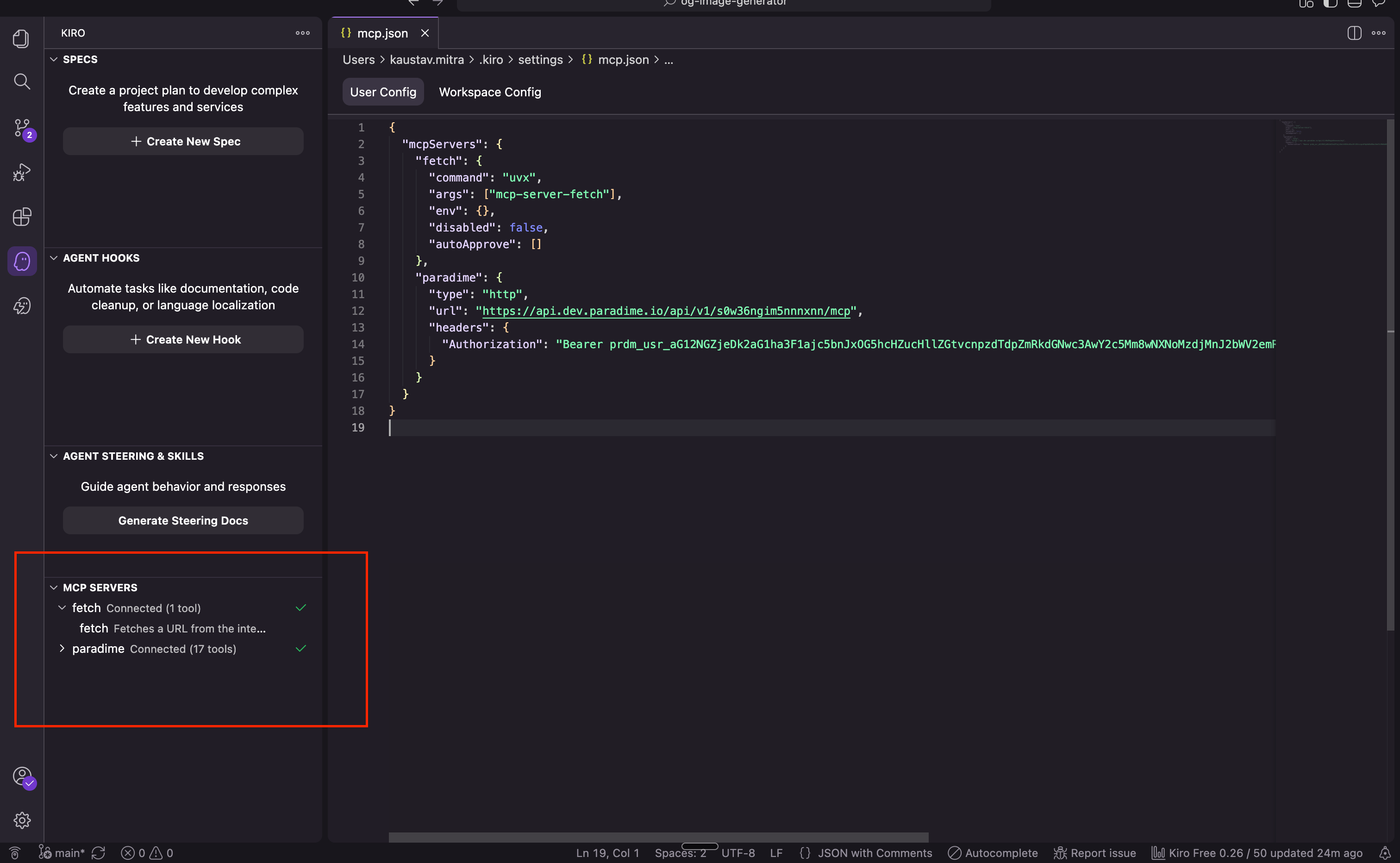
Open Kiro's settings file at `~/.kiro/settings/mcp.json` (create it if it doesn't exist) and add the Paradime entry:
```json title="~/.kiro/settings/mcp.json" theme={"system"}
{
"mcpServers": {
"paradime": {
"url": "",
"headers": {
"Authorization": "Bearer YOUR_MCP_TOKEN"
}
}
}
}
```
Replace `` with your URL from Step 2 and `YOUR_MCP_TOKEN` with the token from Step 1.
Restart Kiro. You can verify the connection under **Settings → MCP**, where Paradime should be listed with a green checkmark.
 ### Reconnecting an expired connection
By default, the MCP connection expires after one week and you will need to reconnect. To do that, visit [app.paradime.io/settings/api-keys](https://app.paradime.io/settings/api-keys), generate a new MCP token, and replace it in your `~/.kiro/settings/mcp.json`. Then click **Reauthenticate** in the MCP Servers panel in Kiro and your Paradime MCP will reconnect. Restart the Kiro IDE after the change.
### Reconnecting an expired connection
By default, the MCP connection expires after one week and you will need to reconnect. To do that, visit [app.paradime.io/settings/api-keys](https://app.paradime.io/settings/api-keys), generate a new MCP token, and replace it in your `~/.kiro/settings/mcp.json`. Then click **Reauthenticate** in the MCP Servers panel in Kiro and your Paradime MCP will reconnect. Restart the Kiro IDE after the change.
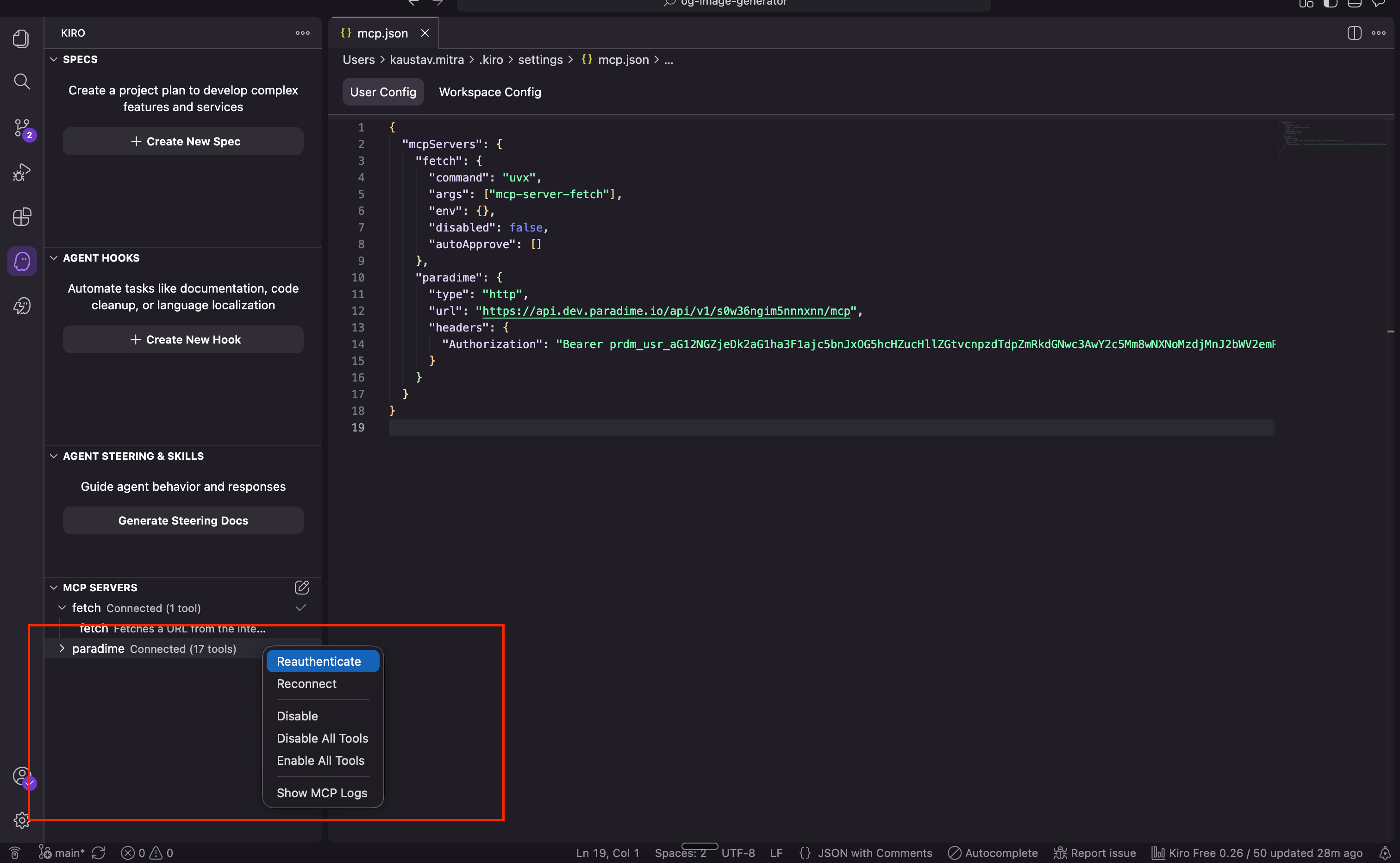 In Kiro, use **Reauthenticate** — do not use **Reconnect** and enter the token in the browser window.
## Related topics
- [MCP Server](/products/dino-ai/mcp-server/index.md)
In Kiro, use **Reauthenticate** — do not use **Reconnect** and enter the token in the browser window.
## Related topics
- [MCP Server](/products/dino-ai/mcp-server/index.md)