> ## Documentation Index
> Fetch the complete documentation index at: https://docs.paradime.io/llms.txt
> Use this file to discover all available pages before exploring further.
# Redshift PrivateLink
> Redshift PrivateLink: Configure secure Redshift connections with Paradime for dbt™ projects using AWS PrivateLink. Enhance data security.
AWS PrivateLink is an AWS service for creating private VPC endpoints that allow direct, secure connectivity without traversing the public Internet.
## Configuring Redshift-managed PrivateLink
### **Redshift Serverless**
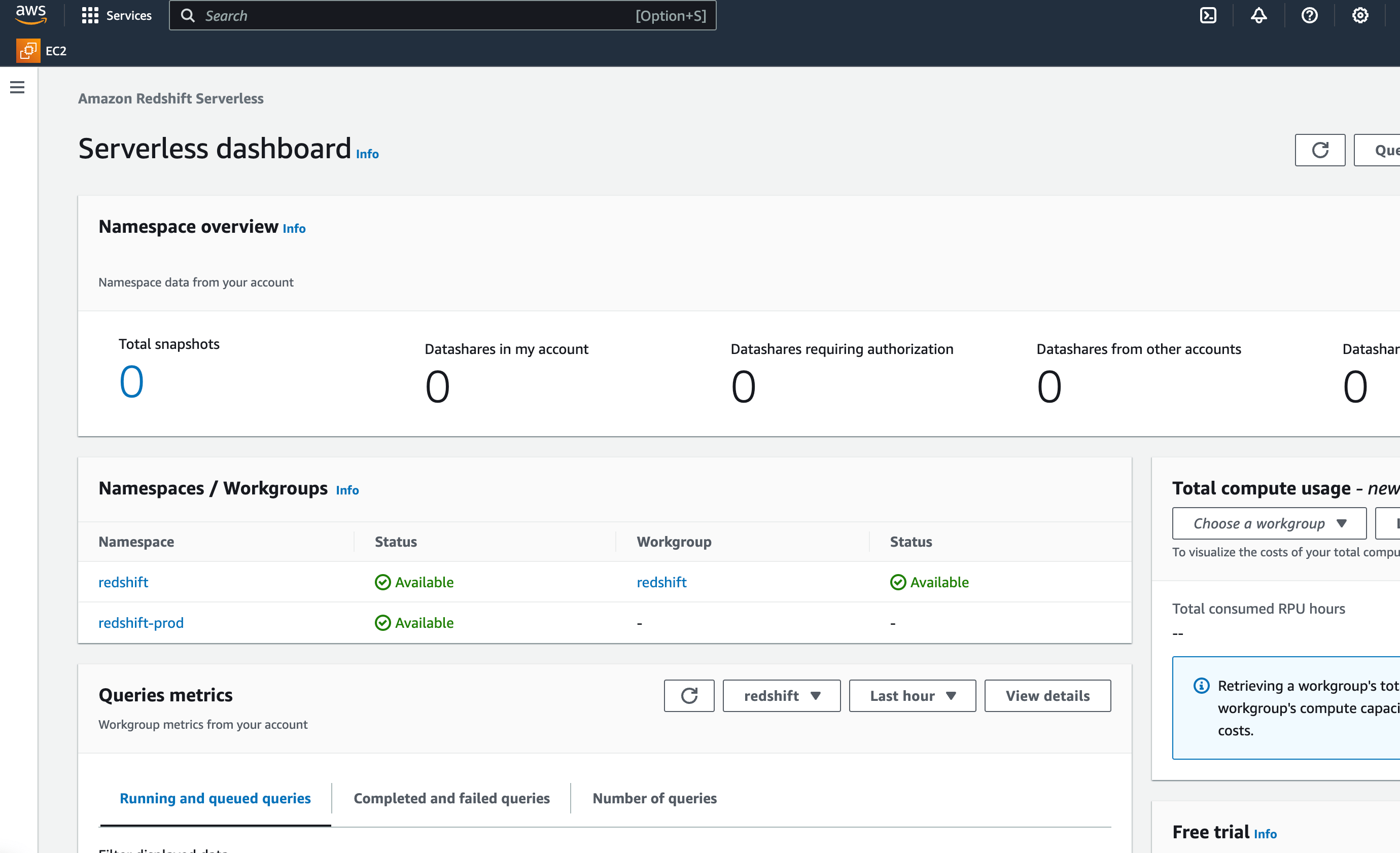
1. On the running Redshift cluster, select the desired **namespace.**
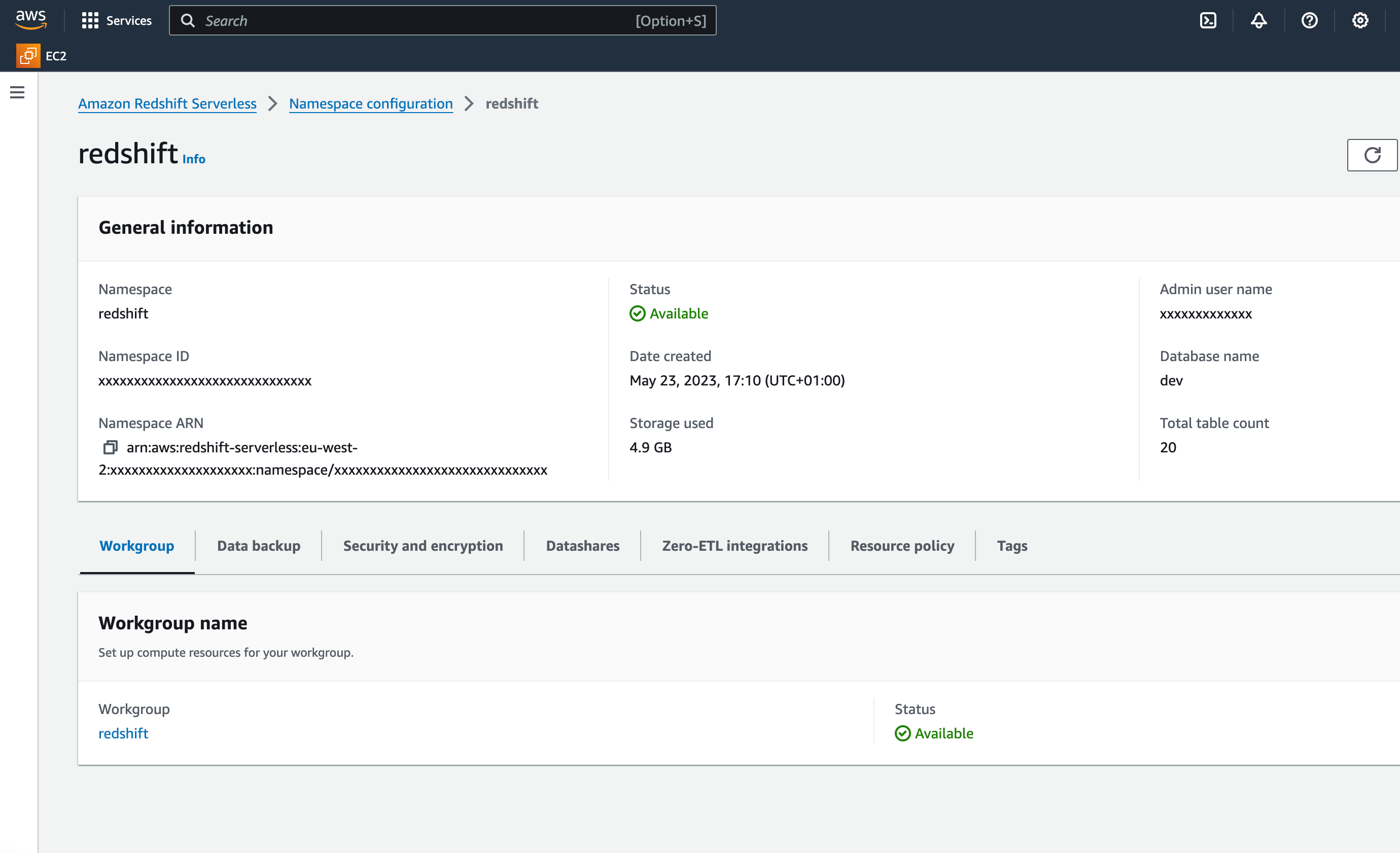
 2. In the Namespace configuration view, in the **Workgroup** tab, select the relevant workgroup name.
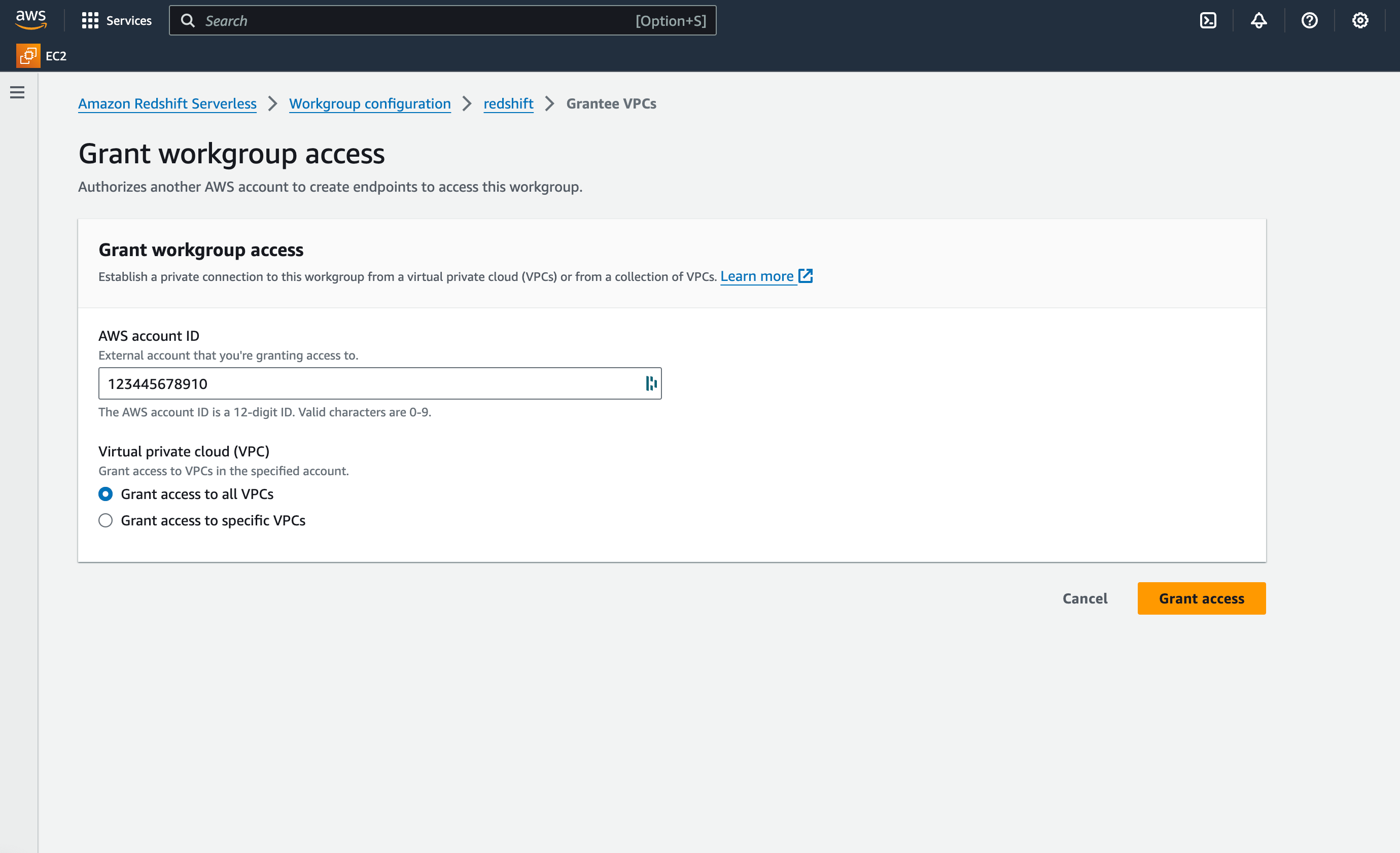
 3. In the **Granted accounts** section, click **Grant access.**
4. Choose **Grant access to all VPCs** and enter Paradime AWS account ID. Contact the Paradime support team to request it.
3. In the **Granted accounts** section, click **Grant access.**
4. Choose **Grant access to all VPCs** and enter Paradime AWS account ID. Contact the Paradime support team to request it.
 5. When done , submit to the Paradime [Support team](mailto:support@paradime.io) the below information:
**Required information to submit to Paradime support:**
* Type: Redshift-managed
* Redshift cluster name
* Redshift cluster AWS account ID
* Redshift cluster AWS Region (e.g., us-east-1, eu-west-2)
Once received, the Paradime team will complete the PrivateLink setup and share the Redshift Endpoint URL to establish the connection when setting up teh Paradime workspace.
## Related topics
- [Snowflake PrivateLink](/products/settings/connections/connection-security/aws-privatelink/snowflake-privatelink.md)
- [AWS PrivateLink](/products/settings/connections/connection-security/aws-privatelink/index.md)
- [Connection Security](/products/settings/connections/connection-security/index.md)
- [Redshift](/products/settings/connections/development-environment/redshift.md)
5. When done , submit to the Paradime [Support team](mailto:support@paradime.io) the below information:
**Required information to submit to Paradime support:**
* Type: Redshift-managed
* Redshift cluster name
* Redshift cluster AWS account ID
* Redshift cluster AWS Region (e.g., us-east-1, eu-west-2)
Once received, the Paradime team will complete the PrivateLink setup and share the Redshift Endpoint URL to establish the connection when setting up teh Paradime workspace.
## Related topics
- [Snowflake PrivateLink](/products/settings/connections/connection-security/aws-privatelink/snowflake-privatelink.md)
- [AWS PrivateLink](/products/settings/connections/connection-security/aws-privatelink/index.md)
- [Connection Security](/products/settings/connections/connection-security/index.md)
- [Redshift](/products/settings/connections/development-environment/redshift.md)