

Account API keys are the recommended way to authenticate with the Paradime API.A single account API key can access multiple workspaces, so you no longer need to generate and manage a separate set of credentials for each workspace. Workspace API keys remain fully supported for existing integrations.
Capabilities
Both key types grant access through the same set of capabilities (scopes). When generating a key you choose which capabilities to grant it.
For an account API key, the granted capabilities apply to every workspace the key has access to. For a workspace API key, they apply to the single workspace the key belongs to.
Account API Keys
Account API keys are generated at the account level.A single account API key can be granted access to one or more workspaces in your Paradime account. You select the target workspace on each API request using the
X-Paradime-Workspace header — so you no longer need separate credentials for each workspace.Generate a new account API key
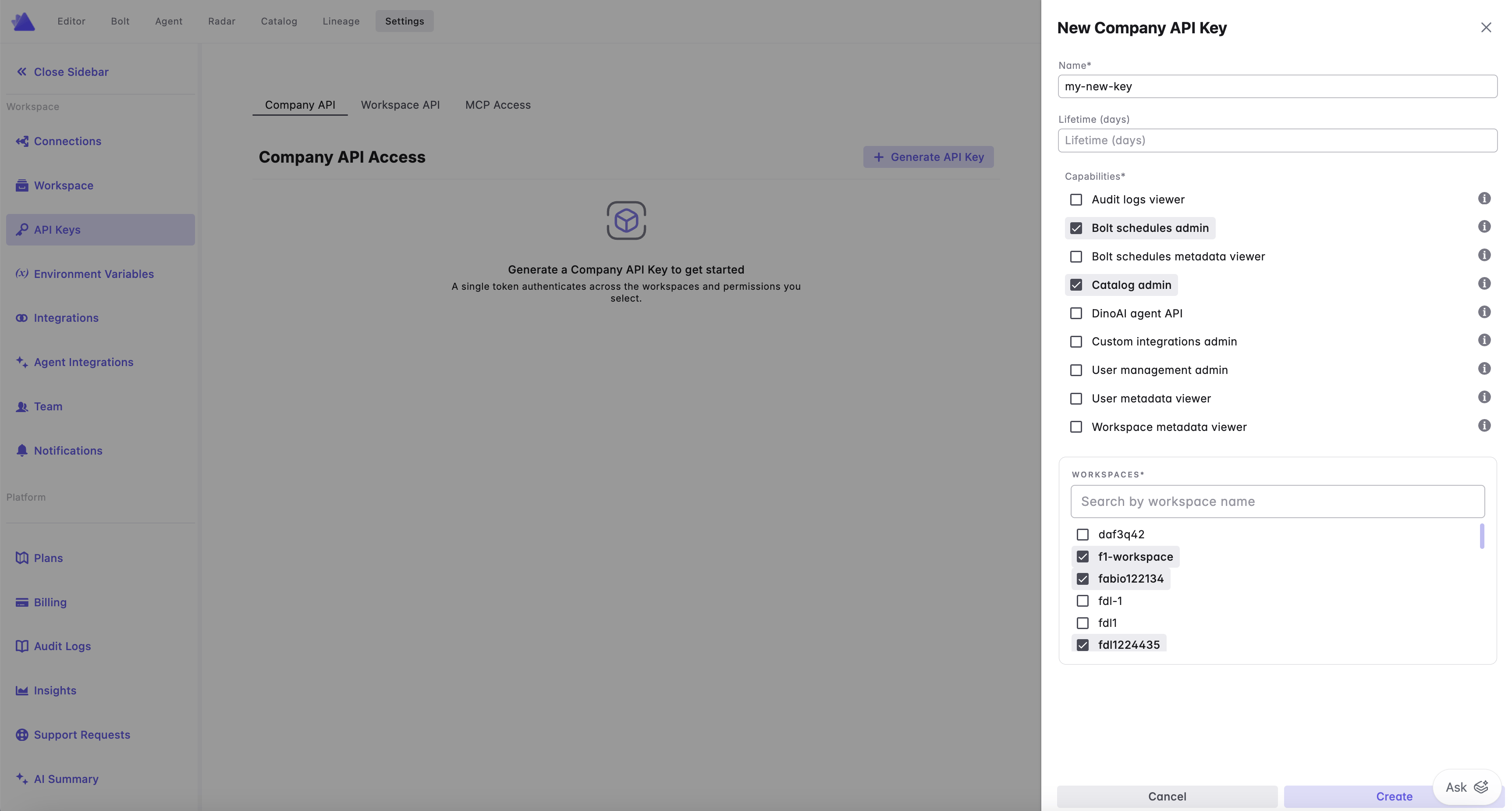
To generate an account API key, navigate to the Settings screen and select API Keys from the left panel. Click on Generate API Key. Here you will be able to:- Provide a human readable name to help identify what the API key is generated for
- Set an optional expiration date, after which the key will no longer be valid
- Grant a set of capabilities or scopes to the API key
- Select one or more workspaces the API key can access. The workspace you are currently in is pinned to the top of the list and tagged Current. Workspaces where you aren’t an admin are listed last and can’t be selected; hover one to see why.
Finding the workspace UID. The success screen lists every workspace you selected with its UID next to the name, and clicking a UID selects the whole value. That UID is what goes in the
X-Paradime-Workspace header. Copy credentials copies the token, the endpoint, and the full list of workspace names with their UIDs, so you do not have to come back for them later.X-Paradime-Workspace header, the API returns an error that names the header: This Account API key spans workspaces; send the `X-Paradime-Workspace: <workspace token>` header to choose one.
Authenticate with your account API key
Account API keys use Bearer token authentication. On each request, pass:- The
Authorizationheader with your account API key (starting withprdm_cmp_) - The
X-Paradime-Workspaceheader with theworkspace_tokenof the workspace you want the request to run against
workspace_token, see Company & Workspace token.
- cURL
- Python
X-Paradime-Workspace header to the other workspace’s workspace_token. The API key must have been granted access to that workspace, otherwise the request will be rejected.
Account-wide operations that are not tied to a specific workspace (for example listing the workspaces in your account) can be called without the
X-Paradime-Workspace header.View existing account API keys
To view all active account API keys, navigate to the Settings screen and select API Keys from the left panel. For each API key you can see its name, the workspaces and capabilities it has been granted, when it was created, when it was last used, and its expiration date (if set).Revoke account API keys
To revoke an account API key, navigate to the Settings screen and select API Keys from the left panel. Select the API key you want to revoke and choose the delete option.Workspace API Keys [legacy]
Workspace API keys in Paradime are generated at a workspace level.If using multiple workspaces you will need to use different API credentials in the Authorization headers.
Generate a new set of API keys
To generate API credentials for making API calls in Paradime, navigate to the Settings screen and select Workspace Settings from the left panel. Scroll to the bottom of the screen and click on Generate API Keys. Here you will be able to:- Provide a human readable name to help identify what is the API key generated for
- Set an optional lifetime in days for the API keys, after the credentials will expire those will not be valid
- Grant a set of capabilities or scopes to the API keys
Authenticate with your workspace API keys
Workspace API keys authenticate using two request headers —X-API-KEY and X-API-SECRET — posted to your workspace’s API endpoint. Unlike account API keys, there is no Authorization: Bearer token and no X-Paradime-Workspace header: the key is already bound to a single workspace.
- cURL
- Python