

Prerequisites
- An Admin, Workspace Admin, or Workspace Settings Admin role.
- A saved connection to copy. Radar cost connections can’t be copied.
Steps
1
Start the copy
Go to Settings, then Environments. On the connection you want to copy, click the copy icon next to View. From a connection’s own page, select the More (…) menu, then Copy to another environment. The menu item is hidden while you edit the connection.
2
Pick the target
In Copy connection details, choose another Bolt or Agent environment, or Code IDE, and click Continue. If the target already has a connection, the copy is added next to it and doesn’t replace it.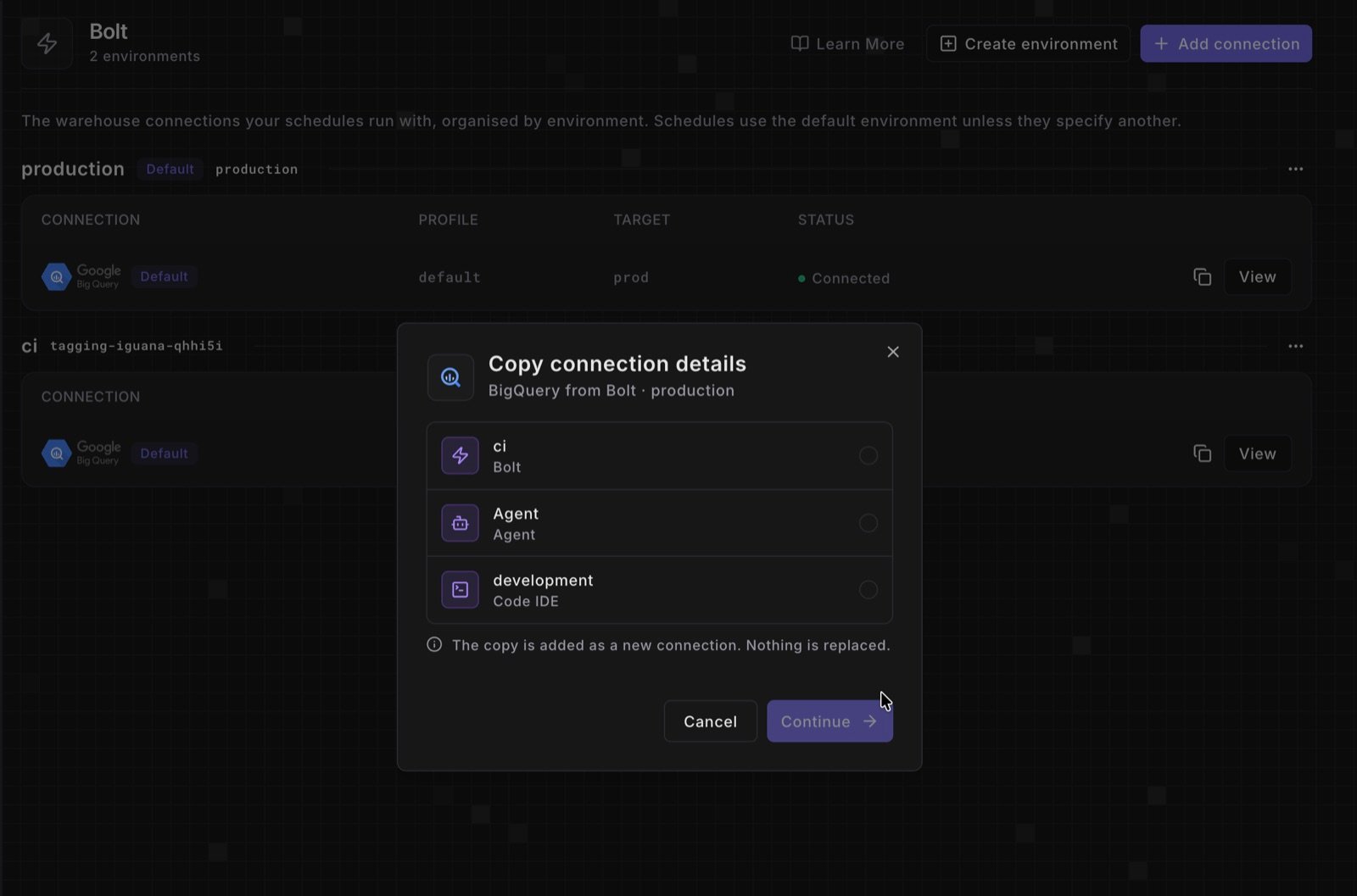
3
Review, test, and save
The target’s new-connection form opens under a Copied from note, with the source’s settings and secrets filled in. Fill in anything left empty, check the schema, database, and target, then click Test Connection. The copy saves when the test passes.
The copied connection shows in the target environment’s list in Settings > Environments. If the test fails, compare the schema, database, and target with the source connection, and enter again any secret the form left empty.
What doesn’t copy as it is
- Auth methods the target doesn’t offer. Bolt and Agent environments don’t offer Snowflake OAuth, BigQuery OAuth, or Redshift IAM. A copy of such a connection starts from a method they do offer (the form’s default for Snowflake, a service account for BigQuery, username and password for Redshift) with those credentials empty. For Redshift IAM, the host, port, and database start empty too.
- MotherDuck tokens. Paradime never returns a stored token, so enter it again.
- Secrets that can’t be read. The note turns amber and asks you to enter them again.
- Code IDE credentials. They belong to you. Copying from the Code IDE copies your own credentials as they are.
Next steps
Set an alternative default connection
Make the copy the environment’s default connection.
Connections and environments
How environments and their connections fit together.