

What is a workspace?
A Paradime Workspace is a self-contained unit where teams can do their analytics work. Each workspace comes with its own repo, users, data warehouse connections, production schedules, alerting, notifications, dbt-version, and integrations.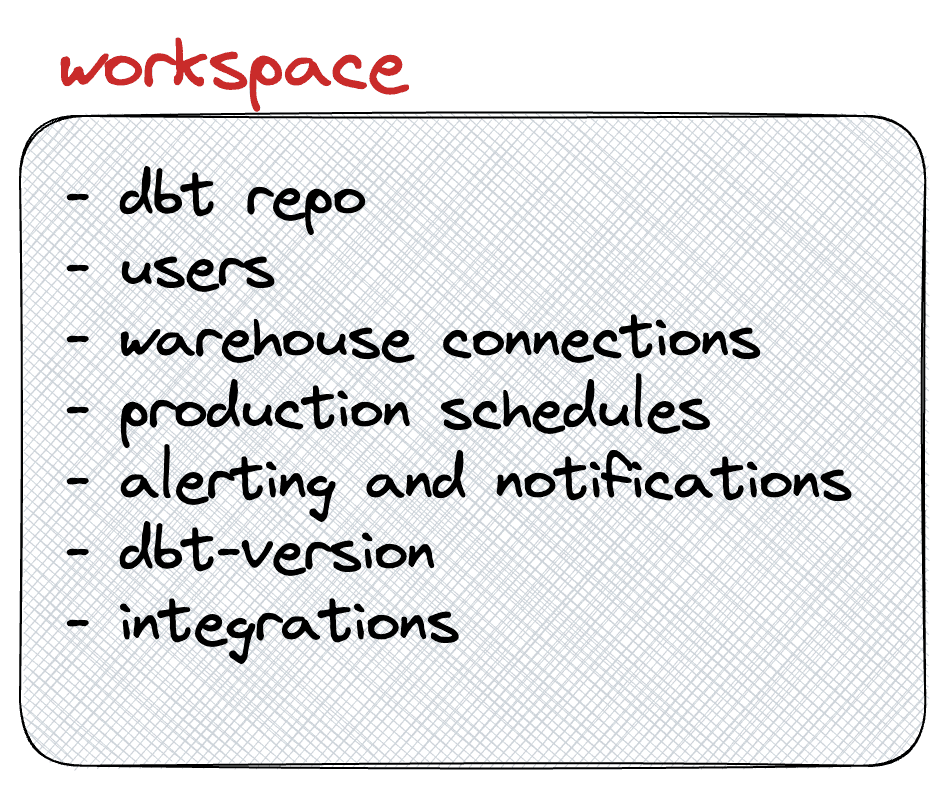
Why did we build this?
At Paradime, we work backwards from the customer or shape the product so that we can fit seamlessly within our user’s daily work. From an organizational perspective, we have seen many of our customers moving or considering moving to a distributed analytics team from a monolith. Many people call this team structure, hub-and-spoke model or domain-based team model. As companies grow, this is also the abstraction or how BI teams get organized. So, if we have to draw the organization structure around analytics with say, two business units - Sales and Product, it would look something like below.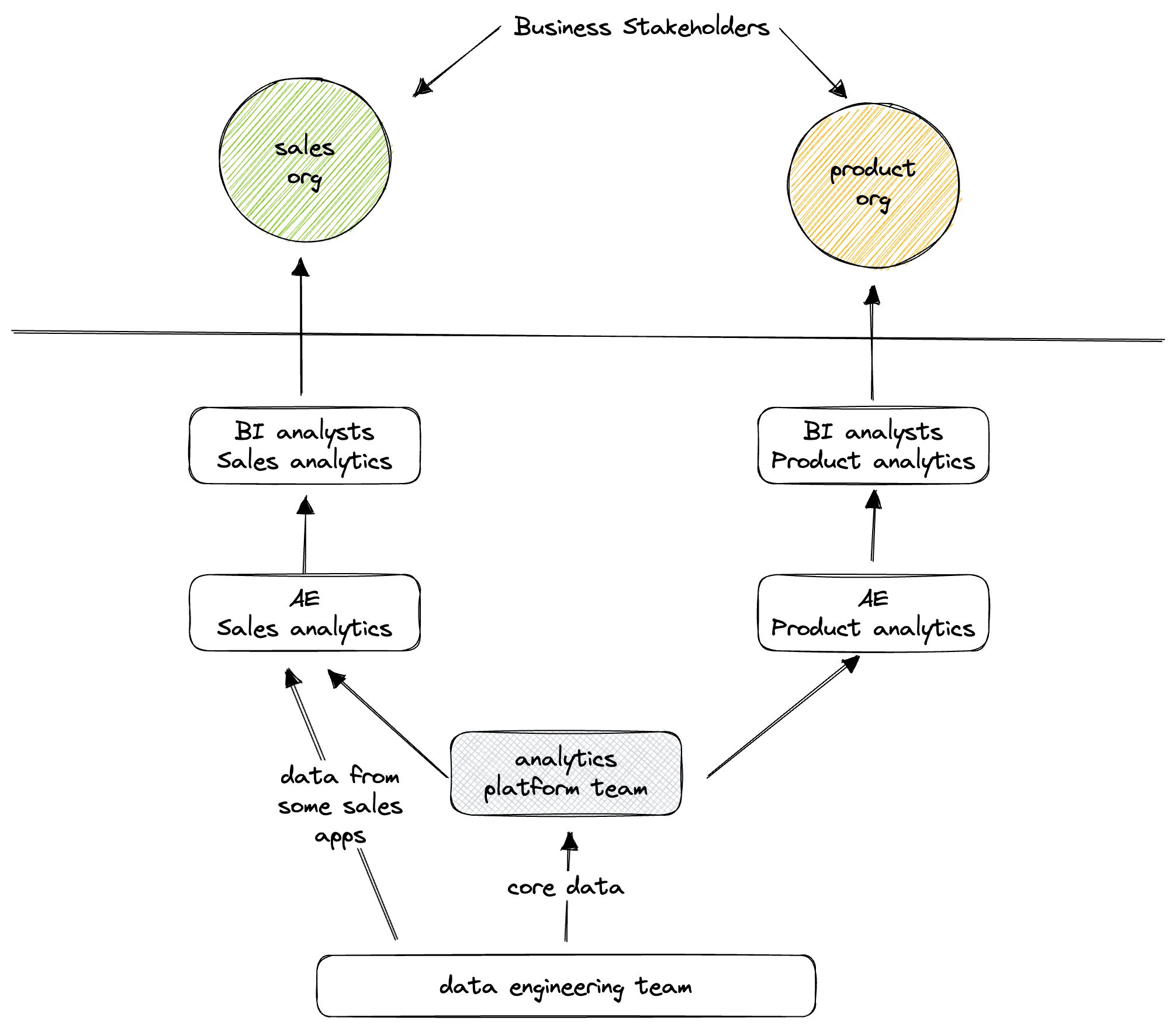
Sample team structure aligned to business units
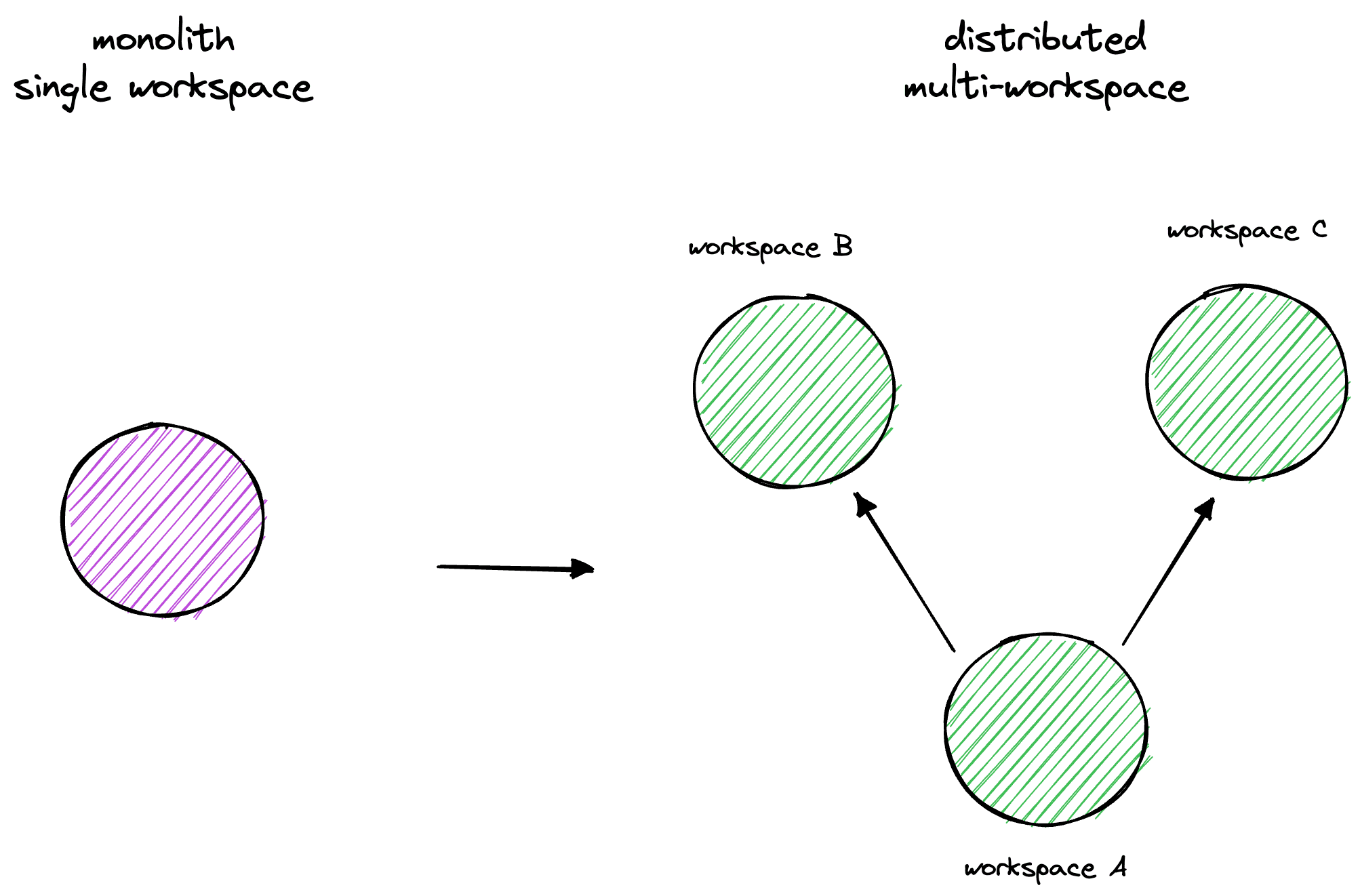
Monolith vs distributed multi-workspace
How does this work?
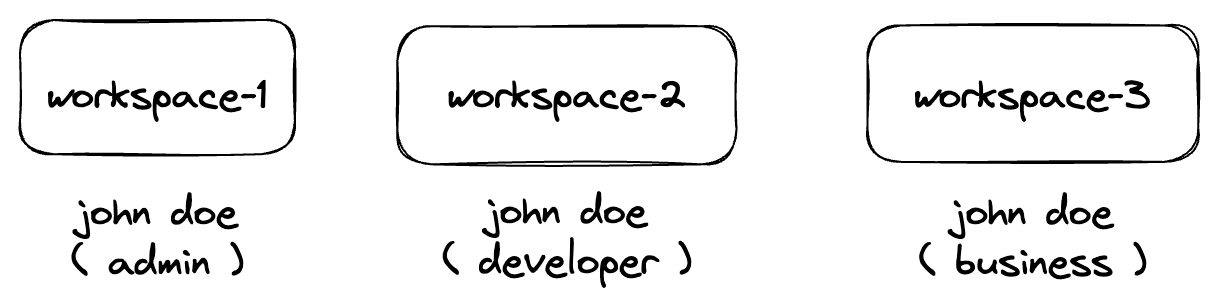
As a customer, when you first create your account, you will have a default workspace or your first workspace to start with.If your plan allows multiple workspaces, then you can see all the workspaces you are a member of from the drop-down in the navigation bar.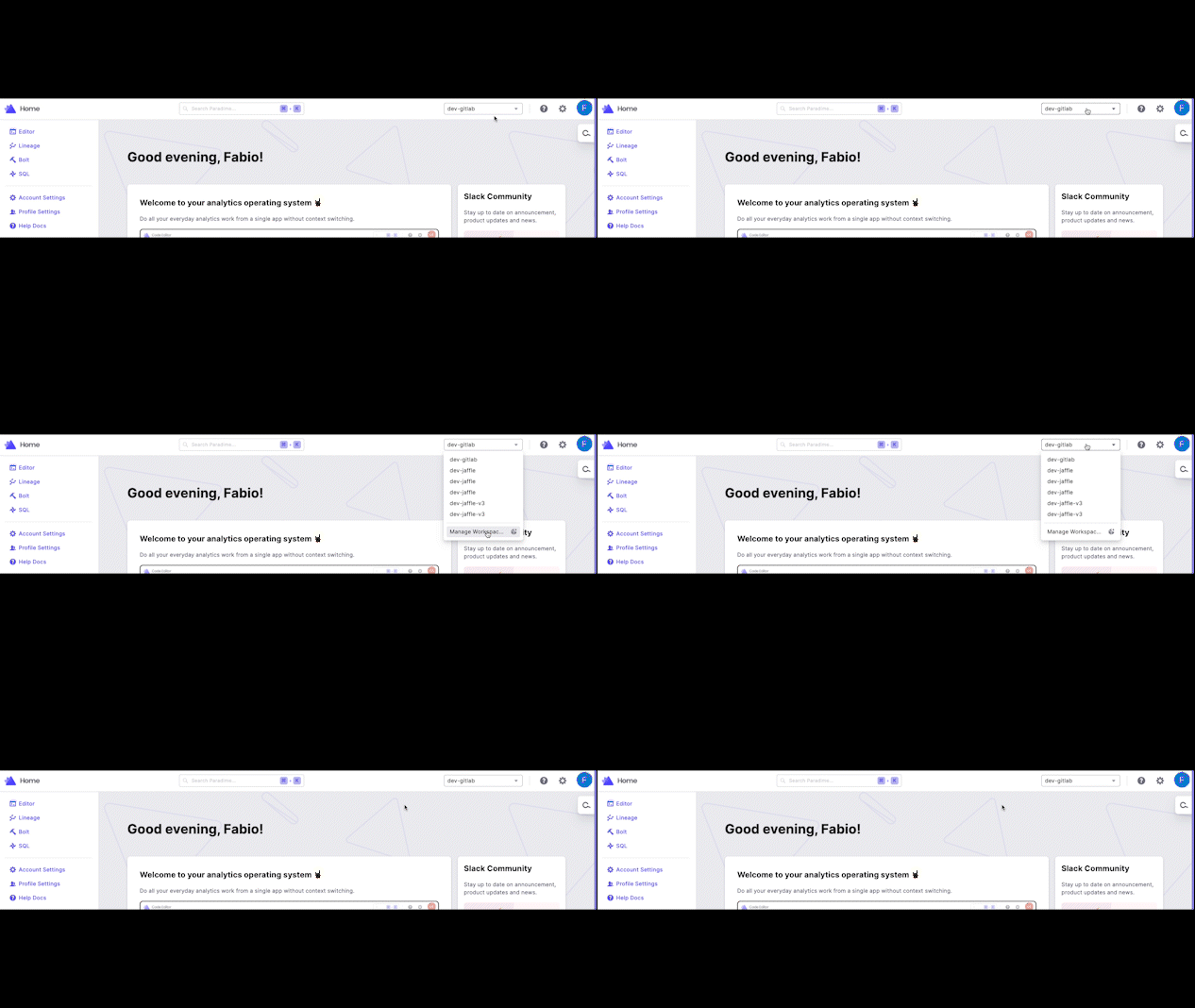
Creating a workspace
Switching workspace from the keyboard
Press W anywhere in the platform to open a workspace switcher on the sidebar workspace row, with the search box focused.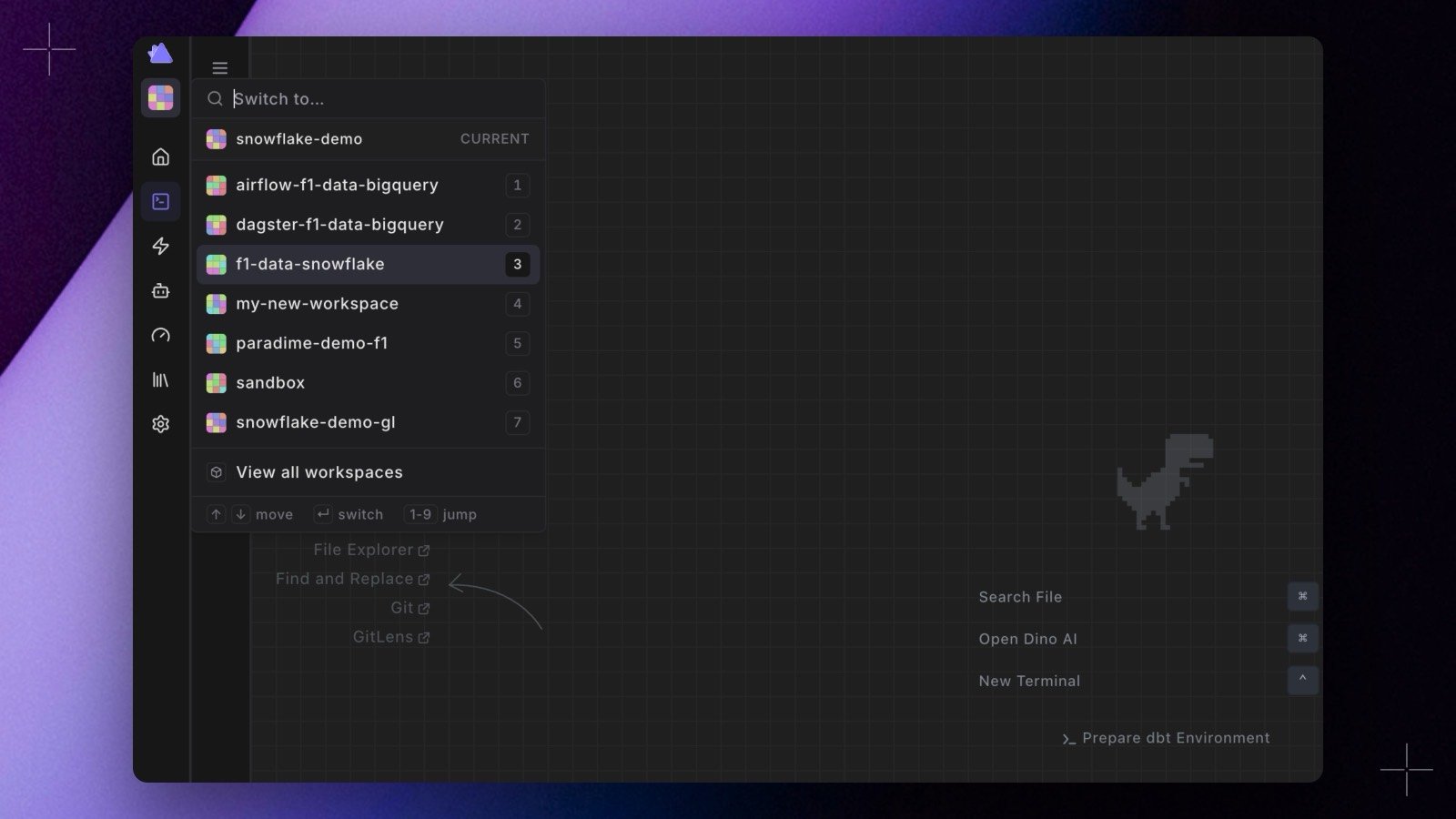
- Press 1 to 9 to jump straight to a numbered workspace, or use the arrow keys and
Enter. The key hints along the bottom of the panel say the same. - Type to filter. Matching is tiered: an exact name first, then a whole-name prefix, then the start of a word inside the name, then anywhere, alphabetical within each tier.
- With fewer than ten workspaces every row keeps a permanent digit. Past that, the workspaces you have visited in this browser move to the top under Recent and hold the low digits.
- The workspace you are already in is pinned under the search box, marked CURRENT, rather than listed.
- View all workspaces at the foot of the panel opens the full list, for managing rather than jumping.
⌘K and type switch. It opens over the Code IDE the same way it does anywhere else.
Because digits select rows at every point in the flow, you cannot type a number into the search box. Workspaces with digits in their name are matched on their other characters, so
f1-workspace is reachable by typing work. Recents are stored in your browser, so they do not follow you to another machine.
Adding a new workspace
Use-cases
With Workspaces, we are unlocking multiple approaches to how analytics teams can work. We have outlined some of the use cases we see among our customers today and we would love to learn more if you think we are missing something.Enterprise operating in multiple continents like EU and US or medium-sized/mid-market company adopting data mesh
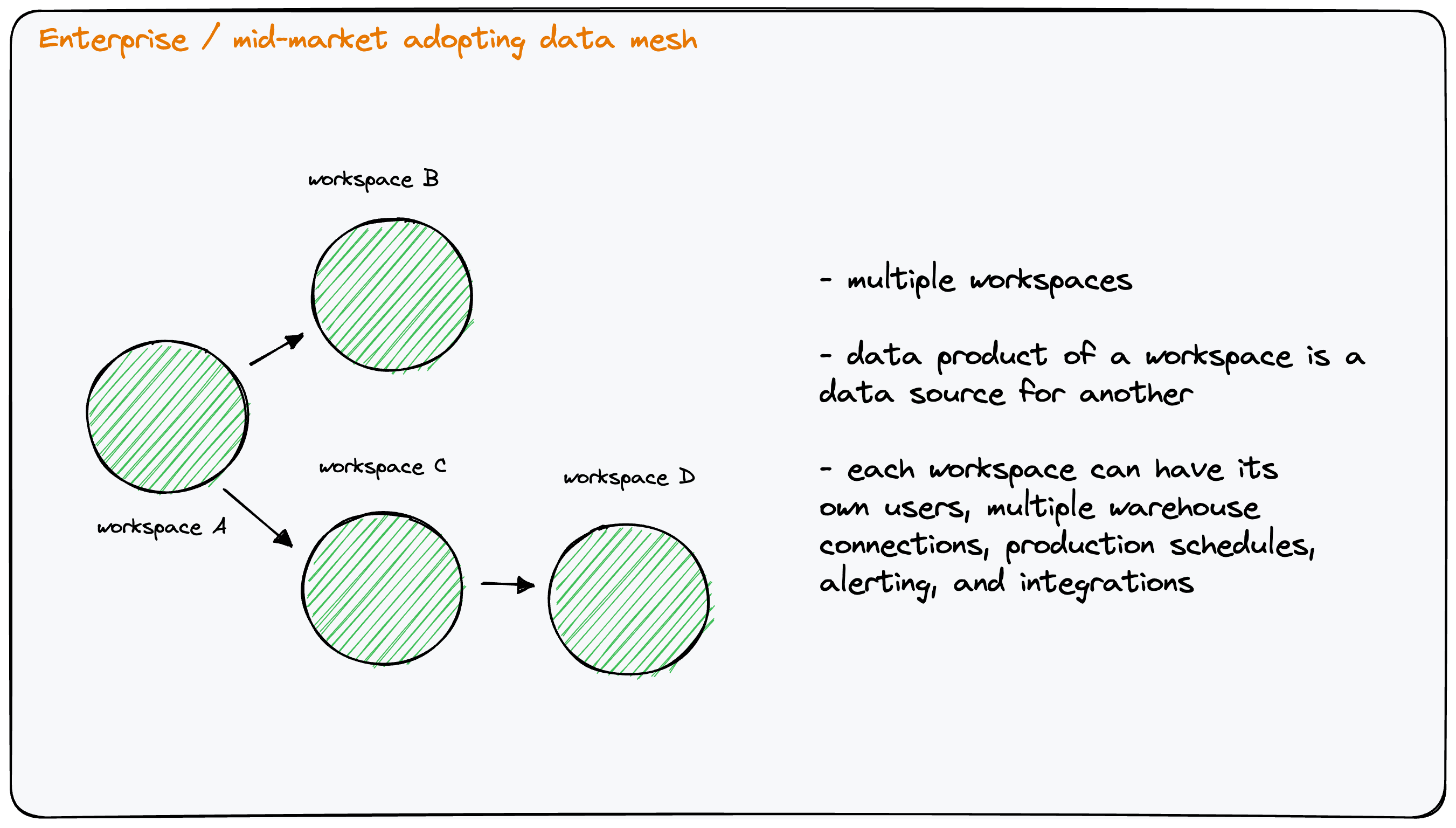
Data mesh in an enterprise or mid-market business
- Enterprises with operations in multiple countries can setup workspaces located in the EU and US to meet security and local privacy laws, e.g. GDPR. With Paradime workspaces, organizations can have their accounts setup in the EU and US. Customers now get infinite flexibility to organize their dbt™* projects, warehouse connections, users etc. in line with how teams and business stakeholders are structured.
- Each workspace can be independently setup and tuned, providing data leaders with the freedom and flexibility to build a global analytics platform.
- A Paradime workspace can be connected to multiple data warehouse connections for development and production compared to dbt Cloud™*.
Connected data pipelines across workspaces
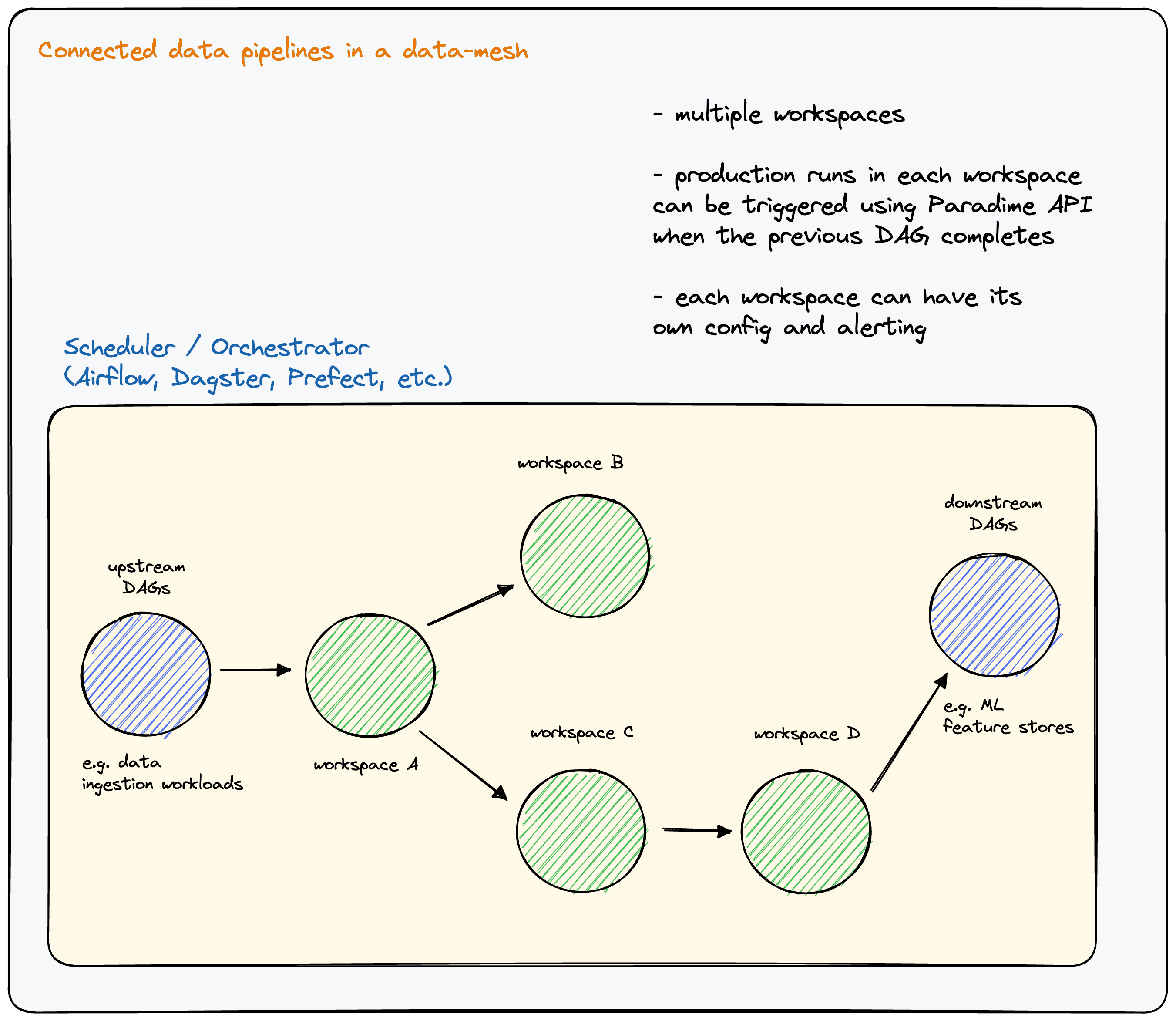
Connected data pipeline across workspaces
- In a data mesh, people often refer to data products, which are outputs of one workspace that are consumed as inputs in another workspace. Organizations will need to model the dependency between workspaces within their scheduling and orchestration pipelines.Each Paradime workspace can have their own production dbt™* schedules.
- Each workspace also comes with its own API key and API secret. With this abstraction in place, data engineers can build the dependency between workspaces as DAGs in their favorite orchestration platform. Then use each DAG and its API-key and API-secret to trigger a schedule run in one workspace when an upstream workspace has completed.
- Platform teams can control how the pipeline between connected workspaces will function while analytics teams can setup production dbt™* schedules within their own workspace.
Multiple environments for test/staging and live
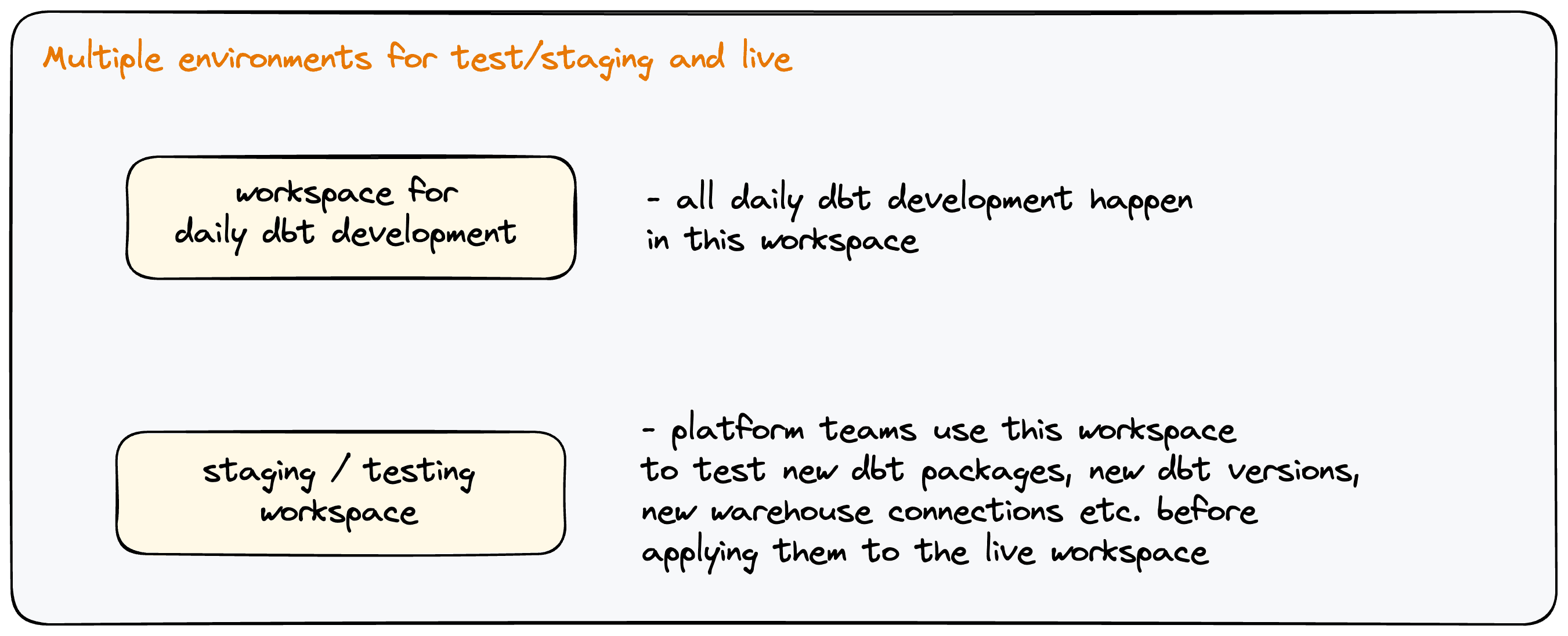
Multiple environments for production and testing / staging
- For organizations with many dbt™* projects, upgrading dbt™* versions without any impact on live projects is sometimes a priority for platform teams. Platform teams also like to test out different data warehouse configurations, dbt™* versions, macros, and packages before rolling them out to the rest of the analytics teams.
- With Paradime Workspaces, it’s possible to have one workspace where analytics teams are working day-to-day. And another workspace where platform teams can test changes before rolling them out to the live workspace.
Migrating from a monolith to architecture
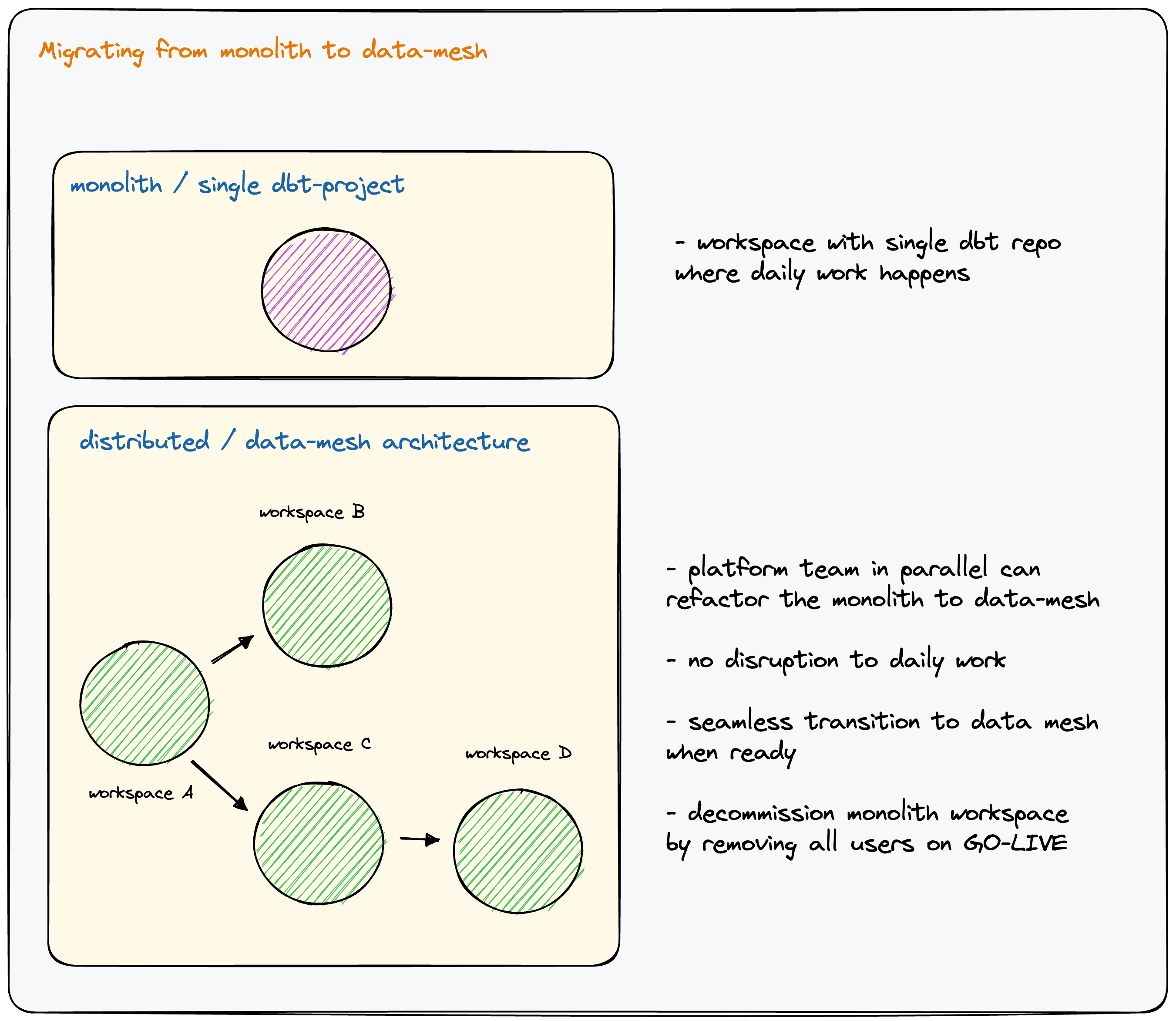
Migrating from a monolith to a data mesh
- There are a lot of organizations who are now considering moving from a monolith to a data mesh architecture. During the migration process, they want zero impact / downtime for their data analytics teams.
- A Paradime Workspace is dedicated for the monolith project where the majority analytics team will be working. Without disrupting their flow, the platform team can then spin up additional workspaces and migrate to a. Once migration is complete, they can deprecate the monolith workspace and move the entire team to their mesh workspaces with zero down-time.
Package development
Private package: Customers can be doing their daily work on a live dbt™* project while also building and maintaining private packages. With Paradime Workspace, it’s possible to have one workspace for analytics and another for dbt™* packages.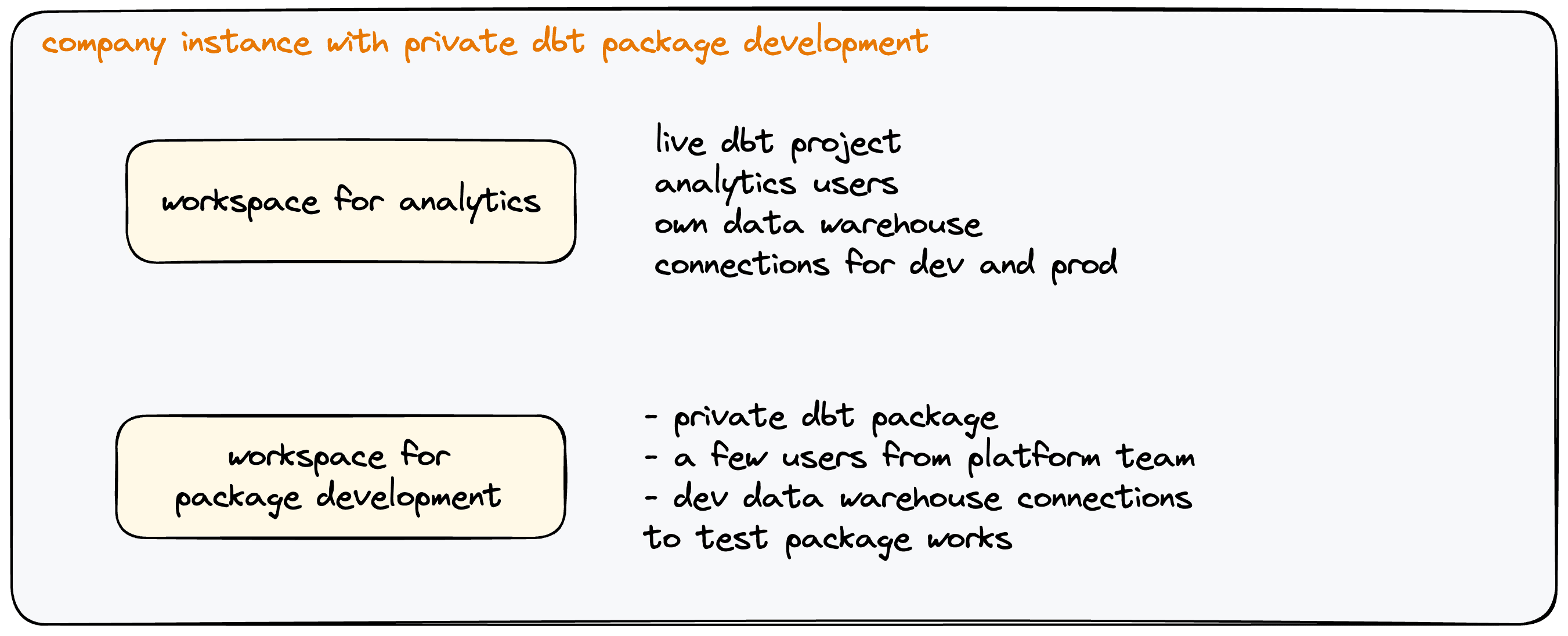
Developing internal dbt™ packages
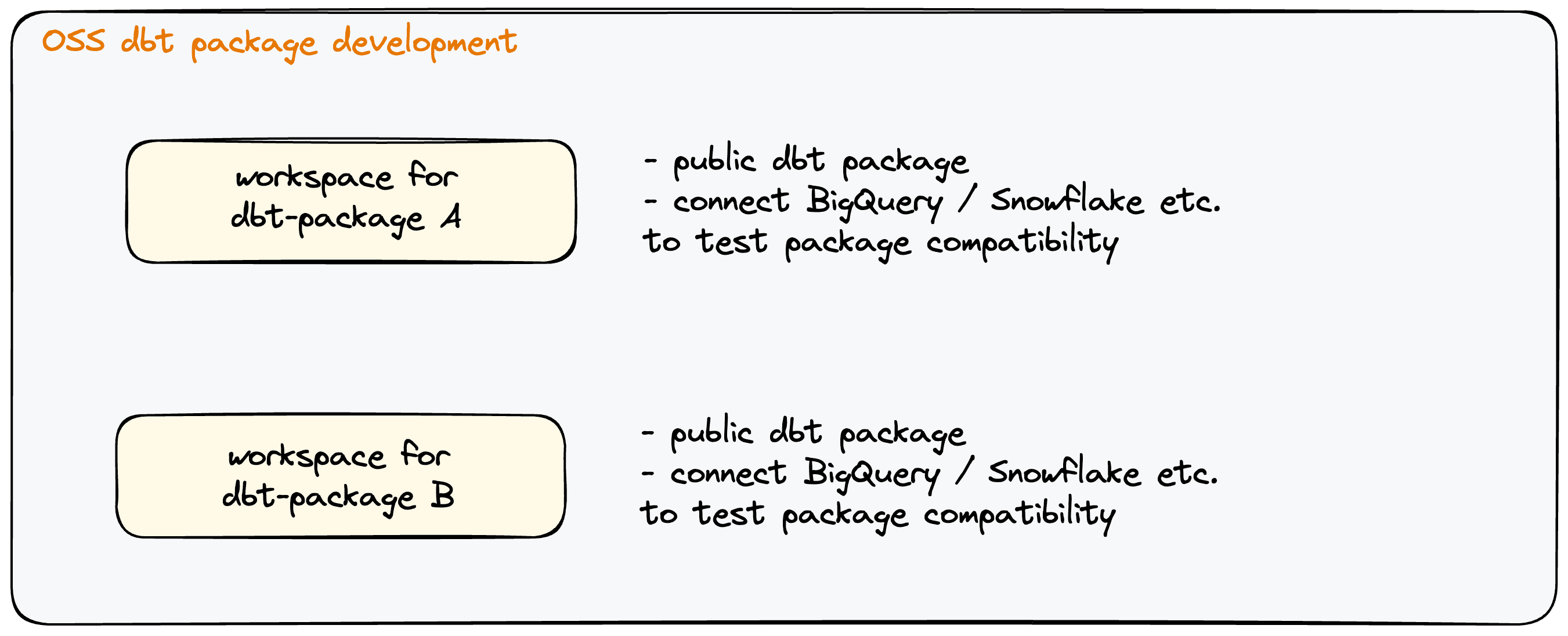
Developing open source package
Comparison with dbt Cloud™*
The primary differences with dbt Cloud™ are as follows:Warehouses connections:
- In dbt Cloud™*, the fundamental unit is a project. Each project has its own dbt™* repo linked to a single data warehouse connection. This setup works quite well for a single repo and single warehouse connection - typically when teams are just getting started in their dbt™* journey. But we increasingly see modern teams using warehouses with different computes in Snowflake to support small and large data sets and optimize cost. In such a scenario, in dbt Cloud™* customers will have to keep creating projects and pay for Enterprise pricing. This platform limitation also leads to unnecessary project duplication even though projects have the same git repo.
- In Paradime, the fundamental unit is a workspace. Each workspace supports multiple warehouse connections making Paradime workspaces much more feature-rich and versatile. Team don’t have to have unnecessary duplicate projects.
Alerting and Notifications
- In dbt-Cloud, all alerts and notifications for schedules are set at the project level. Notifications from all schedules in a project go to the same Slack channel which leads to alert-fatigue, confusion, and improper triaging of issues.
- In Paradime, alerting and notifications are set on a per schedule basis offering much more granular control and faster actioning. The alerts from schedules go to the relevant Slack channel to relevant people leading to more effective actions.
Integrations
- In dbt Cloud™*, customers have to use the administrative and metadata API to build integrations. dbt Cloud™* does not offer out-of-the box integration with MDS apps like Looker, Tableau, Fivetran, Hightouch, etc.
- In Paradime, each workspace has their own integrations. For example, a finance analytics workspace can have end-to-end lineage across Fivetran, dbt™*, and Looker, giving those teams all the tools to work independently. Through Paradime workspaces, analytics teams can function end-to-end on their own.
Pricing
- In dbt Cloud™*, only Enterprise customers can have more than one dbt™* project. This forces cash and resource strapped teams to move to local VSCode setups that are hard to build, develop and maintain. For teams without the resources to maintain a local setup, it increases their dbt Cloud™* cost by more than 4-6 times. This is unfair.
- In Paradime, workspace limits across pricing tiers is rational, fair and reasonable and in line with how typical teams are structured.