

What You’ll Get
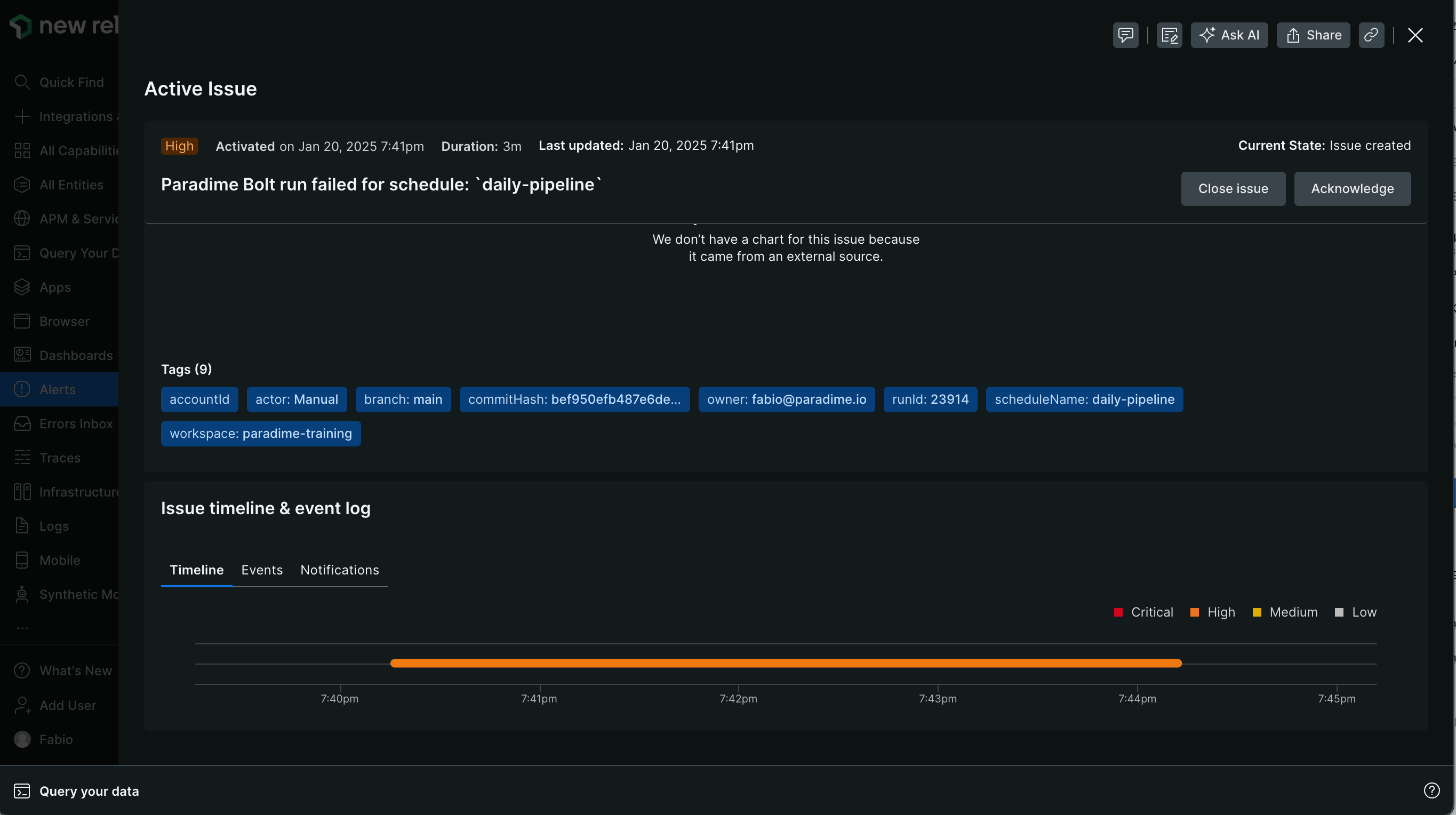
When a run fails, Bolt automatically creates a New Relic incident containing:- Issue title with schedule name
- Description including:
- Link to Paradime run logs
- Run details:
- Run ID
- Start and end time
- Commands executed
- Branch information
Key Benefits for Data Teams
- Automatic New Relic incident creation when dbt™ pipelines fail
- Real-time pipeline monitoring and incident tracking
- Streamlined workflow between dbt™ runs and New Relic
- Faster response time to pipeline failures
Setup Guide
Set up New Relic incident creation for failed runs. Follow the steps below, and watch our interactive tutorial.Step 1: Gather Your New Relic Credentials
- Get Your Account ID:
- Visit https://docs.newrelic.com/docs/accounts/accounts-billing/account-structure/account-id/
- Follow instructions to locate your Account ID
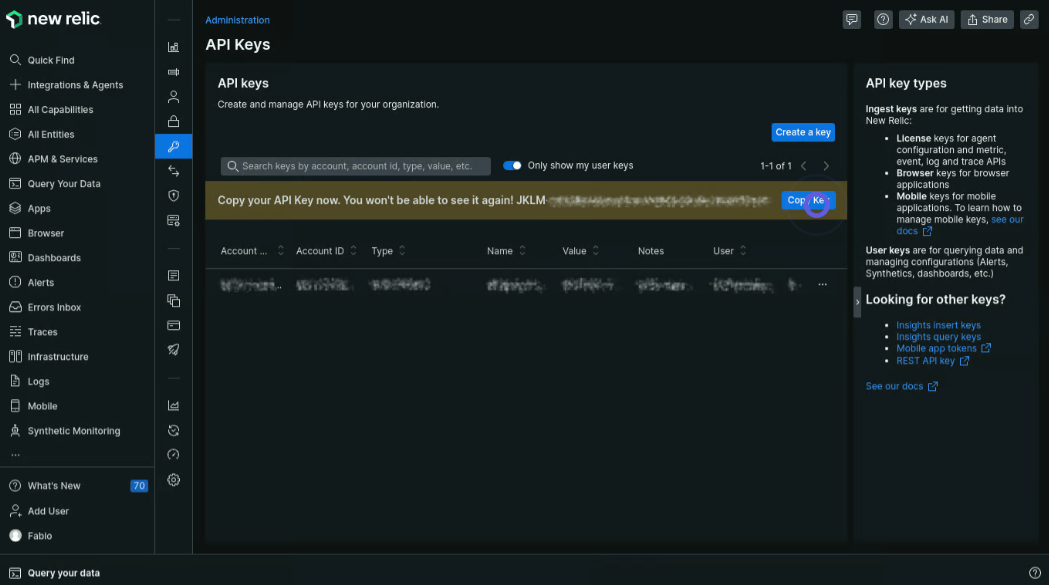
- Generate API Key:
- Visit https://docs.newrelic.com/docs/apis/intro-apis/new-relic-api-keys/
- Create a new API key
- Save this key securely
Step 2: Configure the Webhook
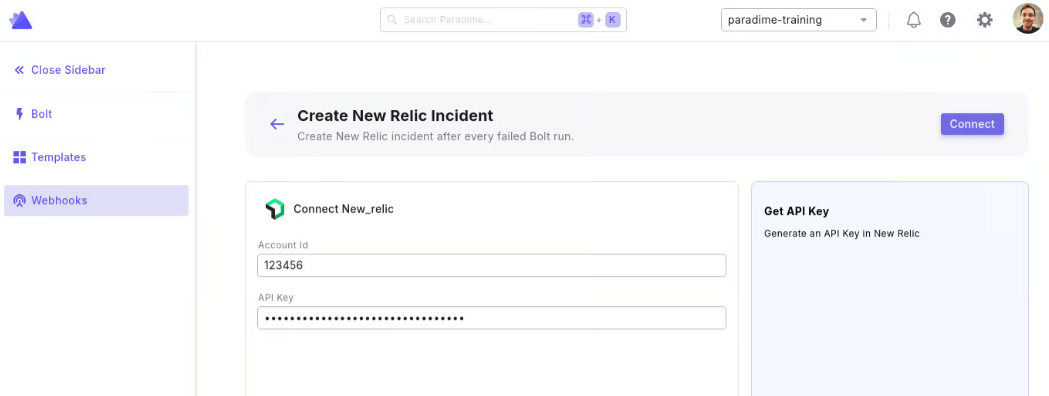
- From the Bolt home screen, go to Templates
- Click Ticketing and use “Create New Relic Incident”
- Enter your New Relic Credentials:
- Account ID
- API Key
- Click “Connect”
Step 3: Test the Integration
- Run a Bolt schedule manually (the webhook only triggers on failed runs)
- After the run fails, check your New Relic dashboard for the new incident
- Verify the incident contains run failure details