

Prerequisites
- A dbt™ project set up in the IDE.
- At least one
.sqland one.ymlfile in your project.
Lint and format SQL with SQLFluff
SQLFluff lints SQL against standard or custom rules. Paradime ships a pre-configured template for dbt™ covering line length, indentation, aliasing, and capitalization.1
Format a SQL file
Open a 
.sql file and select Prettier in the commands panel to format it.2
Customize the rules (optional)
Create a 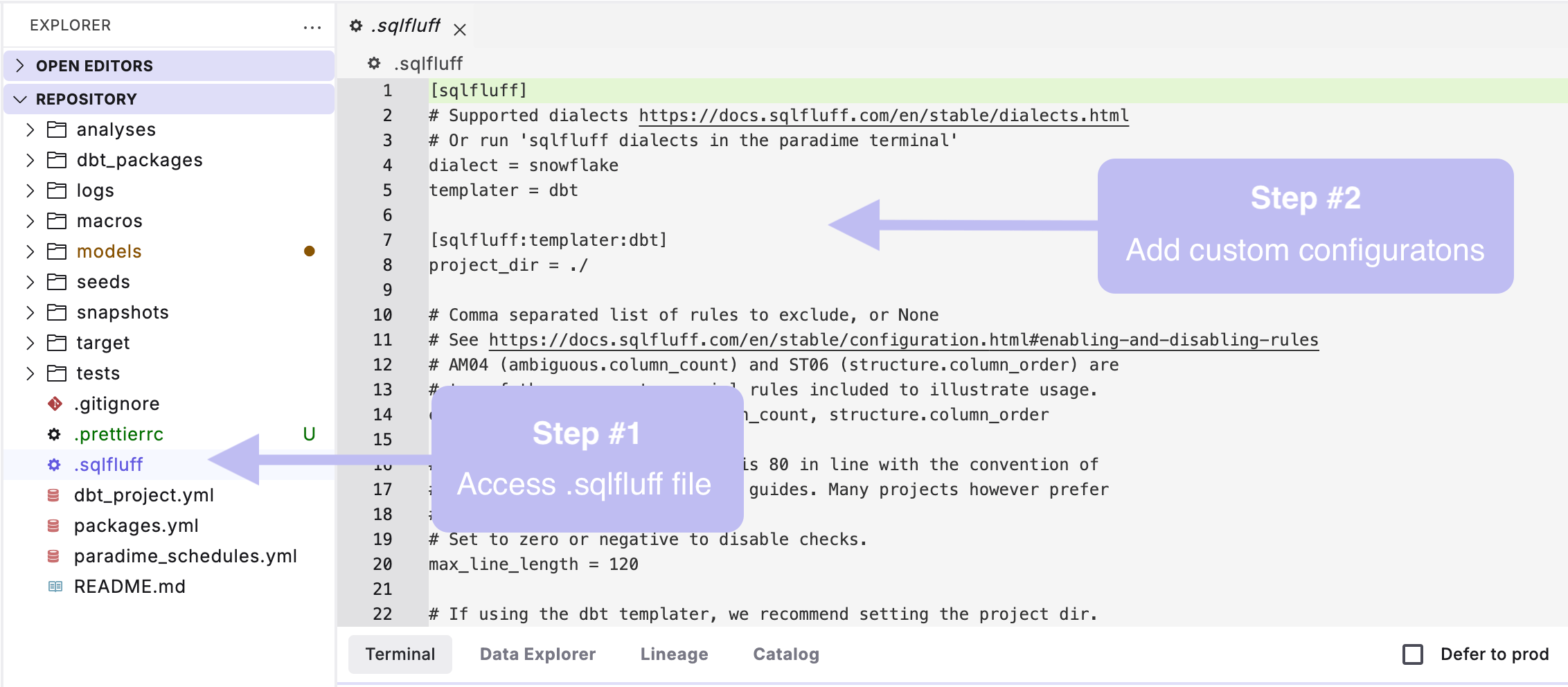
.sqlfluff file in your dbt™ root directory (where dbt_project.yml lives) to override the defaults.- Before
- After
Format YAML with Prettier
Prettier formats YAML for readability and flags formatting errors. It comes pre-installed and reads an optional.prettierrc for custom settings.
1
Format a YAML file
Open a
.yml file and select Prettier in the commands panel. If Prettier finds severe errors, select Prettier in the toolbar to debug them.2
Customize the rules (optional)
Create a
.prettierrc file in your dbt™ root directory to set your own YAML preferences.- Before
- After
Selecting Prettier reformats the open file in place. With
.sqlfluff and .prettierrc committed to your repo, every developer formats to the same standard.Next steps
Code quality reference
Linting and formatting in the Code IDE.
SQLFluff configuration
Supported rules and how to configure them.