

Settings
Defer to a previous run
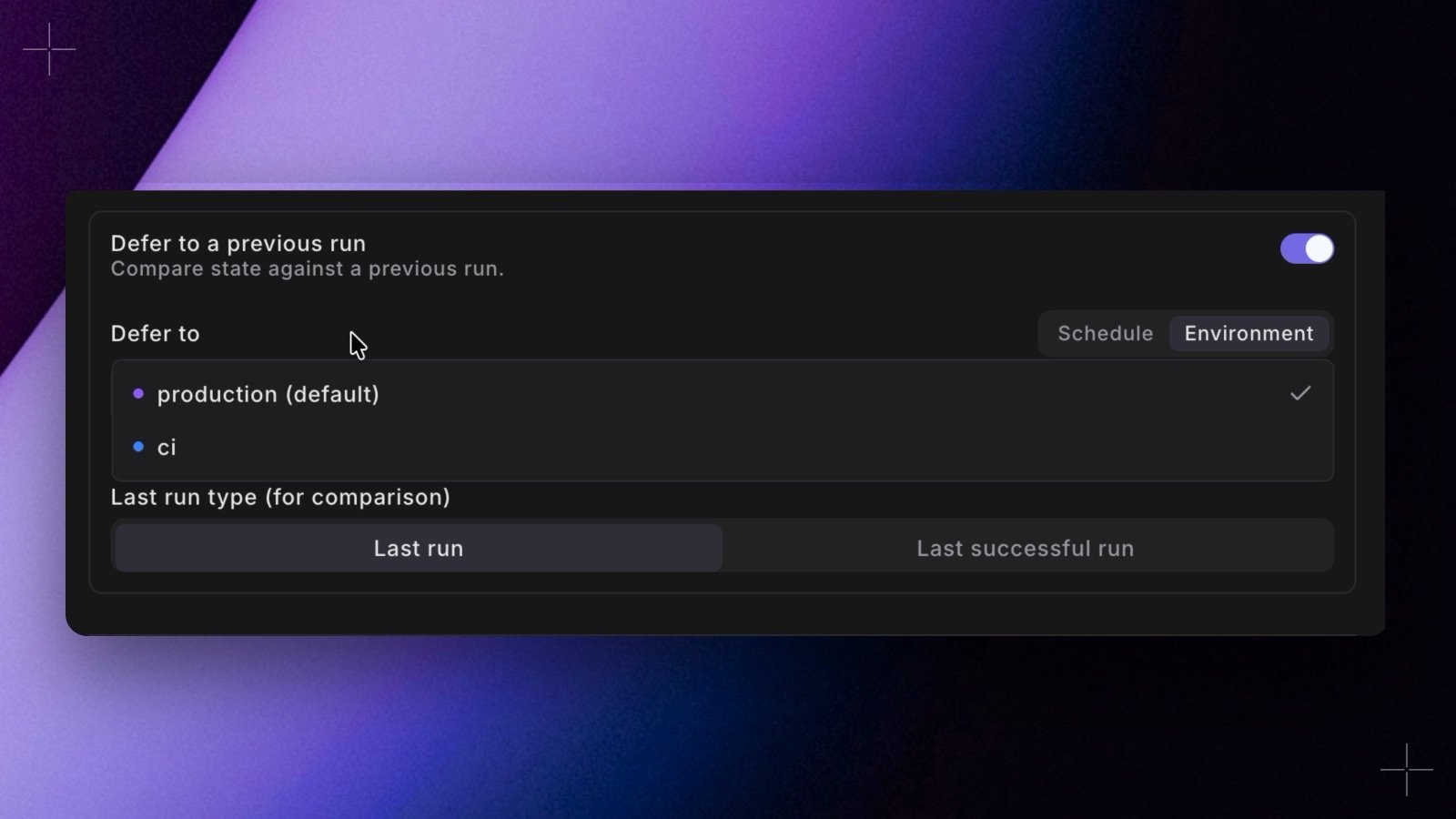
Turn on Defer to a previous run to compare state against a previous run instead of building the whole project. This is how you run incrementally: build only the models that changed, refresh only models with newer source data, or re-run from the point of failure. It also powers Continuous Deployment, where a merge deploys only what changed. When the toggle is on, configure:-
Defer to: what Bolt reads run artifacts from to work out what changed. Switch between:
- Schedule: one schedule. Pick another schedule, or this schedule itself to compare against its own previous run.
- Environment: the latest runs of the schedules in a Bolt environment, such as Production. Switching to Environment selects the production environment first, or your default environment if there’s no environment with the
productionslug. See Defer to an environment.
manifest.jsonandrun_results.json. It readssources.jsononly when one of your commands selects onsource_status(inline, through--selector, or through the default selector inselectors.yml) or runsdbt retry. -
Last run type (for comparison): which run to compare against:
- Last run: the most recent run.
- Last successful run: the last run that passed, skipping incomplete or failed runs.
Tip: Use Last run unless you are retrying builds, in which case Last successful run avoids comparing against a broken state.
Defer to an environment
- It takes the latest finished run of each schedule currently in the environment. Turbo CI schedules never count, because they run pull request branches, and neither does the schedule that defers.
- It uses the newest of those runs. With Last successful run, it uses the newest one that passed. A schedule whose latest run failed is skipped: Bolt doesn’t look back to that schedule’s older runs.
run_results.json and sources.json can come from a narrower job (for example a dbt source freshness job) than the one that wrote manifest.json. result: and source_status: selectors then see that job’s results. manifest.json always describes the whole project, so state:modified works as it does with a single schedule.
The schedule’s environment and the environment it defers to must run the same dbt™ version, because deferred manifests aren’t compatible across versions. If they differ, the schedule shows an error.
On the schedule page, the Deferred to pill names the target, with env after an environment’s name.
Next, set up Self-healing to automatically recover from failed runs.
Define this as code
Set
name, description, owner_email, and git_branch in the base config, and deferred_schedule for deferral.