

Retry modes
When Retry from failure swaps in
dbt retry, it keeps these flags from the failed command: --warn-error, --profiles-dir, --project-dir, --target-path, --log-path, and --defer-state. Selection flags aren’t carried, because dbt retry picks the nodes to re-run from the original run’s results.
Infrastructure commands (
git clone, dbt deps) always run automatically on every Bolt run, so they are not retried.Which runs can be retried
Retrying a chain step
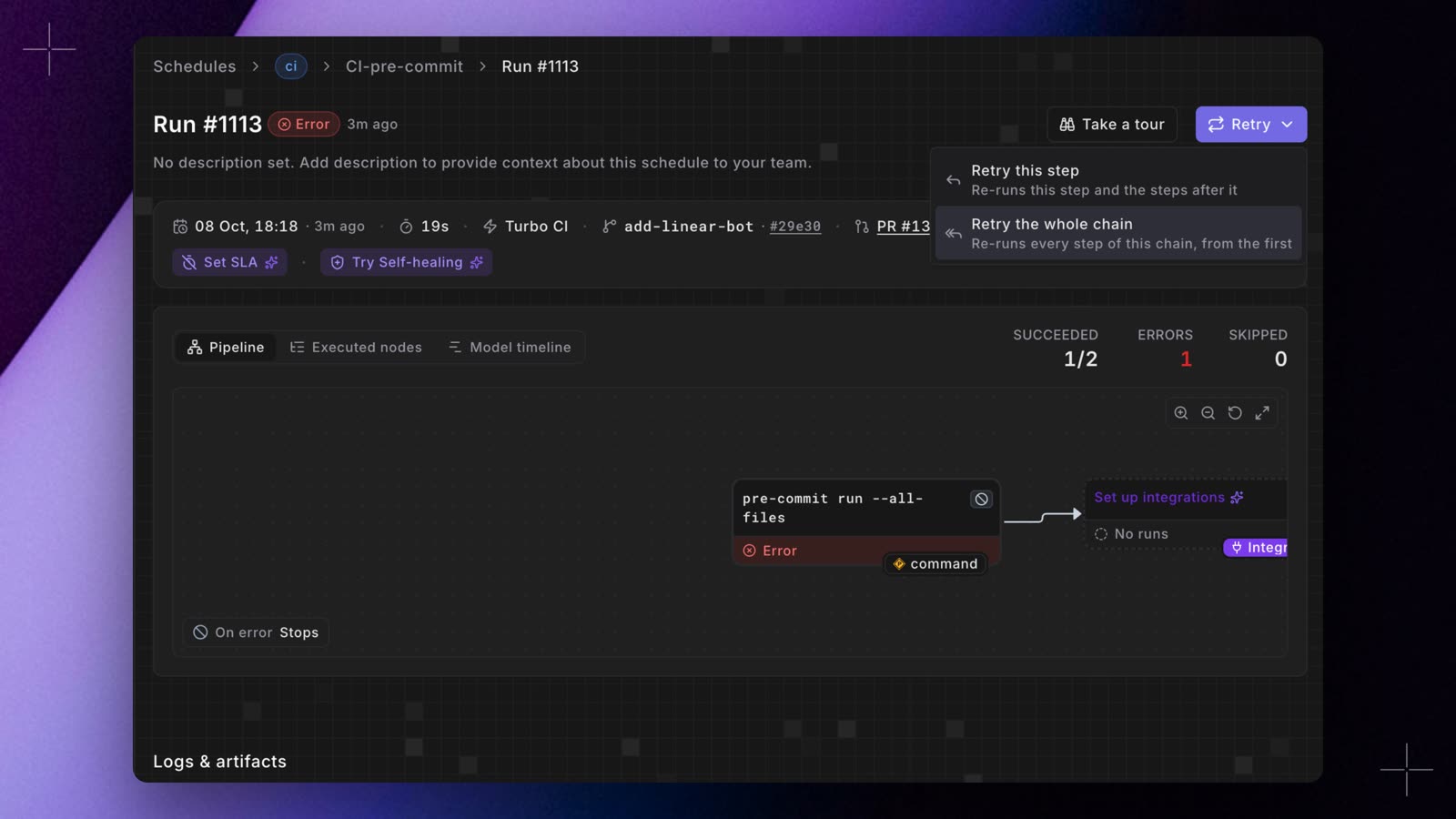
- Retry this step: runs this step again in full, then the steps after it.
- Retry the whole chain: runs every step of the chain again, from the first.
- A Turbo CI run can be retried while its pull request is open, isn’t a draft, and is still on the run’s commit. If the pull request has new commits, retry a step of its latest chain instead.
- You can’t retry a pull request step while its chain is still running. On a merge, you can retry a step once its first step and the steps after it have finished, even while another first step of the same merge waits in the merge queue.
- When the pull request’s base branch has two or more Turbo CI schedules, each gets its own
Paradime Turbo CI / <schedule name>check on GitHub, and selecting Re-run on it does the same as Retry this step. See Re-run or retry a step.
Retry from the UI
- Open the failed run from a schedule’s run history.
- On the Run Details page, click Retry.
- Choose a mode: Retry from failure (default) or Retry all commands.
- Confirm. A new run is queued immediately.
What happens to the original run
- The original run’s status, logs, artifacts, and timeline are unchanged.
- The retry is a separate entry with its own run ID, start time, and logs.
- Each retry creates its own new run. Retries aren’t nested: each one references the original failed run.
- For a chain step, the chain starts the new runs for the step and the steps after it.
- Notifications (Slack, email, Microsoft Teams) fire on the new run like any other Bolt run.
Retry from code
The same retry behaviour is available from the CLI, SDK, and API, for automating retries from CI or an incident-response tool. Chain steps (Turbo CI runs and merge runs) can’t be retried from code, because the steps after them wouldn’t run: the request fails withThis run is a step of a CI/CD chain. Retry it from the Paradime UI or with GitHub's Re-run button, so the steps after it run too.