

The schedules list
Each row is a schedule:
A summary at the top shows how many schedules are successful versus errored. To show or hide columns, click the sliders icon at the right end of the filter bar, after the Active dropdown.
Find a schedule
- Search by name to filter the list.
- Filter by Latest run status or Trigger.
- Use the Active dropdown to switch between active and inactive schedules.
Favourites
Favourite the schedules you check most to keep them at the top of the list.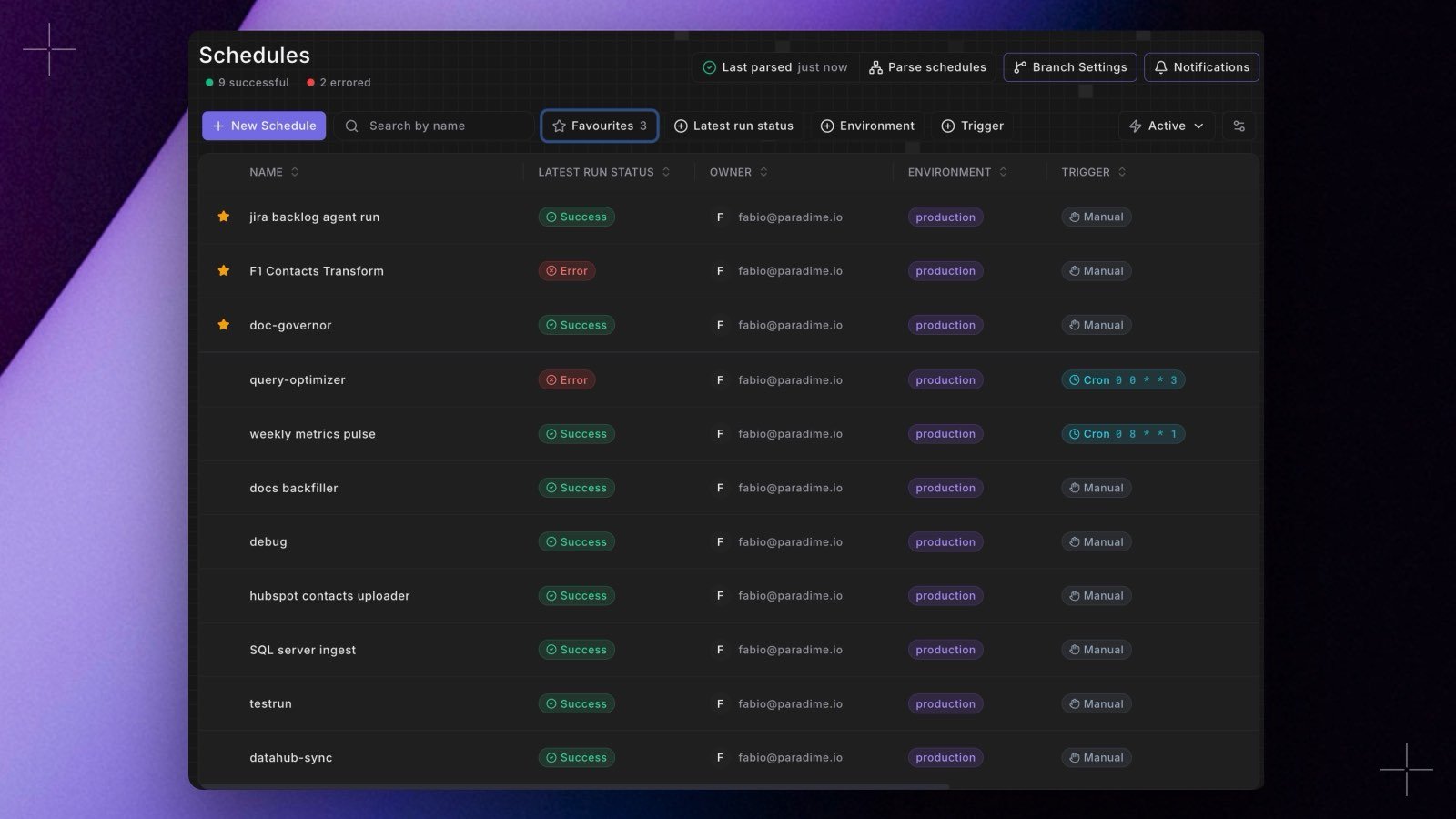
- Hover a row to show an empty star in its first column (the star also appears when you tab to it), then click the star. A filled star marks a favourite. Click it again to remove the favourite.
- You can also right-click a row and choose Add to favourites or Remove from favourites.
- Favourites are pinned above the other schedules on every page. Search and filters still apply to them, so a favourite that doesn’t match is hidden.
- Click Favourites, next to the search box, to show only your favourites. The button shows how many favourites are in the list. With none to show, you see No favourites yet and a Show all schedules button that returns you to the full list.
Actions
- New Schedule creates a schedule. See Deploy Schedules.
- Hover a row for quick actions: Run, Edit, and View. Availability depends on your permissions.
- Click a schedule to open its details.
Top bar
The top of the Schedules page links to workspace-level Bolt settings, each documented in its own home:- Parse schedules (with Last parsed) re-reads YAML-based schedules from the deployment branch. See Schedules as Code.
- Branch Settings deploys schedules from a custom branch. See Deploying from a Custom Branch.
- Notifications configures Bolt system alerts. See Bolt system alerts.