

Add Code IDE Connection
You will be prompted to add a Development connection during the onboarding, or you can add more connections by following these steps:- Click Settings in the top menu bar of the Paradime interface to access Account Settings
- In the left sidebar, click “Connections”
- Click “Add New” next to the Code IDE section
- Select “Databricks”
Using Personal Access Token (PAT)
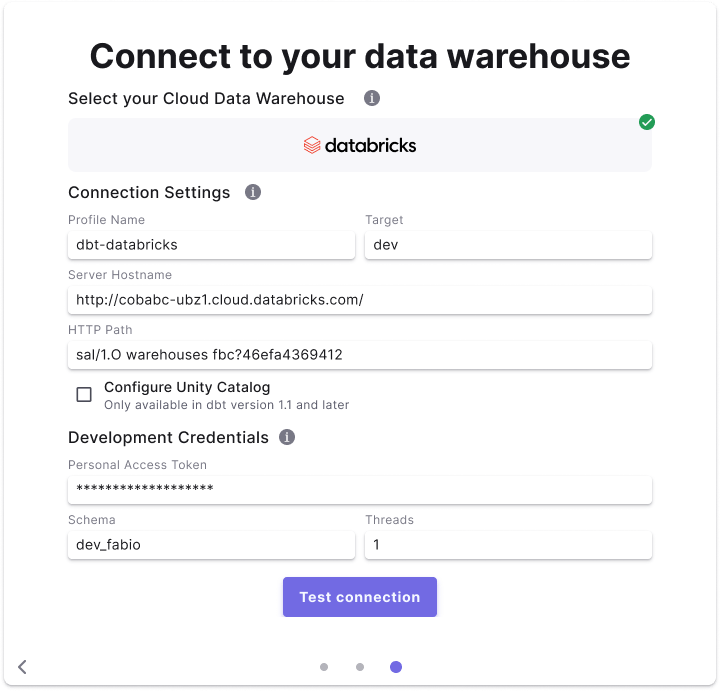
Fields details
Below are list of fields and example to create a connection.Field access levels:
- 🏢
Workspace levelfields are set by the the workspaceAdminand not configurable for by user - 👥
User levelfields are set by each user (Admin/Developer) when setting the Development connection.