

Suggested permissions
This set of permissions will enable users in Paradime to read from and create tables and views when running dbt™️ from the Paradime terminal in you Snowflake database. The role connected in Paradime for should have the below permissions for each database where your source data lives and where you want to materialize your models. Make sure toAdd Development Connection
You will be prompted to add a Development connection during the onboarding, or you can add more connections by going executing the following instructions:- Click Settings in the top menu bar of the Paradime interface to access Account Settings
- In the left sidebar, click “Connections”
- Click “Add New” next to the Code IDE section
- Select “Snowflake”
Using Username & Password
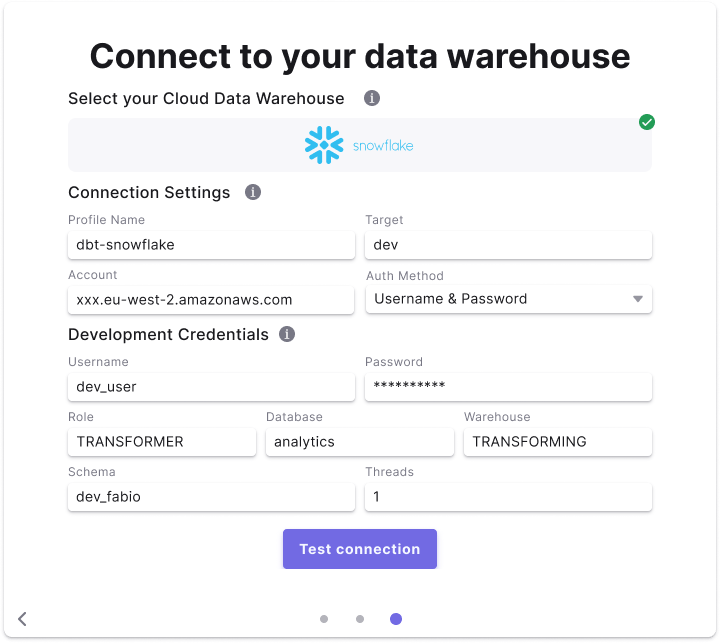
Field Details
Below are list of fields and example to create a connection.Field access levels:
- 🏢
Workspace levelfields are set by the the workspaceAdminand not configurable for by user - 👥
User levelfields are set by each user (Admin/Developer) when setting the Development connection.
Using Snowflake OAuth
Check our Tutorial on how to setup Snowflake OAuth in your Snowflake account. Once this connection is configured, each user will be redirected to Snowflake and asked to authenticate their connection.Snowflake Oauth
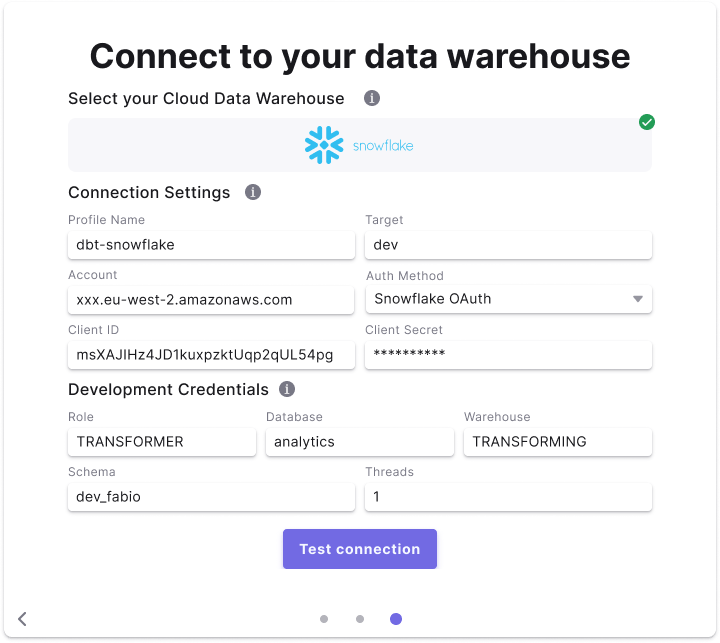
Fields Details
Below are list of fields and example to create a connection.Field access levels:
- 🏢
Workspace levelfields are set by the the workspaceAdminand not configurable for by user - 👥
User levelfields are set by each user (Admin/Developer) when setting the Development connection.
Using Key-Pair authentication
In Paradime you can use Key-Pair authentication method to enabled users to connect their development environment using a Private Key and optionally a Private Key Passphrase. After generating an encrypted or unencrypted key pair,, you will need to set thersa_public_key for the Snowflake user connecting to Paradime.
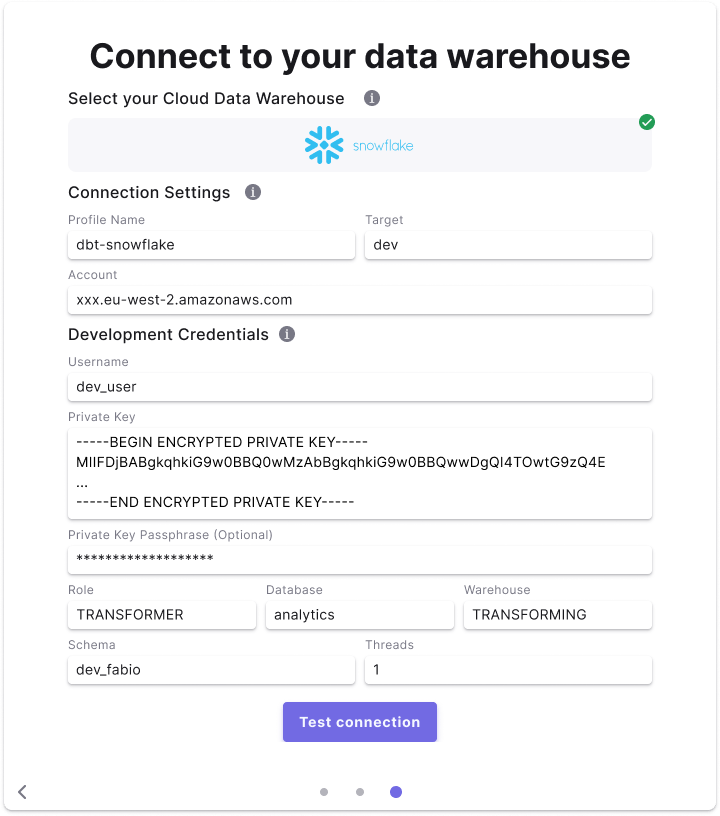
Fields Details
Below are list of fields and example to create a connection.Field access levels:
- 🏢
Workspace levelfields are set by the the workspaceAdminand not configurable for by user - 👥
User levelfields are set by each user (Admin/Developer) when setting the Development connection.