

Add Code IDE Connection
You will be prompted to add a Development connection during the onboarding, or you can add more connections by completing the following steps:- Click Settings in the top menu bar of the Paradime interface to access Account Settings
- In the left sidebar, click “Connections”
- Click “Add New” next to the Code IDE section
- Select “MotherDuck”
Configuration for a MotherDuck Connection
In the Development connection setup screen, you will need to fill in the form with the details of the connection you want to use to run dbt™️ models against a MotherDuck database. In this example we are connecting tos3 to read/write parquet files using an AWS access key and secret, these secrets can be stored in the user environment variable settings.
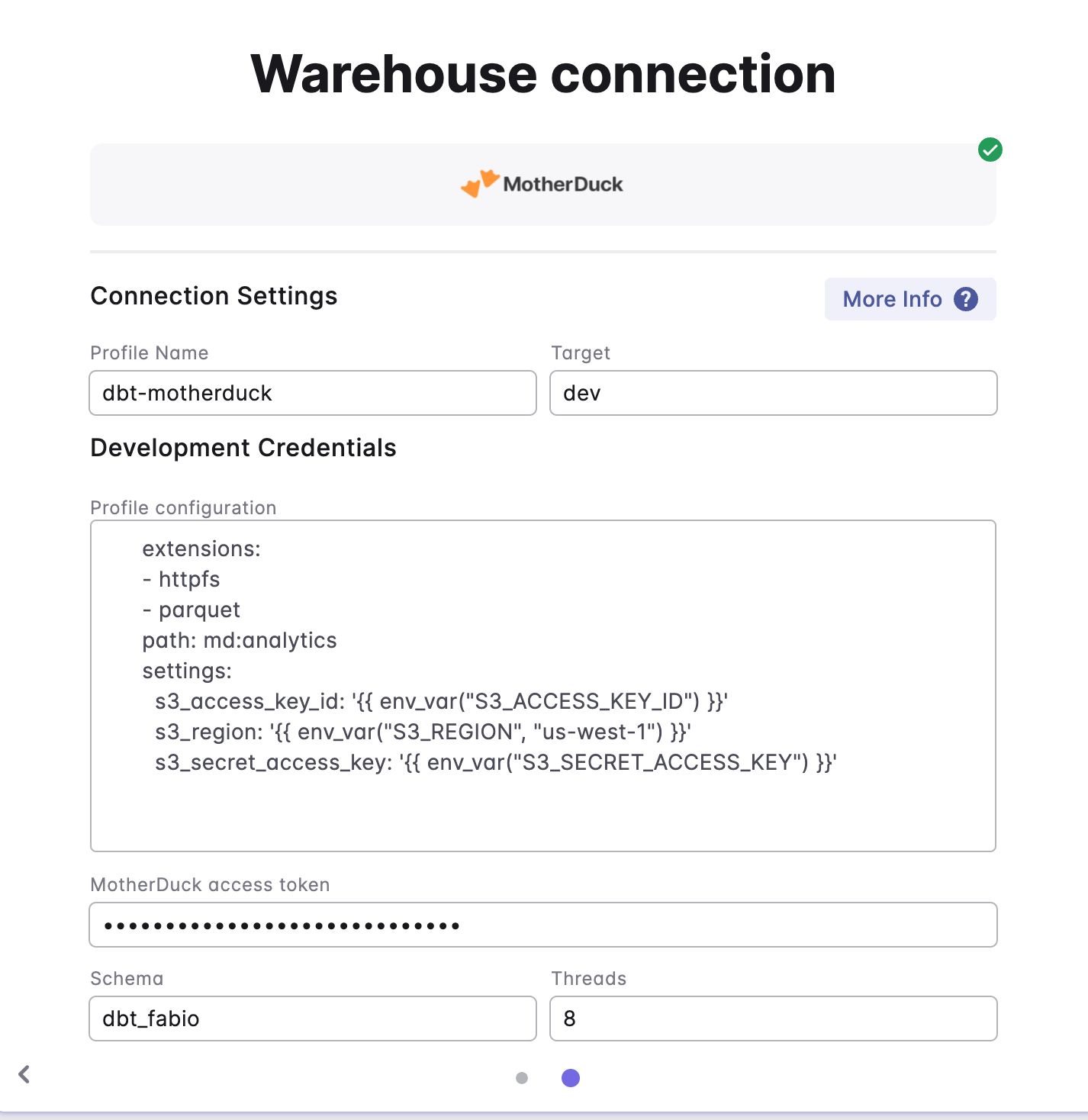
Authenticating to MotherDuck
When using MotherDuck we will need to persist your MotherDuck service token for authentication. To create an access token:- Go to the MotherDuck UI
- In top left click on organization name and then
Settings - Click
+ Create token - Specify a name for the token that you’ll recognize (like “Paradime”)
- Choose whether you want the token to expire and then click on
Create token - Copy the access token token to your clipboard by clicking on the copy icon
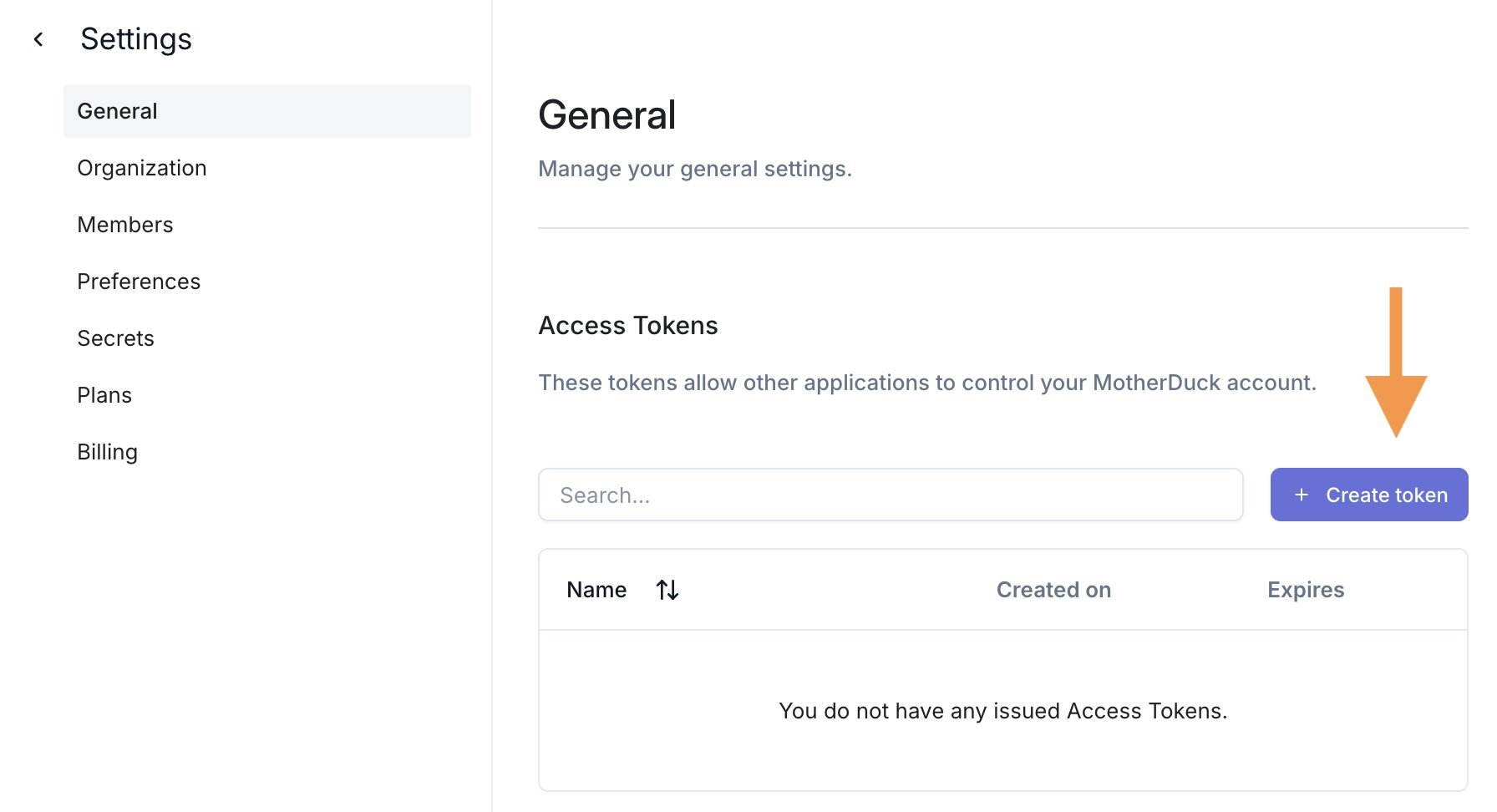
Check you are able to connect to MotherDuck
To test you connection to MotherDuck:- To launch the DuckDB CLI and connect to MotherDuck using Paradime terminal by running the following command:
- Test your MotherDuck connection using the following command. It will run in the cloud to display a list of your MotherDuck databases.
For additional supporting docs, check MotherDuck Key Features, MotherDuck SQL reference and DuckDB SQL reference