# Code IDE Environment Variables

Set up environment variables for use in Paradime [Code IDE](https://docs.paradime.io/app-help/documentation/code-ide) when running dbt™, Python, and CLI commands.

{% hint style="info" %}
**Important Notes:**

* These variables only apply to your [Code IDE](https://docs.paradime.io/app-help/documentation/code-ide) development environment
* They do not affect Bolt schedules
* For production environment variables, see [Bolt Schedules Environment Variables](https://docs.paradime.io/app-help/documentation/settings/environment-variables/bolt-schedule-env-variables)
  {% endhint %}

### Setup Instructions

1. From any page in the Paradime application, Click the **Settings**&#x20;
2. Navigate to **Workspaces > Environment Variables**
3. In the Code IDE section, click **Add New**
4. Configure your variable:
   * Enter Key name
   * Enter Value
   * Click Save icon (💾)

{% @arcade/embed flowId="0i2mcb40ufVXh2ZNMRPu" url="<https://app.arcade.software/share/0i2mcb40ufVXh2ZNMRPu>" %}

***

### Bulk Upload Environment Variables

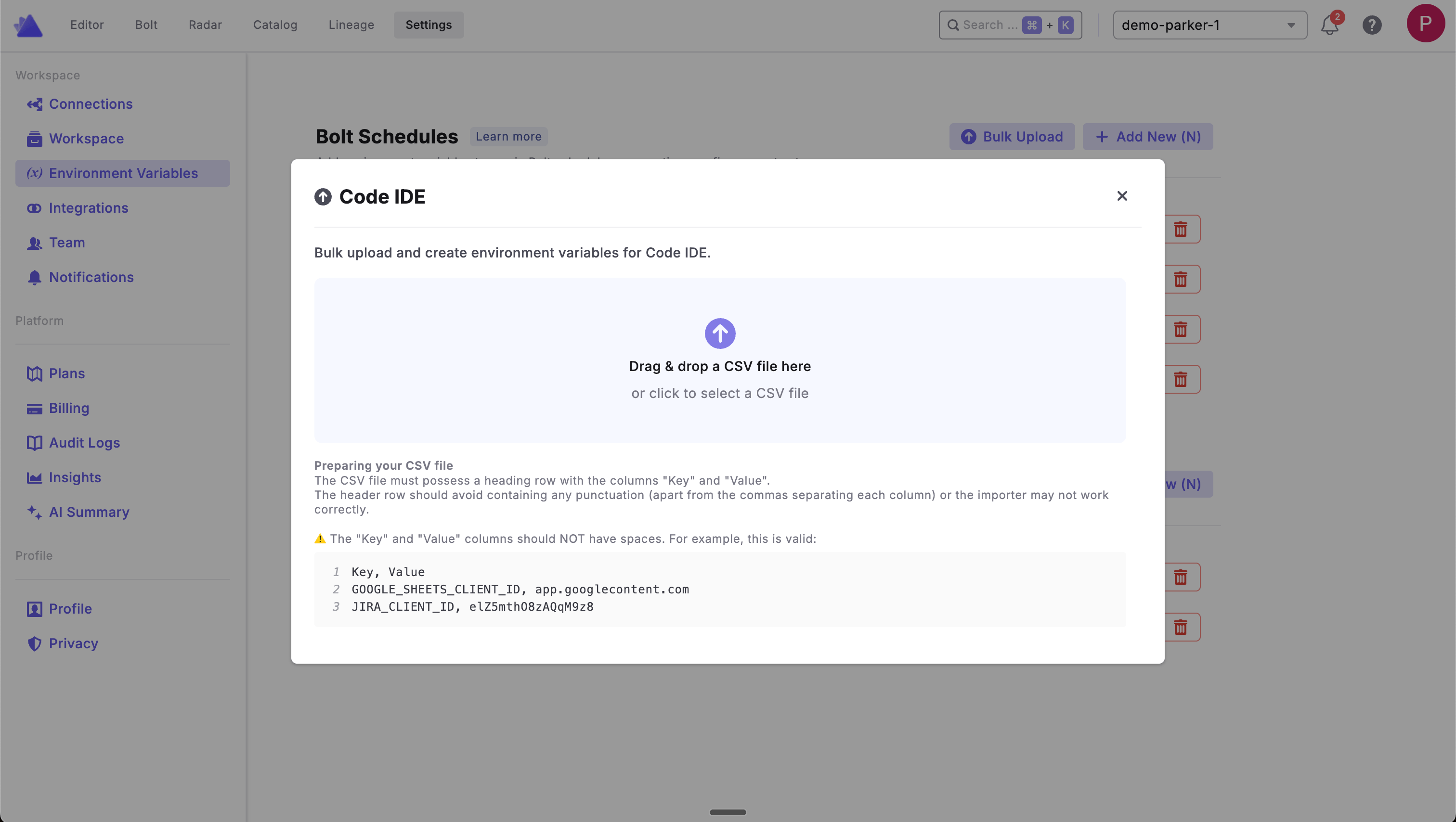
Instead of adding environment variables one at a time, you can upload multiple variables at once using a CSV file.

**To bulk upload variables:**

1. From any page in the Paradime application, click **Settings**
2. Navigate to **Workspaces > Environment Variables**
3. In the Code IDE section, click **Bulk Upload**
4. Drag and drop your CSV file or click to select a file
5. Review and confirm the upload

<figure><img src="https://2337193041-files.gitbook.io/~/files/v0/b/gitbook-x-prod.appspot.com/o/spaces%2FHET0AD04uHMgdeLAjptq%2Fuploads%2FrNmVbJAo46mePoLp3DxK%2Fimage.png?alt=media&#x26;token=33446c03-edfa-49a3-9bd3-06cf3e0f0369" alt=""><figcaption></figcaption></figure>

**Preparing your CSV file**

The CSV file must have a header row with the columns "Key" and "Value". The header row should avoid containing any punctuation (apart from the commas separating each column) or the importer may not work correctly.

{% hint style="warning" %}
The "Key" and "Value" columns should NOT have spaces. Your CSV file should look like this:
{% endhint %}

**Example CSV format:**

| Key                        | Value                 |
| -------------------------- | --------------------- |
| GOOGLE\_SHEETS\_CLIENT\_ID | app.googlecontent.com |
| JIRA\_CLIENT\_ID           | e1Z5mthO8zAQqM9z8     |
| DEV\_SCHEMA\_PREFIX        | dev\_                 |


---

# Agent Instructions: Querying This Documentation

If you need additional information that is not directly available in this page, you can query the documentation dynamically by asking a question.

Perform an HTTP GET request on the current page URL with the `ask` query parameter:

```
GET https://docs.paradime.io/app-help/documentation/settings/environment-variables/code-ide-env-variables.md?ask=<question>
```

The question should be specific, self-contained, and written in natural language.
The response will contain a direct answer to the question and relevant excerpts and sources from the documentation.

Use this mechanism when the answer is not explicitly present in the current page, you need clarification or additional context, or you want to retrieve related documentation sections.