

Agent environment connections are used in Paradime to:
-> enable the DinoAI Agent to run and test dbt models from autonomously.
-> enable the DinoAI Agent to run and test dbt models from autonomously.
More than one Agent environment. Each Agent environment carries its own warehouse connection, dbt™ version, and dbt™ partial parsing toggle. One is the workspace default, and an individual agent can be pinned to a different one, in the builder or with an
environment field in its YAML. That is how you hold one agent on a newer dbt™ version, or give it a warehouse role scoped for agent work, without moving the whole workspace. See Creating agents in the app.Defer to a previous run
An Agent environment can defer to your production runs, so a background agent builds only the models it changed and reuses the rest from a previous Bolt run. This works like deferral in Bolt, but you set it once on the Agent environment and every agent that runs in it uses it.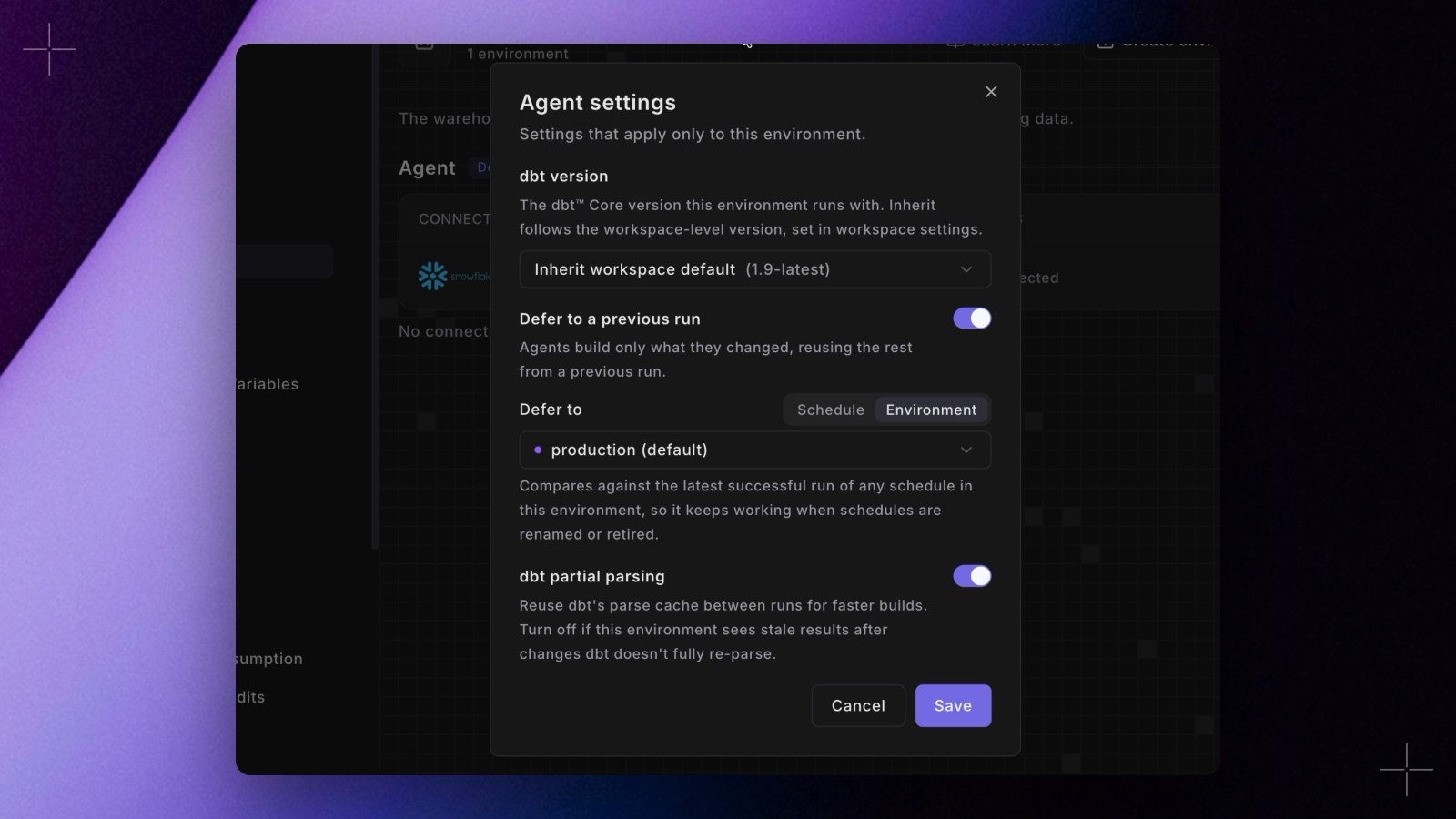
Set it when you create the environment
In Workspace Settings > Environments, click New environment and create an Agent environment. The Defer to select lists your Bolt environments, plus No deferral. It starts on the workspace’s default Bolt environment, so a new Agent environment defers to that environment unless you change it.Change it later
- In Workspace Settings > Environments, open the menu on the Agent environment and select Environment settings. The Agent settings dialog opens.
- Turn on Defer to a previous run.
- Under Defer to, pick Environment or Schedule, then select the target:
- Environment compares against the latest successful run of any schedule in that Bolt environment, so it keeps working when schedules are renamed or retired.
- Schedule compares against the latest successful run of that one schedule.
- Click Save. Save stays unavailable while Defer to a previous run is on and no target is selected.
<name> badge on its row.
What the agent does with it
When an agent runs dbt™ in a deferring environment, Paradime setsDBT_DEFER=true and DBT_STATE to the target’s latest manifest, so plain dbt build or dbt run commands defer without extra flags.
DBT_FAVOR_STATEisn’t set. The agent may add--favor-stateitself for a one-off check against production data.- Commands run through a wrapper script, such as
make buildor./run.sh, don’t defer.