

Key benefits
- Identify which dbt™ model changes affect the projects that depend on yours.
- Tell the owners of affected downstream models and exposures before your changes reach production.
- Discover which cross-project dependencies a change might break.
Prerequisites
- Complete the Lineage Diff prerequisites for the producer project, the project you open pull requests in.
- Connect your projects with cross-project dependencies. Lineage Diff finds a project’s consumers through their
dbt_loom.config.ymlfiles, so thenamein each consumer’s file must match the producer’s project name. - In each consumer workspace, create a Bolt schedule with these settings:
- Name:
paradime_dbt_mesh - Command:
dbt compile - Trigger: Scheduled, for example hourly, or On merge
- Name:
paradime_dbt_mesh schedule, so keep the command dbt compile and keep the schedule running. The producer workspace doesn’t need this schedule unless it also consumes another project.
How to use
When a PR is opened in GitHub, an automated comment lists the downstream dbt™ Mesh nodes (projects, models, exposures, sources, and more) that the change would impact. Use the links in each dbt nodes impacted section to investigate each node in its dbt™ project before you merge the PR.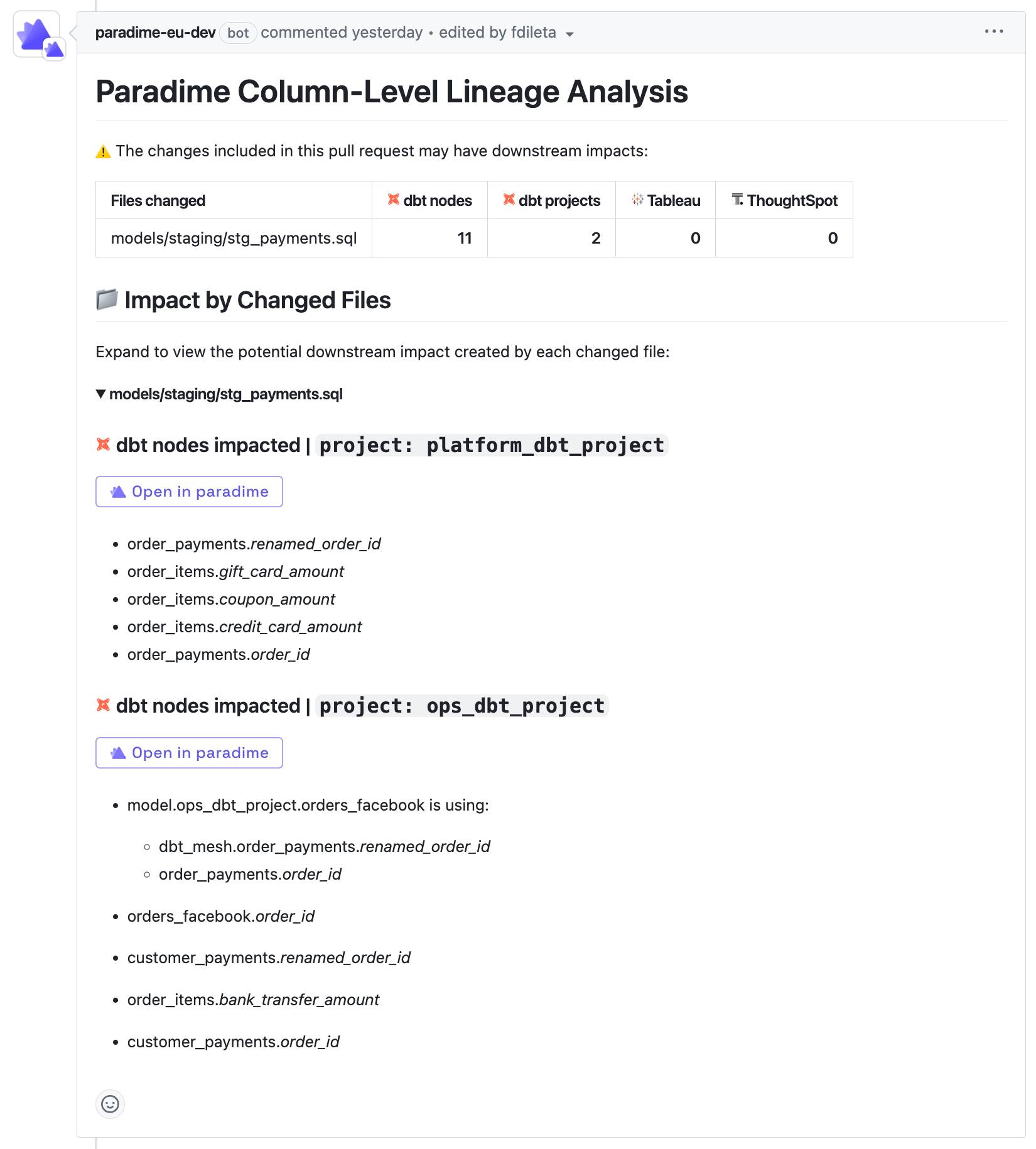
If the comment has no dbt™ Mesh section, check that each consumer’s
paradime_dbt_mesh schedule has a recent successful run, and that every workspace’s dbt_loom.config.yml is valid YAML. One unreadable file can stop the section from appearing.