

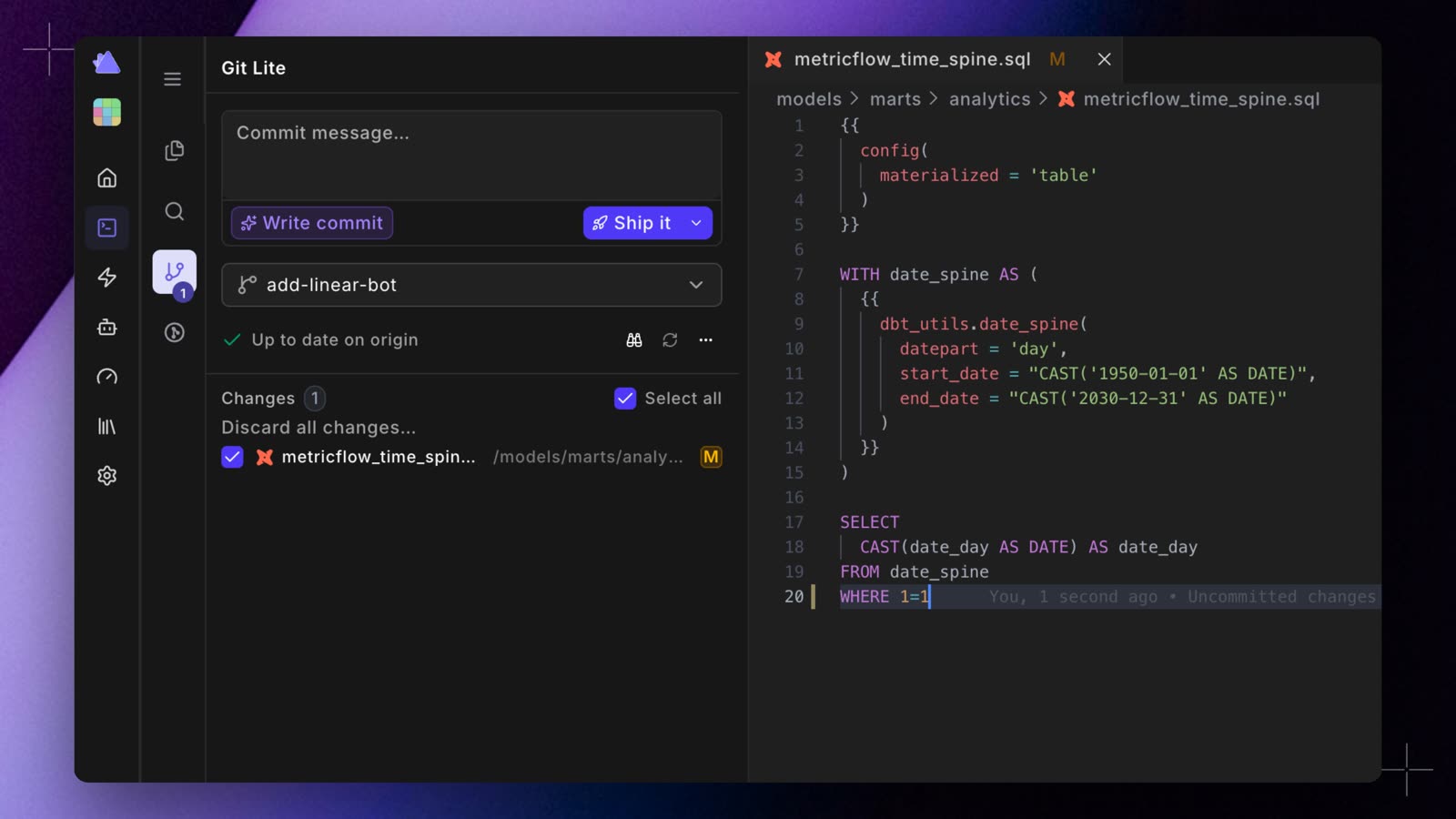
Git Lite creates new branches from your remote default branch (usually main) and keeps your branch in sync with the remote. You can switch to Git Advanced at any time from the status bar.
What’s in the panel
Common actions
- Create or switch a branch: open the branch picker, then search for a branch, or type a new name and click Create branch.
- Commit, push, and open a pull request: enter a message (or click Write commit), then click Ship it. To commit and push only, use the arrow next to Ship it and choose Commit & Push.
- Open a pull request with DinoAI: click Draft PR with DinoAI. To open the pull request page in your Git provider instead, use the arrow next to it and choose Open PR in browser.
- Update your branch: click Update branch when the sync status shows it.
- Discard changes: click Discard all changes… to abandon uncommitted work.
For step-by-step branch, commit, and pull request workflows, see the Git Lite guide. For resolving conflicts, see Merge conflicts.