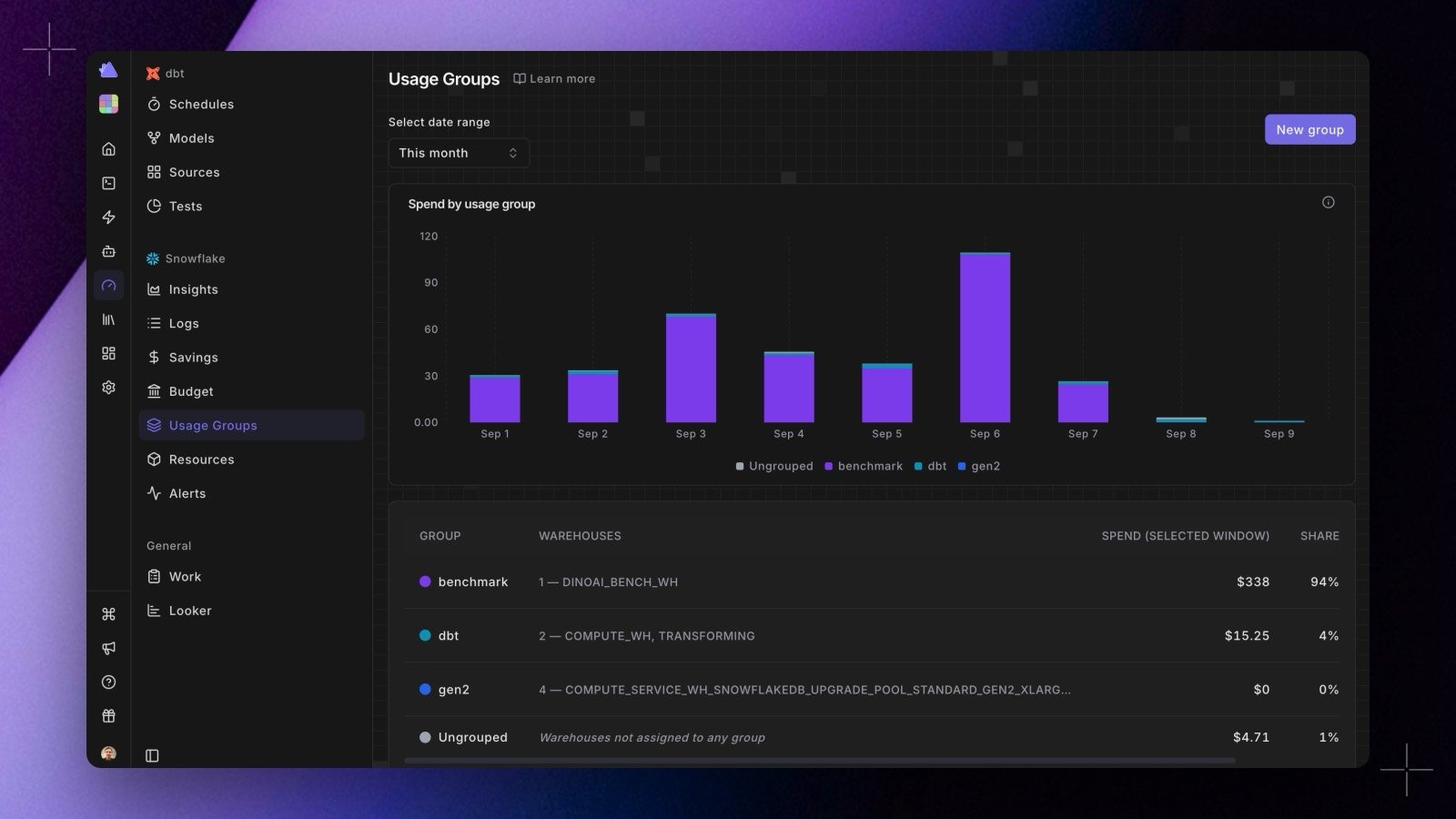
Warehouses rarely line up with the way you actually think about cost. Usage groups let you roll them up into the units you budget and report on, such as a team, an environment, or a workload. Find them under Radar → Snowflake → Budget, on the Usage Groups tab.

Create a group

  1. Click Create group.
  2. Give it a name and pick a color, which is used consistently across the charts.
  3. Search for and select the warehouses that belong to it.
  4. Save.
A warehouse belongs to at most one group. Assigning one that already belongs elsewhere moves it, and the dialog says so before you save.

Read group spend

The Usage Groups tab shows daily spend as a stacked bar chart, one band per group, with everything not yet assigned kept visible as Ungrouped so the stack always accounts for all of your spend. Below it, a table gives each group’s total and its share.

Group budgets

On the Budgets tab, switch from Warehouses to Usage groups to budget a group as a whole. A group’s month-to-date spend is the sum of its members’, and it alerts at the same 80% and 100% thresholds.

Renaming and deleting

Renaming a group keeps its identity, so its budget and history follow the new name. Deleting one closes its budget and frees its warehouses to be assigned elsewhere, while keeping the historical record intact.