

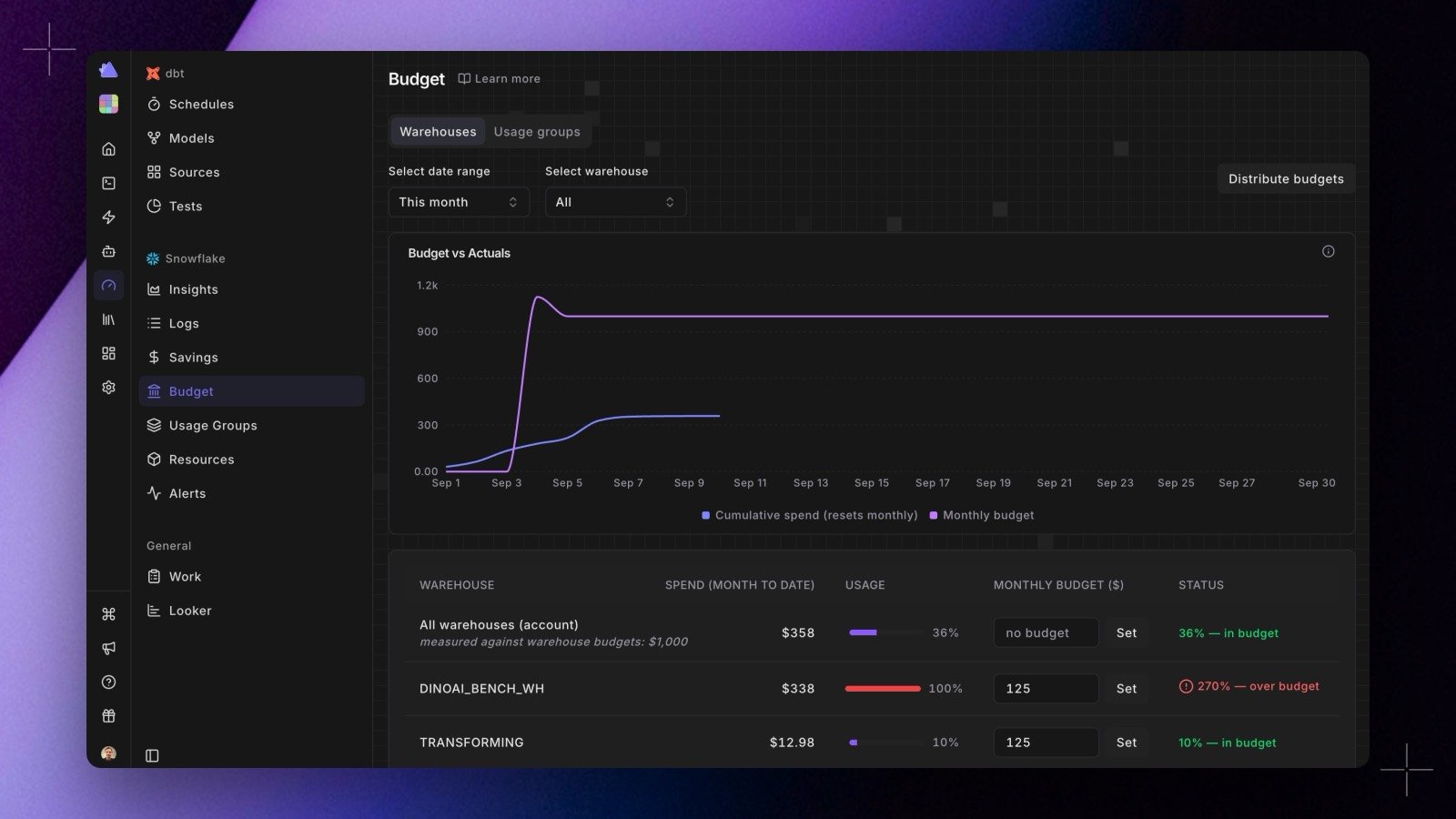
Set a budget
The budget table lists an All warehouses (account) row and one row per warehouse, each showing month-to-date spend, a usage bar, its monthly budget, and a status such as 36% in budget or 270% over budget.- Type a monthly amount in a row’s budget field and confirm it.
- Clear the field to remove that budget.
Distribute a total across warehouses
If you think in terms of one monthly number for the account, use Distribute budgets:- Enter the monthly total.
- Choose how to split it: equally across warehouses, or by historical spend using the last 30 days.
- Adjust any of the proposed allocations inline. Radar flags an allocation that is already below that warehouse’s month-to-date spend.
- Apply. The allocations are saved together as one change.
Read the chart
The Budget vs Actuals chart plots cumulative spend, which resets each month, against your monthly budget. The gap between the two lines is what you have left. Filter the chart to a single warehouse or to all of them, and change the window (this month, last month, 3 or 6 months, 7 or 30 days). The budget line follows the budget that was actually in force at the time, so changing a budget mid-month shows up as a step rather than quietly rewriting the past.Budget alerts
When a budget is set, Radar watches it on the daily cost run and alerts:- once when spend crosses the warning threshold, 80% of the budget by default;
- once when it crosses 100%.
Budgets can also be set on a usage group rather than a single warehouse, which is usually how teams and environments are budgeted.