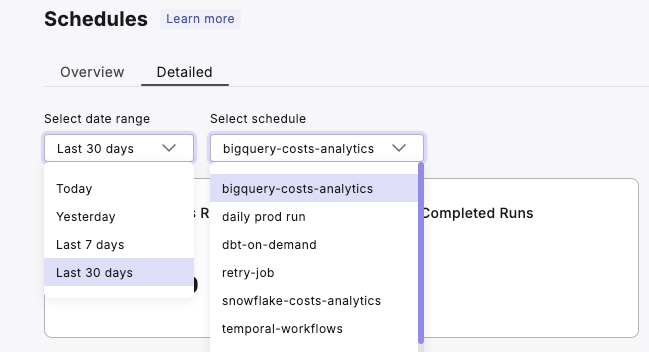
- Overview: Provides a high-level summary of all schedules. [link]
- Detailed: Offers in-depth analytics for individual schedules. [link]
Overview Section
The Overview section gives you a broad perspective on your dbt™ schedules’ performance, allowing you to uncover key insights, including:1. Execution Efficiency and Reliability
Value: Quickly identify time-intensive schedules and assess overall reliability to find efficiency gains.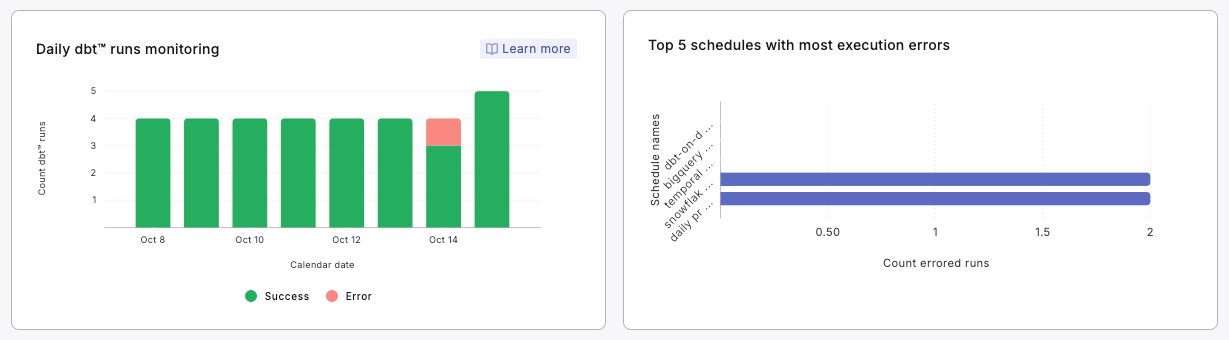
How to use:
- Monitor the daily success and error rates of your dbt™ runs.
- Investigate days with higher error rates to identify potential systemic issues.
- Look for patterns in execution times to optimize scheduling.
- Focus on schedules with the highest error counts for troubleshooting.
2. Resource Allocation and Performance
Value: Understand how different actors are utilizing the schedules and identify performance bottlenecks.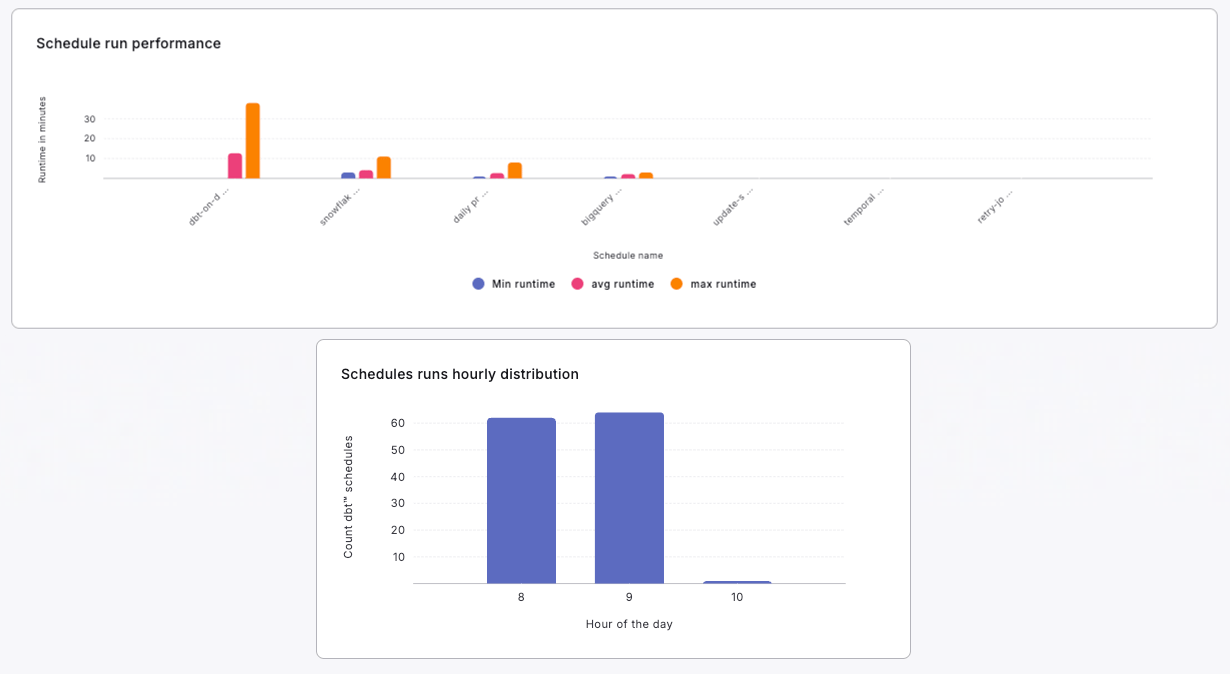
How to use:
- Analyze the distribution of runs between Scheduler, Bolt Run Completed, and Manual executions.
- Optimize automated processes if manual runs are disproportionately high.
- Investigate and optimize schedules with consistently long runtimes.
- Identify peak hours for schedule runs and consider load balancing if necessary.
3. Schedule Configuration and Ownership Analysis
Value: Gain insights into your current schedule configurations and ownership distribution.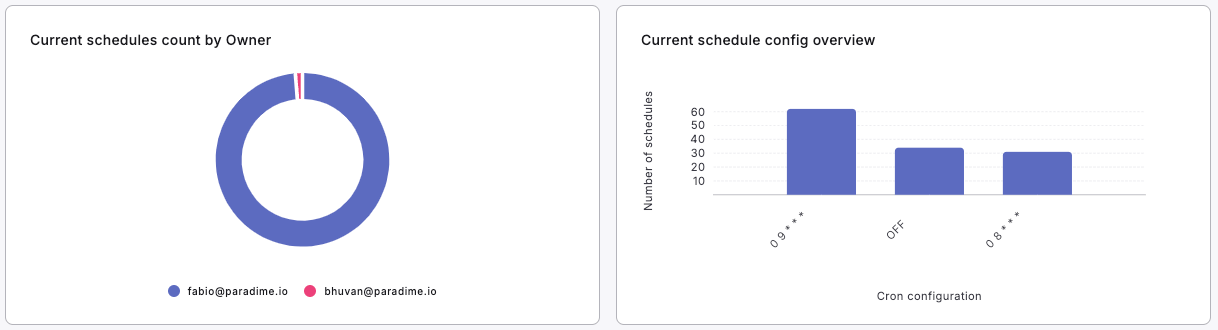
How to use:
- Review the distribution of schedule configurations.
- Identify opportunities to consolidate or optimize cron schedules.
- Assess the distribution of schedule ownership to ensure balanced workload across team members.
- Consider knowledge sharing or redistribution if schedules are overly concentrated with certain owners.
4. Overall dbt™ Usage Metrics
Value: Get a quick snapshot of your dbt™ usage and performance.
How to use:
- Track the total number of executed schedules to gauge overall dbt™ activity.
- Monitor total execution time to assess resource usage and identify trends over time.
- Use these metrics as high-level KPIs for your dbt™ operations.
Detailed Section
The Detailed section allows you to dive deep into individual schedule performance, providing comprehensive insights such as:1. Schedule Reliability and Performance
Value: Analyze the consistency, reliability, and performance of individual schedules.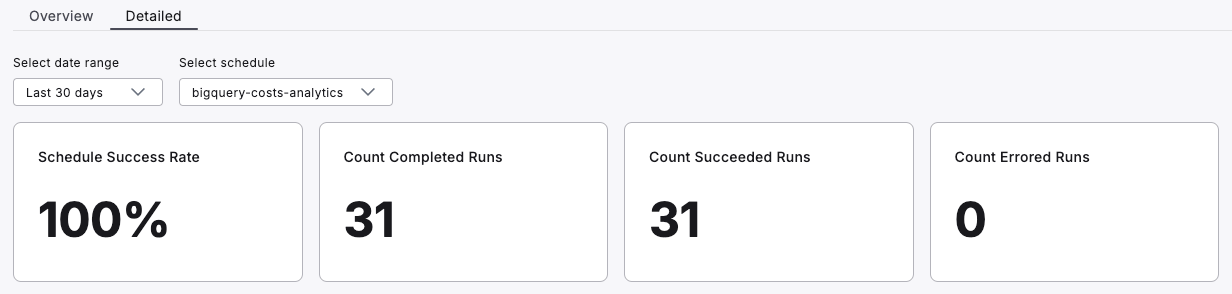
How to use:
- Monitor the overall success rate and run counts to gauge schedule reliability.
- Track the duration of each run over time to identify performance trends.
- Investigate any patterns in errors or unusually long run times.
- Use these metrics to prioritize which schedules need optimization or troubleshooting.
2. Model Performance and Resource Utilization
Value: Pinpoint time-consuming models and understand resource allocation within a schedule.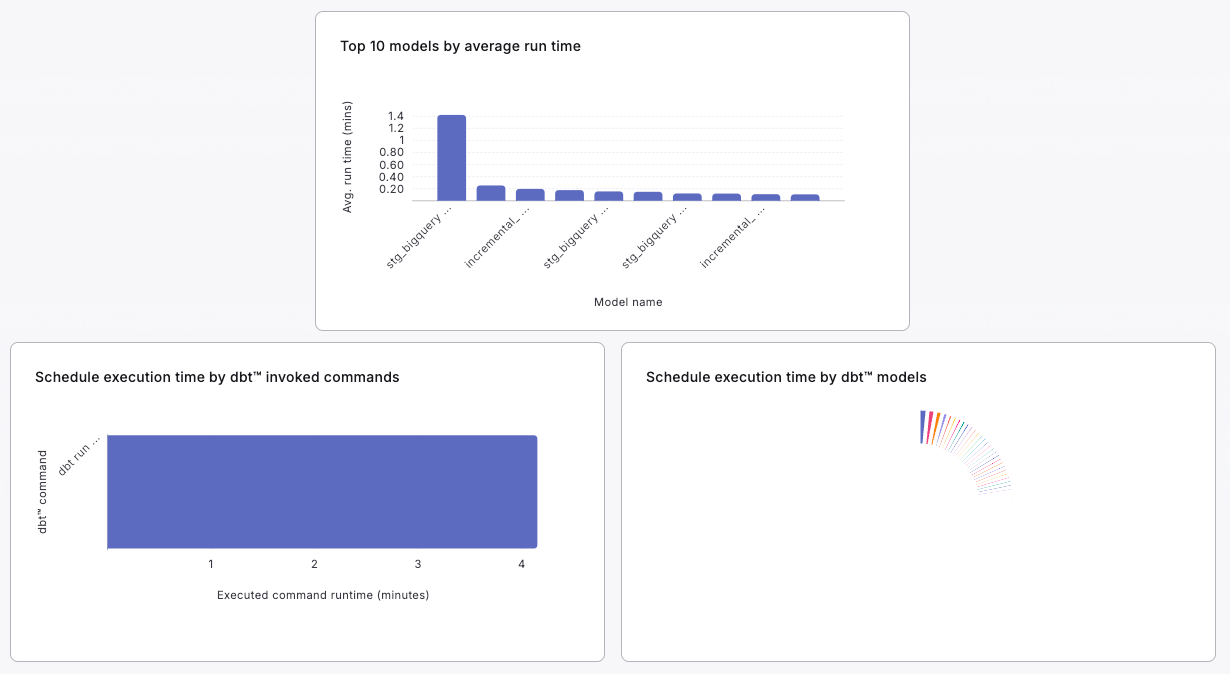
How to use:
- Focus optimization efforts on the models with the highest average run times.
- Consider refactoring or splitting large models to improve overall schedule performance.
- Analyze the distribution of execution time across different dbt™ commands and models.
- Identify any imbalances in resource utilization and optimize accordingly.
3. Detailed Execution Analysis
Value: Get a comprehensive view of each schedule run and individual model performance.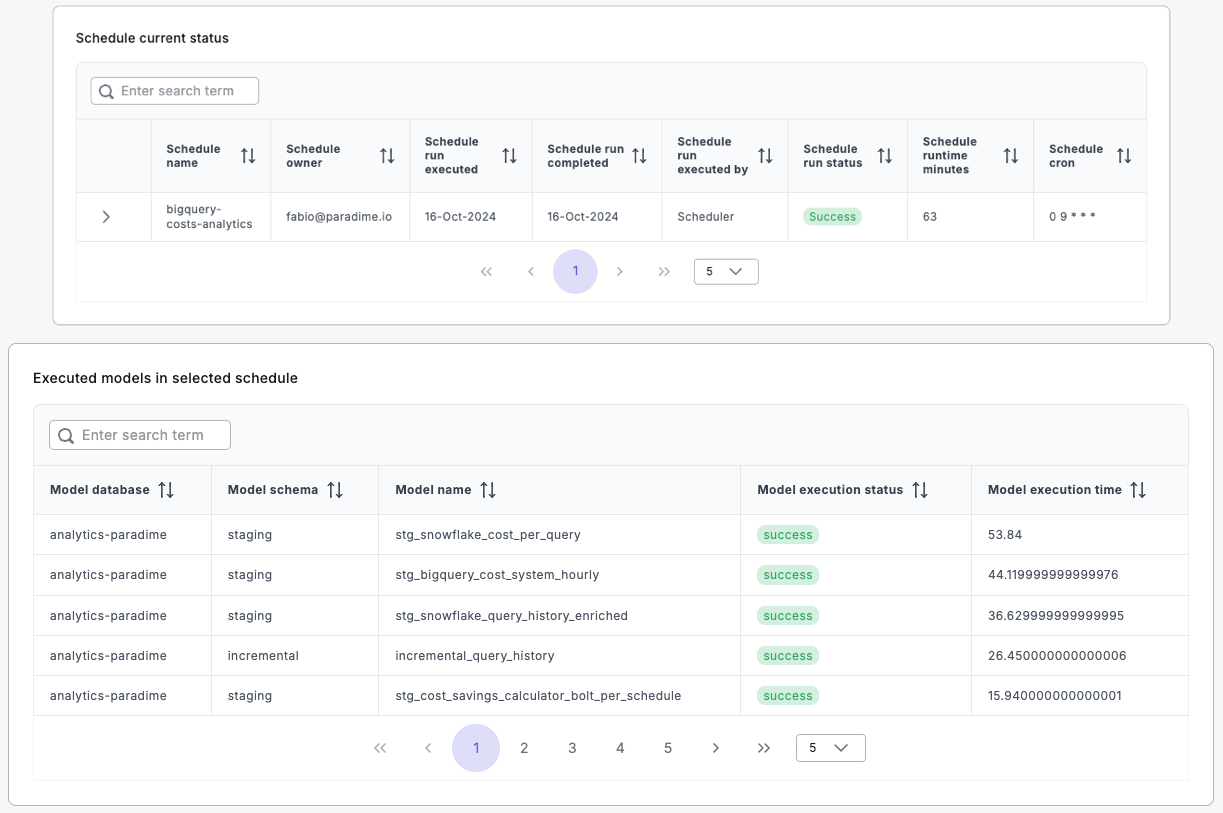
How to use:
- Review the specifics of each run, including execution time, status, and runtime.
- Analyze the performance of individual models within the schedule.
- Use this detailed information for thorough troubleshooting and performance analysis.
- Identify consistently problematic models or steps in your dbt™ pipeline.
4. Historical Performance Trends
Value: Understand how your schedule performance has evolved over time.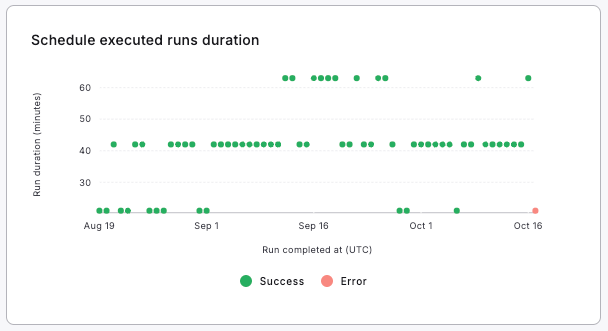
How to use:
- Observe long-term trends in schedule execution times.
- Identify any recurring patterns or anomalies in schedule performance.
- Use this information to assess the impact of optimizations or changes to your dbt™ models over time.
How to Apply Filters
- Locate the “Select schedule” and “Select date range” dropdowns at the top of the Detailed dashboard.
- Choose your desired schedule and date range.
- The dashboard will automatically update to reflect your selections, allowing for focused analysis of specific schedules over your chosen time period.