

Example Prompt
Create an intermediate model that joins customer data from the ‘stg_customers’ model with order information from ‘stg_orders’, and calculate lifetime value metrics.
Optional: You can add context by selecting your sources.yml file or existing models. Context allows DinoAI to understand your naming conventions and maintain consistency with your existing files.
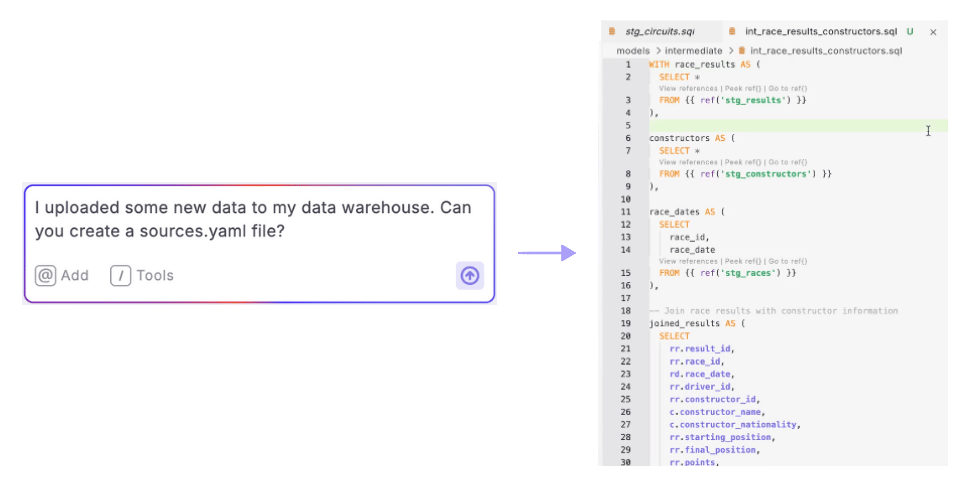
Step-by-Step Instructions
- Open DinoAI by clicking the DinoAI icon (🪄) in the right panel
- Select Agent Mode if it’s not already selected
- Optional***:*** Add context by clicking the ”@” symbol and selecting:
- Existing similar models to follow their pattern
- The models you want to reference
- Directory structure to understand project organization
- Enter your prompt describing the model you want to create
Be specific about:
- The type of model (base, intermediate, mart)
- Tables to join or reference
- Any calculations or transformations needed
- Materialization type if relevant
- Review/Accept the changes to create the file in your project
- Test the model using dbt™ commands or Data Explorer for flexibility
How It Works
After you enter your prompt:- DinoAI analyzes your sources.yml file and any provided context
- It creates appropriate folder structure for the model
- It generates a model with properly structured CTEs and join conditions
- If configured, DinoAI applies your .dinorules preferences
Key Benefits
- Consistency: Ensures all models follow the same patterns and conventions
- Readability: Makes column names more user-friendly and easier to understand
- Efficiency: Creates complex models in seconds rather than hours
- Standards: Applies your team’s SQL formatting and naming conventions automatically