

How Credits Work
DinoAI credits are consumed based on a combination of factors: Credit Calculation:- Tokens processed - Input and output text processed by the AI
- Tool usage - When DinoAI uses tools and features (ex. Warehouse Tool, File System Tool, Jira, Perplexity, etc.)
- Operation complexity - More complex operations may require additional credits
- Simple code generation requests use fewer credits
- Complex multi-file operations with tool usage consume more credits
- Long conversations with extensive context require more credits over time
Credit Saver Mode
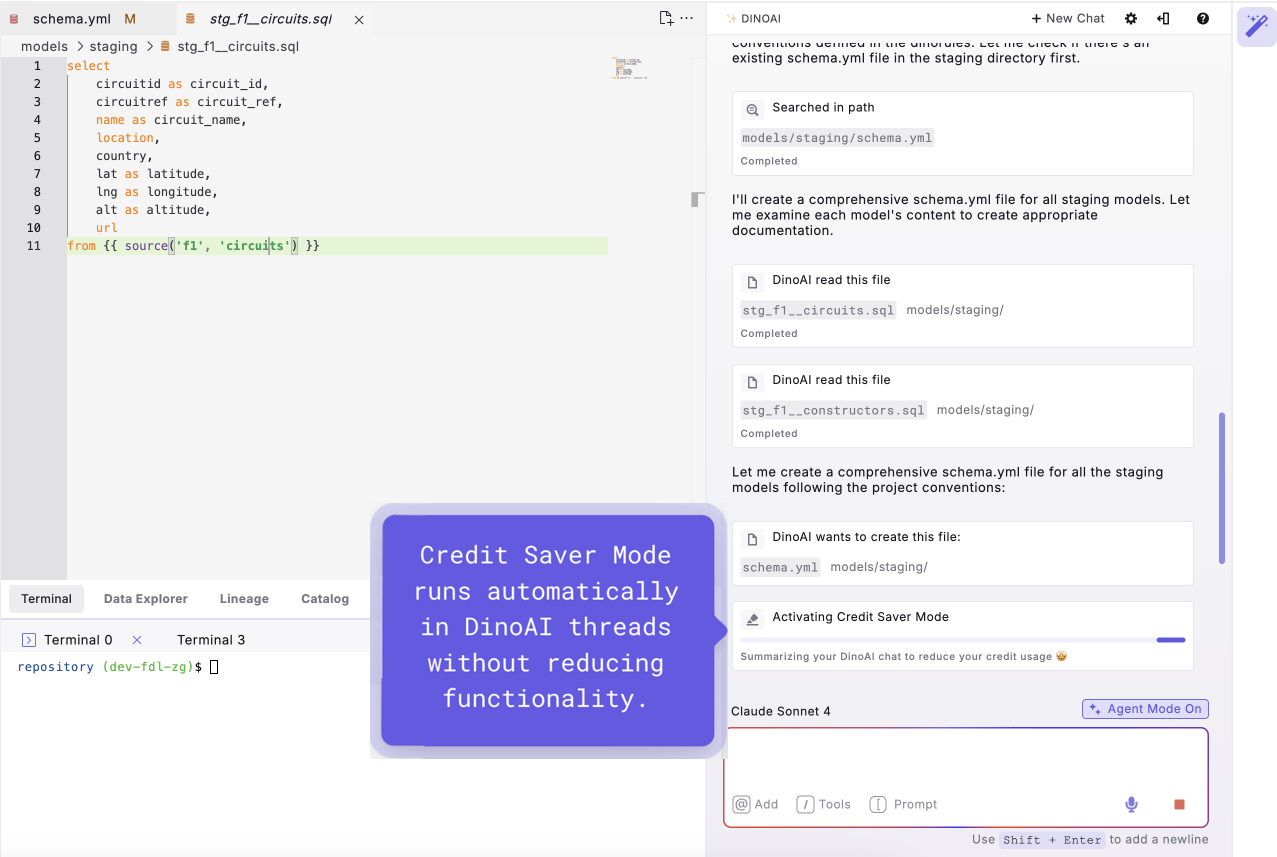
Credit Saver Mode is automatically enabled for all DinoAI interactions to help optimize your credit usage without compromising functionality.How Credit Saver Mode Works
When your conversation thread reaches a certain length, Credit Saver Mode automatically:- Analyzes conversation history to identify key context and decisions
- Creates a summary of the important information from previous exchanges
- Restarts the conversation with the summarized context
- Maintains continuity while reducing the token count for future interactions
Automatic Optimization: Credit Saver Mode runs automatically in the background - you don’t need to configure or manage it manually. See it in action with this hands-on demonstration.
Benefits of Credit Saver Mode
- Reduced Credit Consumption: Keeps token usage optimized for longer conversations
- Maintained Context: Preserves important information while removing unnecessary details
- Seamless Experience: Works transparently without interrupting your workflow
- Conversation Continuity: Allows for extended development sessions without losing context
Best Practices for Credit Usage
To get the most value from your DinoAI credits:Optimize Your Conversations
Keep Threads Focused:- Create new conversations for different topics or tasks
- Avoid mixing unrelated development work in a single thread
- Start fresh conversations when switching between projects/tasks
- Provide clear, detailed prompts to get better results on the first try
- Add relevant context and files to avoid back-and-forth clarification
- Remove unnecessary context when switching tasks
- Use .dinorules to set consistent preferences
- Use DinoAI’s tools and features appropriately for your tasks
Monitoring Your Usage
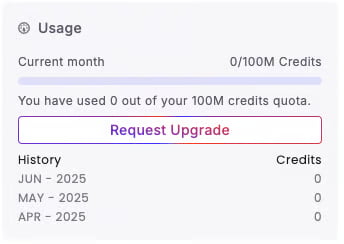
You can view your credit usage and remaining balance in the DinoAI settings panel. The context ring in the copilot’s prompt input also shows what the current chat has used and your credits this month, and Chat History shows the credits of each past chat. This helps you:- Track consumption patterns across different types of work
- Plan usage for important development cycles
- Optimize workflows based on credit efficiency
Need Help? If you have questions about credit usage or need to adjust your plan, visit your account settings or contact support for assistance with optimizing your DinoAI usage.