

Choose a mode
In the Code IDE, open the DinoAI chat panel. The approval mode picker sits in the prompt footer, next to the Ask / Agent dropdown, and shows the mode you’re on. Select it to switch modes: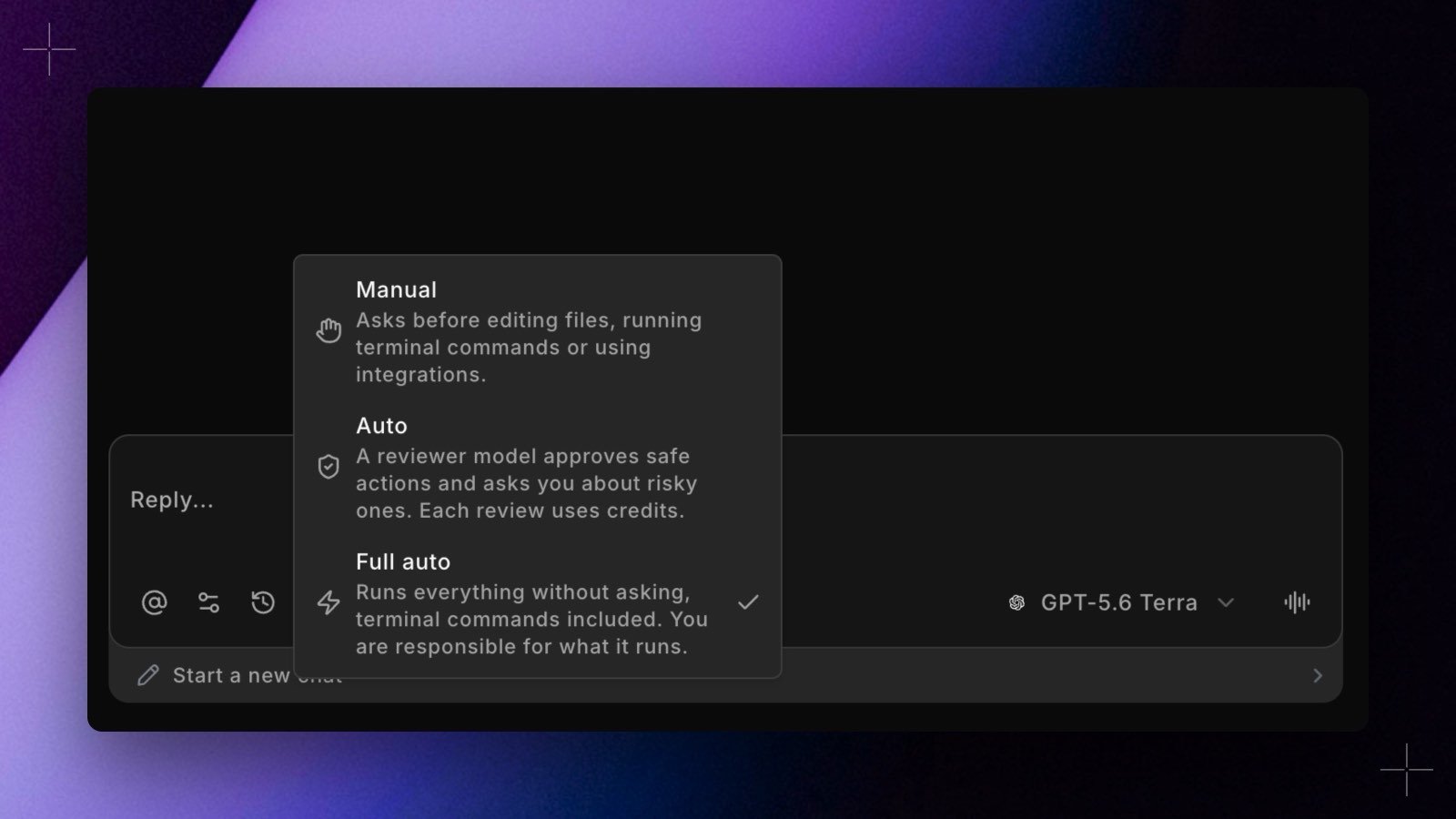
In Manual, your terminal command allowlist and the per-tool permissions in DinoAI settings still apply: allowlisted commands and tools set to Always Accept run without asking.
What Auto runs without a review
In Auto, these actions run straight away, with no review and no approval card:- Terminal commands that match your allowlist
- Tools set to Always Accept, which by default includes reading and searching files
- File edits inside your repository
.github/, .gitlab-ci.yml, or .git/), .dinoai/, .dinorules, dbt_project.yml, or profiles.yml, or when they point outside the repository.
How the reviewer decides
Everything else goes to a reviewer model first. It judges each action against what you typed in the chat. It doesn’t see tool output or attached files, so it weighs the action against your request rather than against instructions found in a file or a web page.- If the reviewer approves, the action runs without a card.
- If it objects, you get the approval card with the reviewer’s reason on it, and you decide.
- If the review fails or times out, you get the approval card.
- An action too large to review always asks you.