

@paradime in a comment. You set it up in the Agent app, under Code review. You don’t need a GitHub Action, a CI file, or an API key.
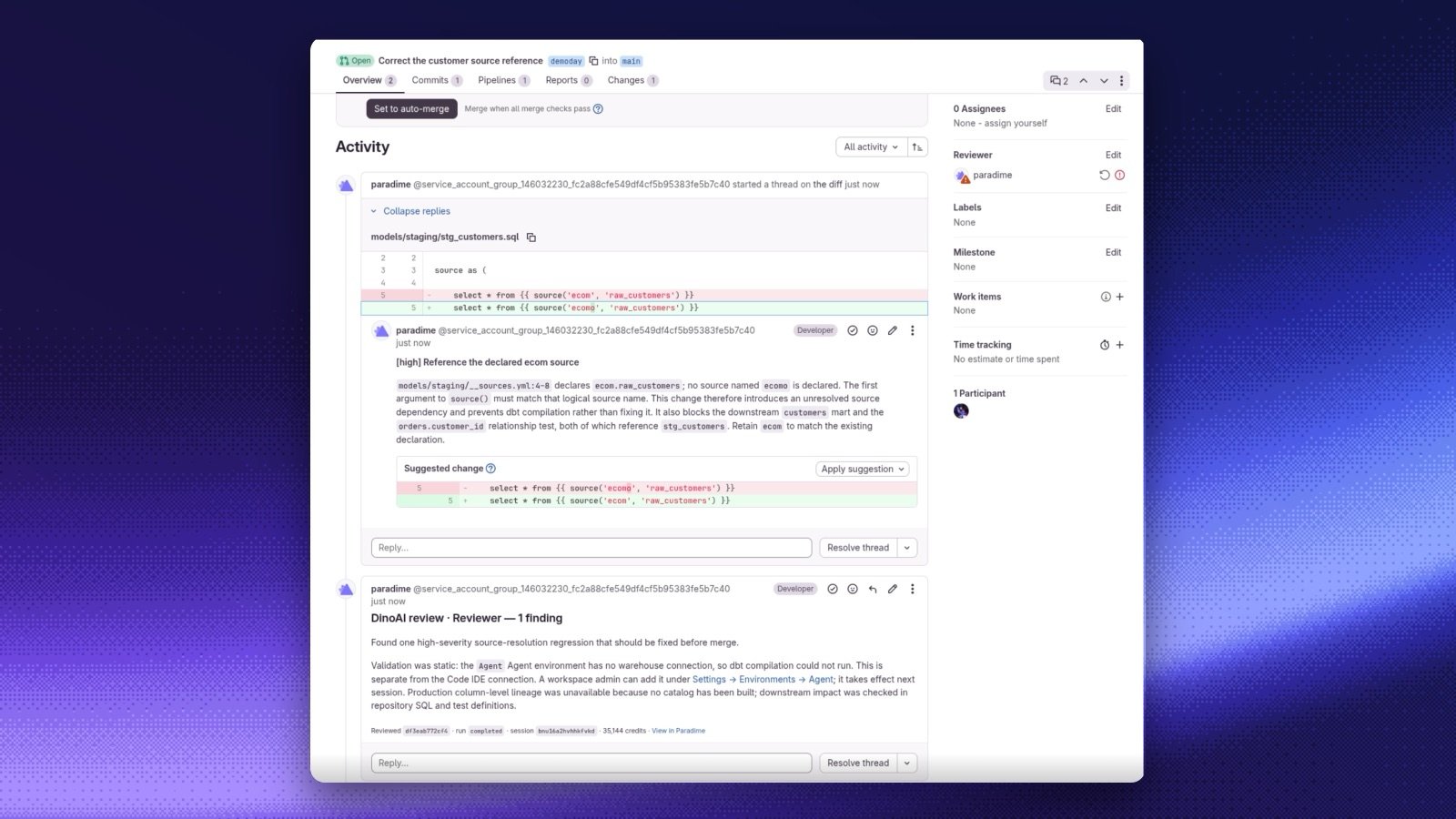
For each pull request, DinoAI:
- checks out the head commit, reads the changed files and the models upstream and downstream of them, and runs
dbt compileor queries when that settles a question; - uses column-level lineage to judge the downstream impact;
- posts its findings as one review, with an inline comment on the changed line for each finding;
- puts a Paradime Code Review check on the head commit.
Before you start
- Your workspace has a connected dbt™ repository on GitHub or GitLab.
- GitHub: the Paradime GitHub App is installed on the repository. To set it up, install the Paradime GitHub App. DinoAI posts reviews through the App. The repository can stay on its deploy key.
- GitLab: the project is covered by a GitLab connection. To set it up, follow the install steps for gitlab.com or GitLab Self-Managed. DinoAI posts reviews as the Paradime bot. The repository can stay on its deploy key.
- Pick the agent that writes the reviews: the DinoAI reviewer, which Paradime manages and needs no setup (see The DinoAI reviewer), or a custom reviewer that runs one of your own agents.
- To create or change reviewers, you need the Admin, Workspace Admin, or Workspace Settings Admin role.
How it fits together
Where reviews show up
- Code review page: Recent reviews lists the last 10 review sessions, with the pull request and the reviewer name.
- Sessions: each review and each mention is an agent session with the GitHub or GitLab source. The session list and the session header link to the pull request, for example
#142or!42. - Turbo CI runs: the details bar of a Turbo CI run shows Reviewed by and the reviewer name with the review status, for each review of the run’s commit. Select it to open the review session. If no active reviewer watches the branch, the Turbo CI schedule and run pages show No DinoAI reviewer watches
<branch>. Select Add a reviewer to open a new reviewer with that branch filled in.
GitHub and GitLab
Compared with the DinoAI GitHub Action
The DinoAI GitHub Action also posts inline review findings, from a GitHub Actions workflow that uses an Account API key. Use DinoAI Code Review when you want Paradime to run the reviews with no workflow file, on GitHub or GitLab. Use the Action when you want to control the trigger in your own workflow, or when Code Review is not on for your company.Next steps
Set up DinoAI Code Review
Step by step, from the first reviewer to a required check.
Add a reviewer
Every field on the reviewer form.