

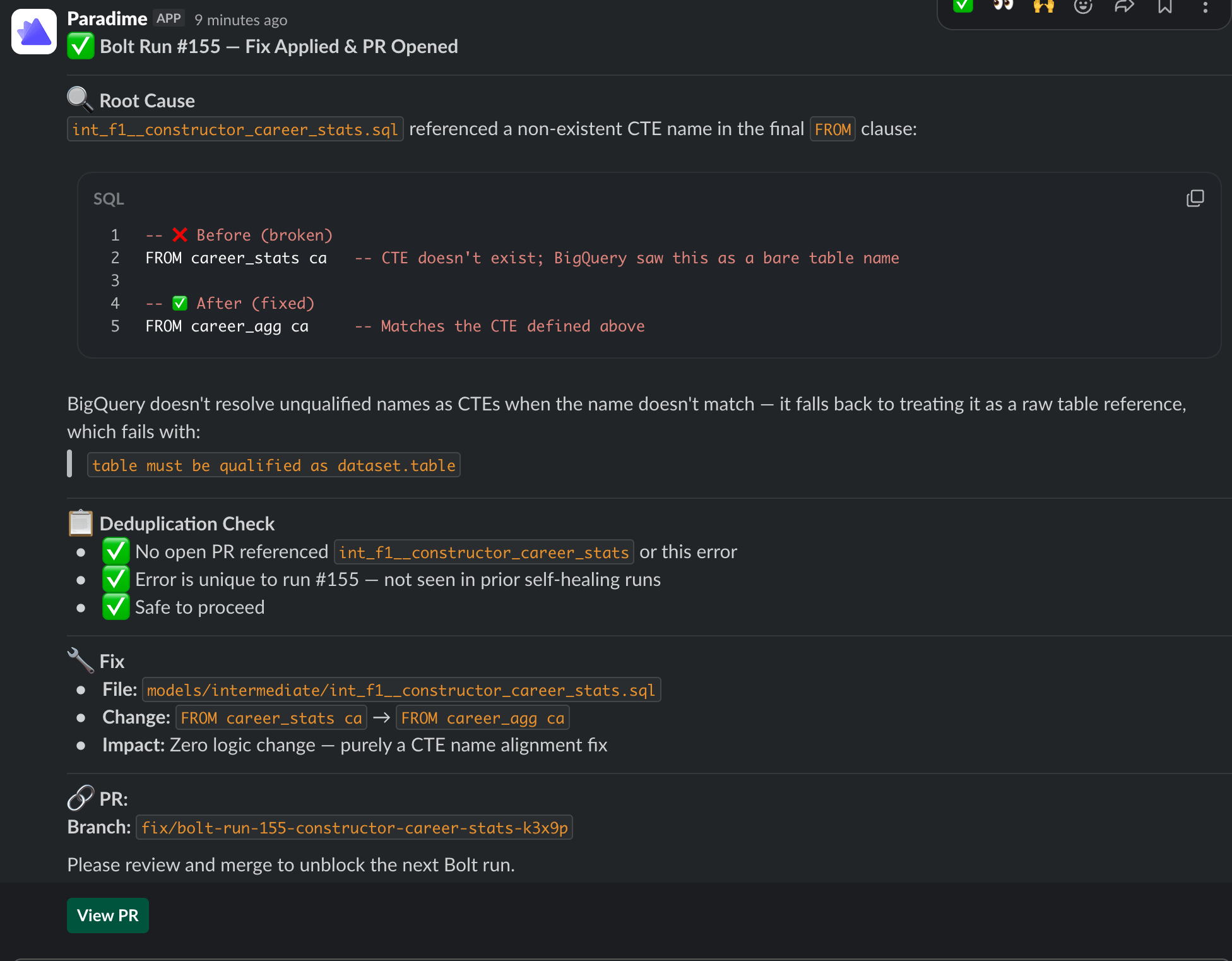
You stay in control. Self-Healing always opens a pull request. Your team reviews and approves before anything reaches production.
How it works
When a Bolt run fails on a schedule withself_healing.enabled = true:
- Paradime posts the normal failure notification to the schedule’s configured Slack channels.
- In the configured
slack_channel, Paradime posts a message into the failure thread:🦖 Self-healing enabled — starting healing session... - Paradime spins up a DinoAI agent session in that thread. The agent is invoked with the prompt: “Review the run log and fix run_id
<N>”. - The agent uses its tools (run logs, repository access, warehouse connection, Slack) to diagnose, implement, and open a PR — the same flow as Fix with DinoAI.
- If notifications also fire to other Slack channels, those channels receive a courtesy pointer:
🦖 Self-healing started in #<primary-channel>, so reviewers in those channels know where the work is happening.
Context the agent receives
Beyond the run logs, the agent’s prompt is enriched with a prior-attempts context whenever this schedule has been self-healed before — a summary of recent sessions for the same schedule. This avoids the agent reopening duplicate PRs when an earlier session has already proposed a fix.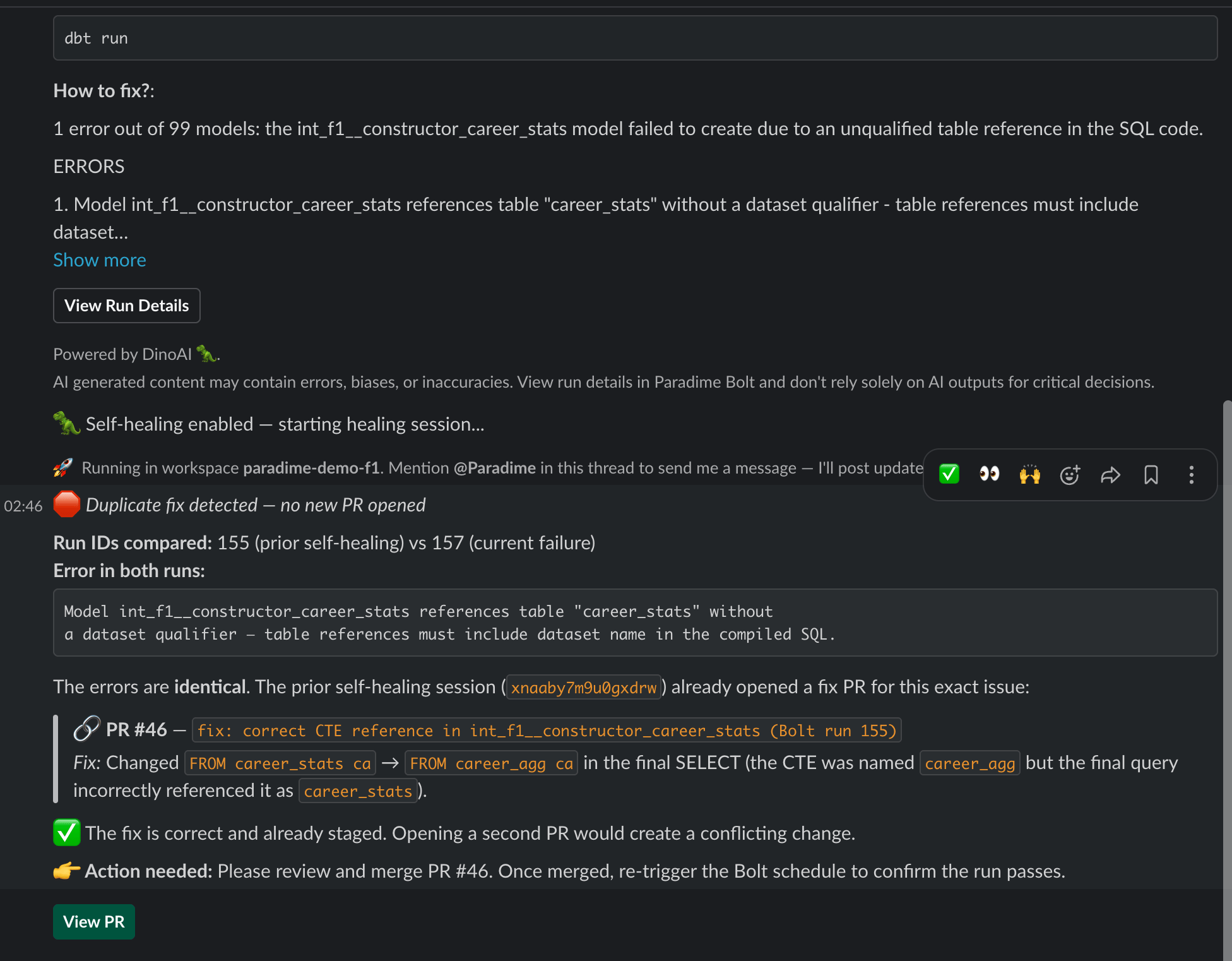
Self-Healing vs Fix with DinoAI
Use Fix with DinoAI for ad-hoc fixes and exploration. Turn on Self-Healing on the schedules where you want a PR to already be waiting when the team logs in.
Enabling Self-Healing on a schedule
Self-Healing is configured per schedule. See:- Creating Schedules → Self-Healing — UI walkthrough
- Schedules as Code → Configuration Reference — YAML block (
self_healing.enabled,slack_channel,agent_name)
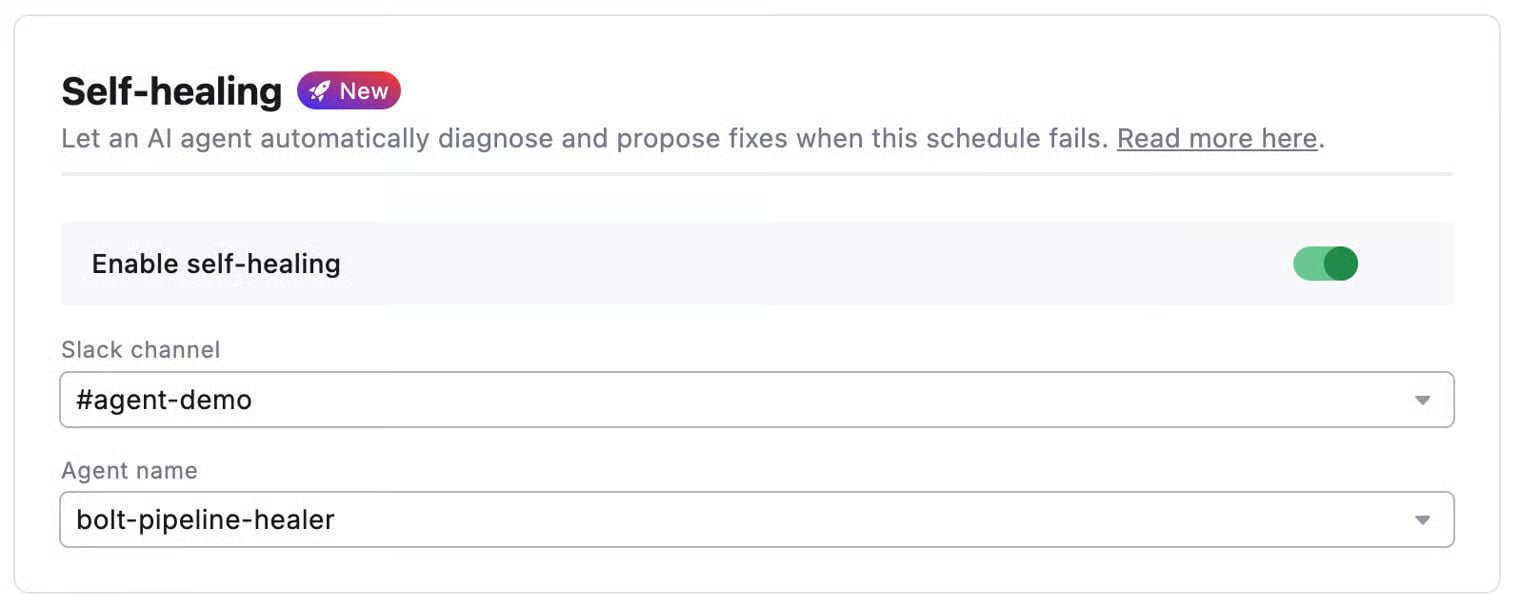
self_healing.slack_channel must also appear in the schedule’s notifications.slack_channels. The agent threads into the existing failure notification — so the notification has to exist for the agent to find its thread.
Related
- Fix with DinoAI — Manual one-click fixes from a Slack failure thread
- Pipeline Insights — DinoAI’s AI summaries of failed commands
- Programmable Agents — Author a custom
agent_namefor self-healing