

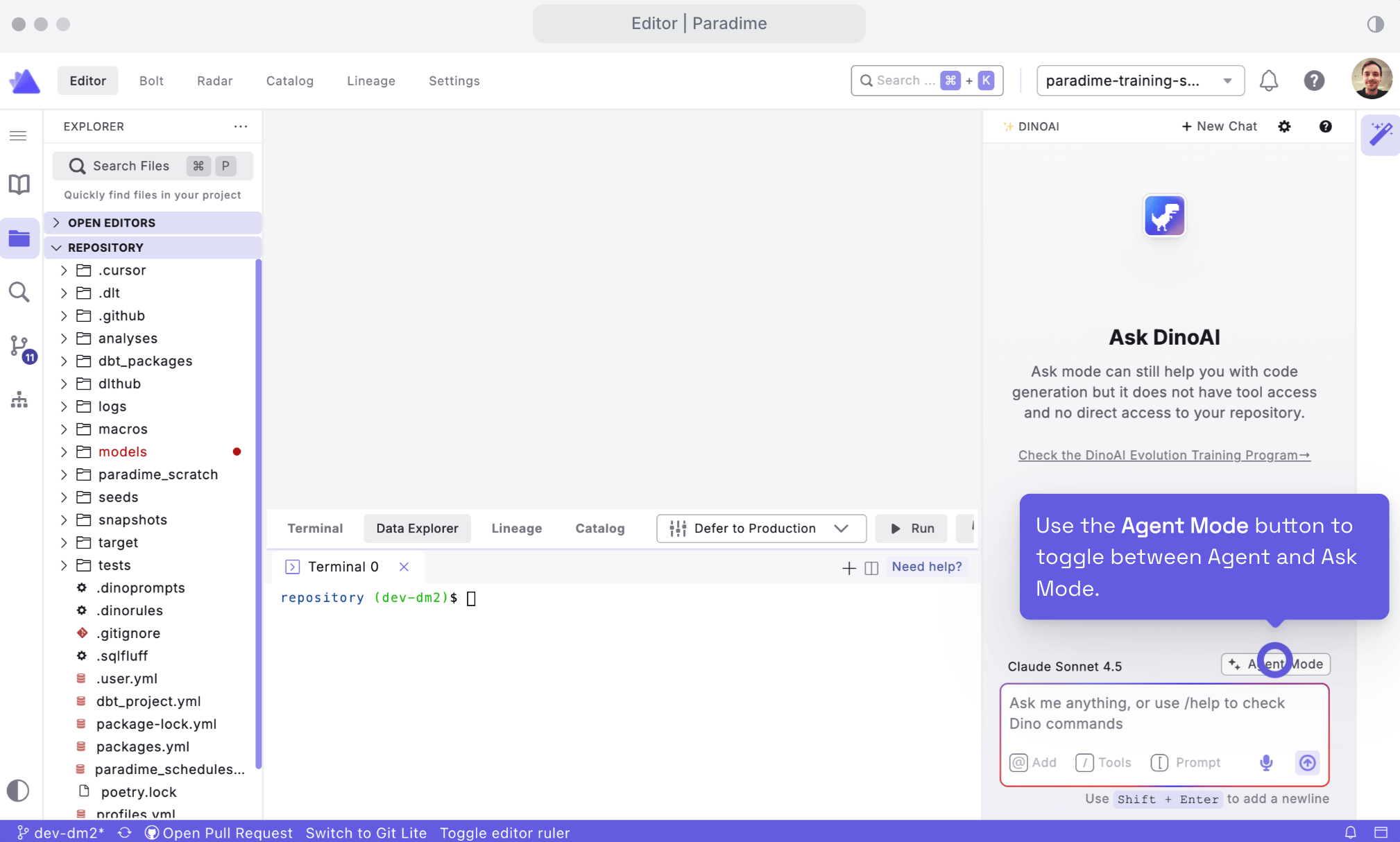
Opening Ask Mode
- Click the DinoAI icon (🪄) in the right panel of the Code IDE.
- At the top of the DinoAI panel, click on the Agent Mode On Button to toggle Ask Mode.
- Type your question in natural language and press Enter.
What Ask Mode is Best For
Use Ask Mode when you want DinoAI to:- Explain concepts – e.g. dbt™ features, Paradime workflows, or SQL patterns
- Review pasted code – by copying a model, macro, or YAML snippet into the chat
- Help debug errors – by pasting terminal output or stack traces
- Brainstorm approaches – for model design, testing strategy, or project structure
- Answer “how do I…?” questions – without touching your project files
Credits and Limitations
Ask Mode is designed to be lightweight:- Ask Mode does not consume DinoAI credits.
- Because it is credit‑free, Ask Mode also does not use tools or integrations.
- Cannot read your project files automatically
- Cannot access added context from File, Directory, or Terminal context
- Cannot use tools such as Warehouse, File System, PDF, Jira, Linear, Perplexity, or Terminal tools
- Only sees what you type or paste into the conversation
- Inspect your project structure
- Read or modify files directly
- Use your data warehouse metadata
- Pull in external context (Jira, PDFs, web search, etc.)
Ask Mode vs Agent Mode
Choose the mode that matches your task:- Ask Mode
- No credits used
- No access to files or tools
- Best for learning, Q&A, and reviewing copied snippets
- Agent Mode
- Uses credits when processing text and calling tools
- Can read and modify files, use warehouse metadata, and work with external systems
- Best for automating dbt™ development and workflow tasks