

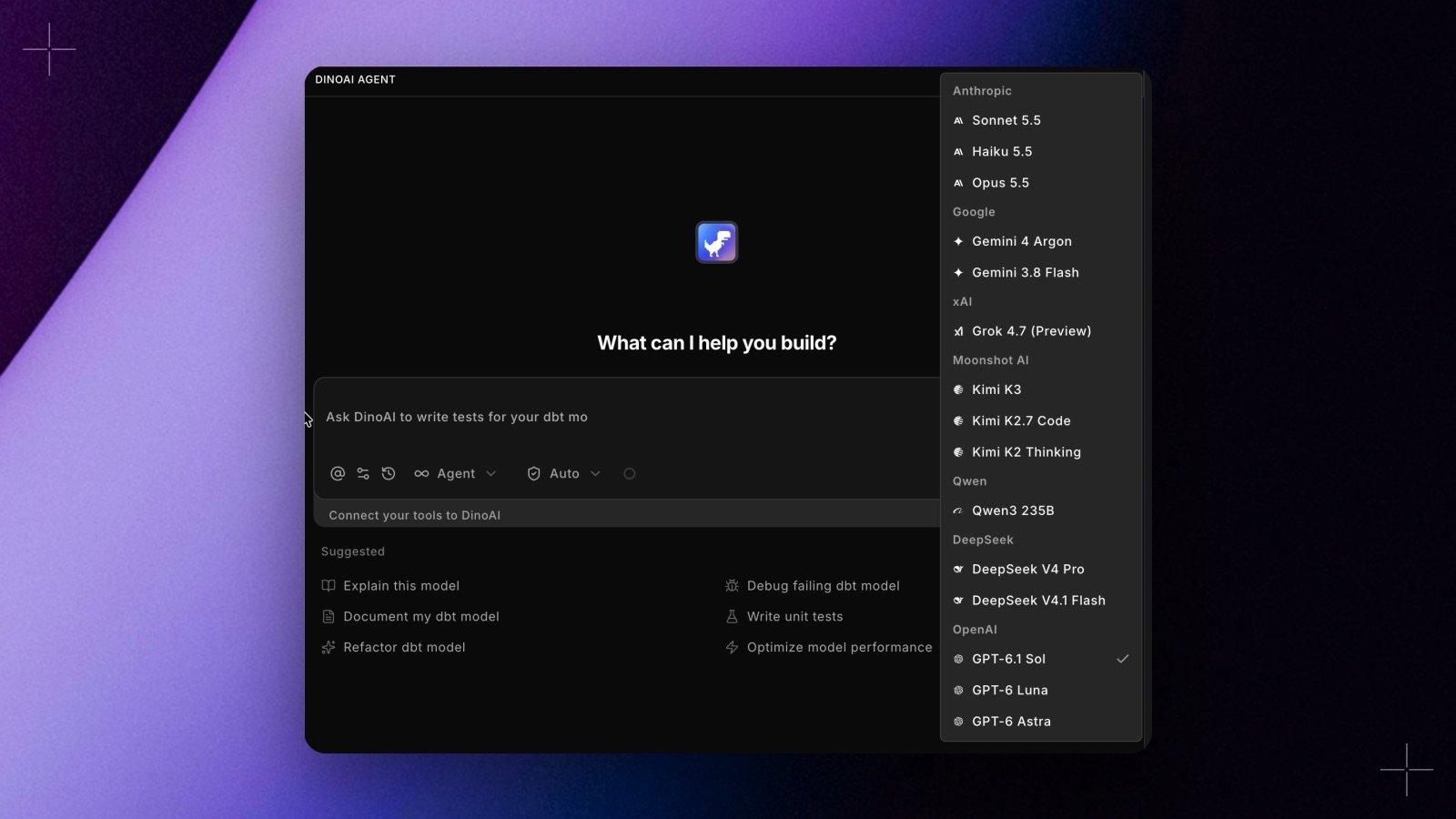
Choosing a model
Not sure which to use? Stay on the default and DinoAI works well for almost everything. This table shows where to start for common analytics engineering tasks and when you might switch.Available models
Cost tiers
The model picker shows how expensive each model is with a signal glyph on the right of its row. Hover a model to see its tier in a tooltip. The tiers follow each model’s DinoAI credit rate per output token:
The thresholds are fixed, so a model keeps its tier whatever else is in the list. The agent builder uses the same tiers for model families, based on the family’s main model.
The lineup evolves as providers release and retire models; the model picker always shows the current list and the tier for each model.
Model families
Programmable Agents run on a model family: a named set of three models, one for the agent’s main work, one for its sub-agents, and one for planning. Pick a family in the agent builder’s Model section, setmodel_family in the agent’s YAML, or pass modelFamily when you trigger a run. See Creating agents in the app.
The agent builder shows the family name. The agent’s YAML (
model_family) and the API (modelFamily) take the slug. The DeepSeek and Kimi families are served through OpenRouter, by zero-retention providers only.
An agent with no family runs on the default family, OpenAI, marked Default in the agent builder. An agent pinned to a family that no longer exists runs on the default family too, and the session header names the family it used.
Defaults
You don’t have to pick a model to use DinoAI. Out of the box, GPT-6.1 Sol handles copilot chats where you haven’t chosen a model, and GPT-6 Luna handles DinoAI’s background work, such as summarizing long tool output and reviewing actions in Auto approval mode. Defaults are set per workspace and change as the lineup evolves, so the model picker is the source of truth for what a new session will use. Programmable Agents with no family run on the OpenAI family. See Model families.Related
- DinoAI Credits: how credits are calculated and Credit Saver Mode
- Budget & Consumption: track spend and set monthly allowances