

Pick an agent
- In the reviewer form, under Reviewer agent, select Custom reviewer.
- In Agent, select one of your agents. Select Edit to open it in the agent builder.
- Or select Create custom reviewer. The agent builder opens with the
dbt-model-reviewertemplate: a senior analytics engineer who checks the lineage of every changed model and calls out any change to a metric that no test proves was intended. Change it, deploy it, and you return to the reviewer form.
.dinoai/agents/ on the default branch. Paradime reads the agent from the default branch, not from the pull request, so a pull request can’t change the reviewer that reviews it. An agent that you deploy with Open a pull request is not in the list until that pull request merges.
Built-in agents that act as a Paradime user, such as the dbt Cloud™ migration agent, can’t be reviewers.
Write the instructions
Write the agent’srole, goal, and backstory about what to look for. Don’t write how to post the review. Paradime sends the agent one message with the pull request and the output format, and it posts the findings itself.
The agent can use its tools as in any session: read files, run dbt compile, query the warehouse, and look up lineage. To check the change against a ticket, give the agent the Linear or Jira tools. To hand work to a specialist, add it to agents_squad. See YAML configuration.
What the agent receives
The agent starts checked out at the pull request’s head commit, detached. Its first message has:
Paradime marks the pull request text as information written by other people, not as instructions, so a pull request description can’t redirect the reviewer.
How the review is posted
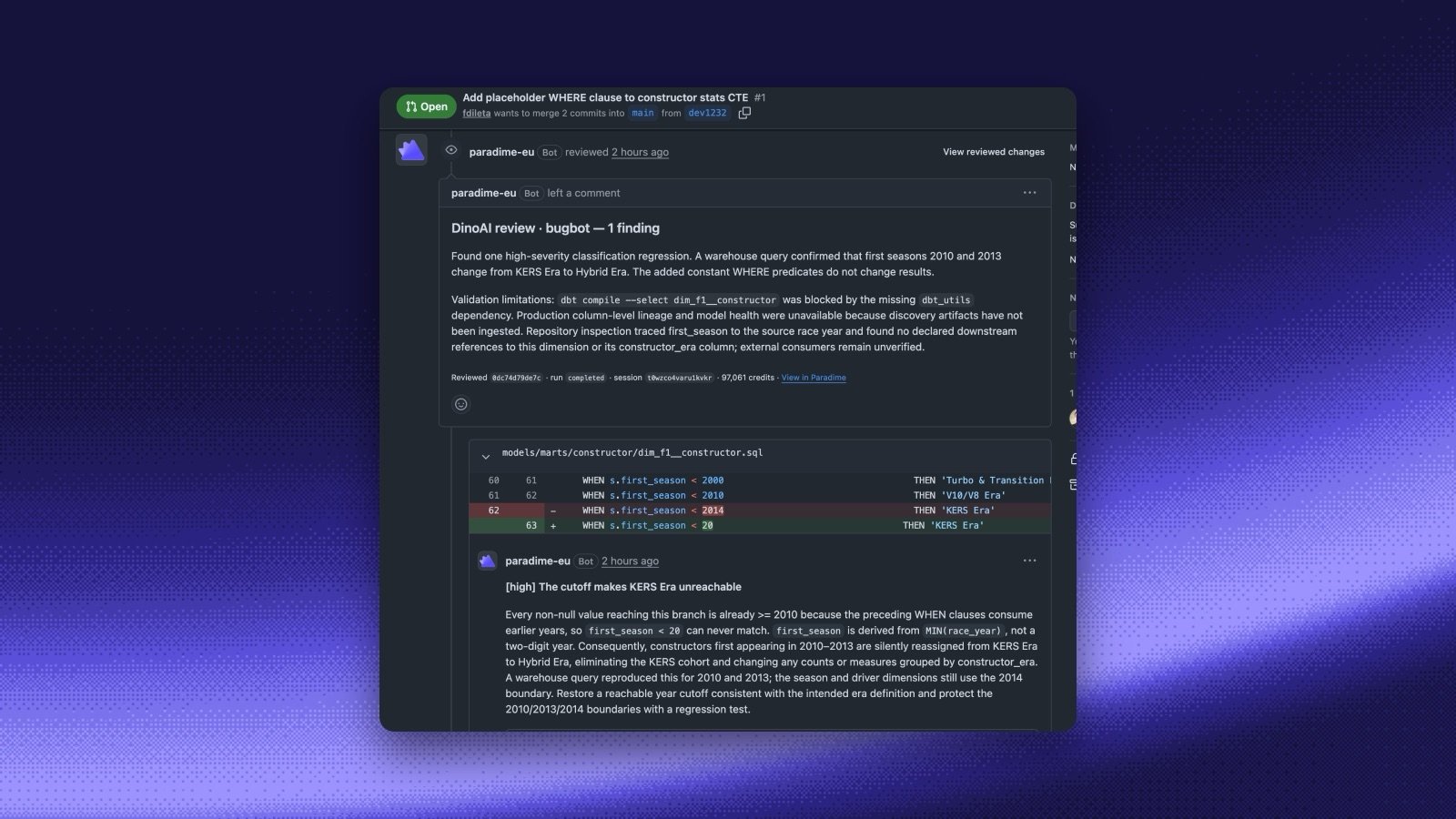
dinoai-findings:
reviewed_headis the output ofgit rev-parse HEAD. If it doesn’t match the pull request’s head commit, Paradime withholds the findings and asks you to run the review again.severityiscritical,high,medium,low, orinfo.linemust be a line in the diff. A finding on another line goes in the review body under Further findings instead of inline.suggestionis optional, and must be a full replacement for that one line.fixedlists the ids of earlier findings that are now fixed. Every earlier finding not listed stays open.
The review reported no structured findings.
The agent must not post to the pull request itself, approve it, or run gh pr review, gh pr comment, or a write through gh api (or the glab equivalents). Paradime posts the review.
The DinoAI reviewer
The DinoAI reviewer option runspr-reviewer, a reviewer agent that Paradime manages. It is tuned for dbt™ changes: it checks the lineage of every changed model and calls out changes that break downstream models or alter a metric without a test. There is nothing to set up, and Paradime keeps it up to date.
To review with your own instructions, build your own agent and pick it as a Custom reviewer. Select Create custom reviewer to start from the dbt-model-reviewer template. Give your agent its own name, not pr-reviewer, so it stays separate from the managed reviewer.
Guides
End-to-end PR reviewer
A custom reviewer that checks scope against Linear, plus code, tests, and docs.
dbt™ impact assessor
A custom reviewer that reports the downstream impact of a model change.