

We advise creating a service account user in your Azure DevOps account like
paradime.azuredevops.maintainer@yourcompany.com with write access to the repository, and letting this user own the SSH key.Add the SSH key
- In Paradime, import your repository using its SSH URL to generate a deploy key. See Importing a repository.
- In Azure DevOps, open the SSH public keys page in User Settings for your user’s (or a service user’s) account.
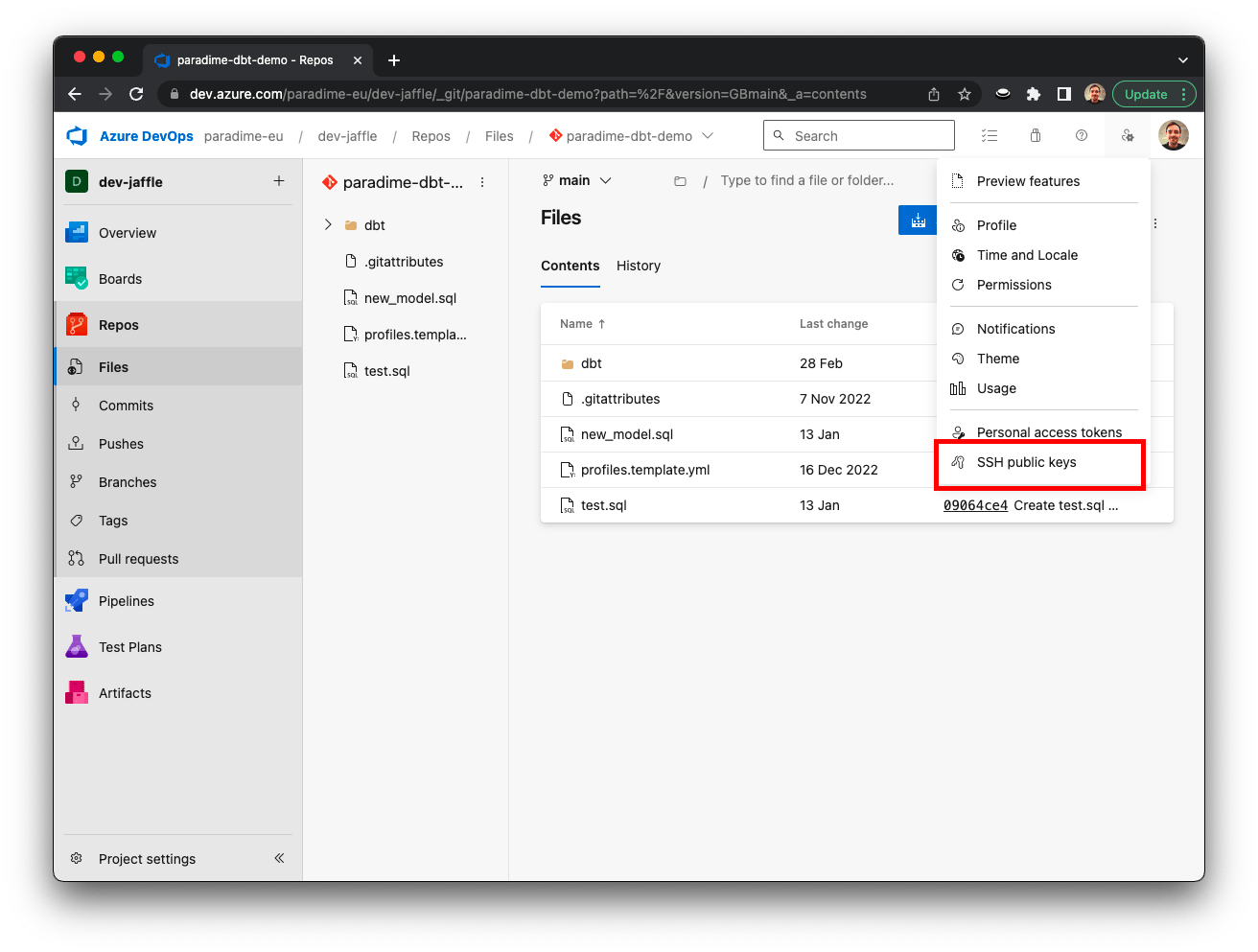
Open Azure DevOps security settings
- Click + New Key, enter the SSH key generated by Paradime, and click Save.
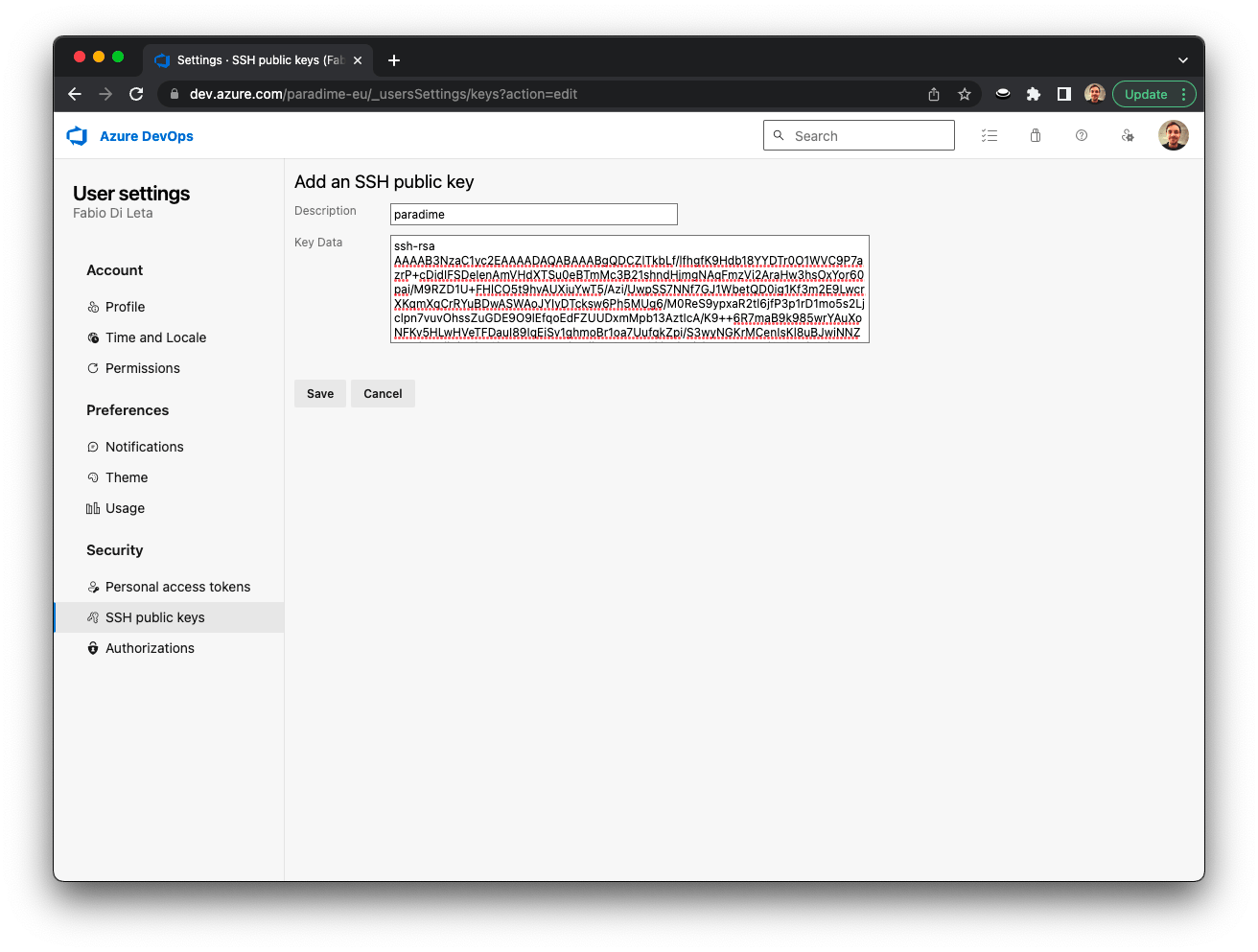
Configuring an Azure DevOps SSH key