

What you can do
Catalog & Lineage
Fivetran connectors appear as assets in Paradime’s catalog and lineage, so you can trace ingested data through to your dbt™ models.
Orchestration
Trigger Fivetran connector syncs from a Bolt schedule or the CLI, so ingestion and transformation run as one pipeline.
Prerequisites
To create API keys and a Secret in Fivetran, you will need Account Administrator access. See also the Fivetran docs here.
Step 1: Generate an API Key
Fivetran only supports a single, account-level API key. If one already exists, creating a new one will disable the existing key and connectivity for any applications using the existing key will stop working.If a key already exists in your account, you should ask within your organization for the existing API Key and Secret.
- To generate API credentials login to Fivetran as a user with the Account Administrator role.
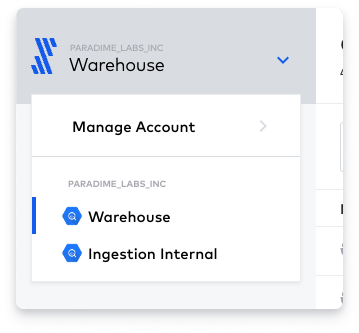
- On the top-left corner of your screen, click the drop-down with your account name and click on Manage Account to view your Fivetran account settings.
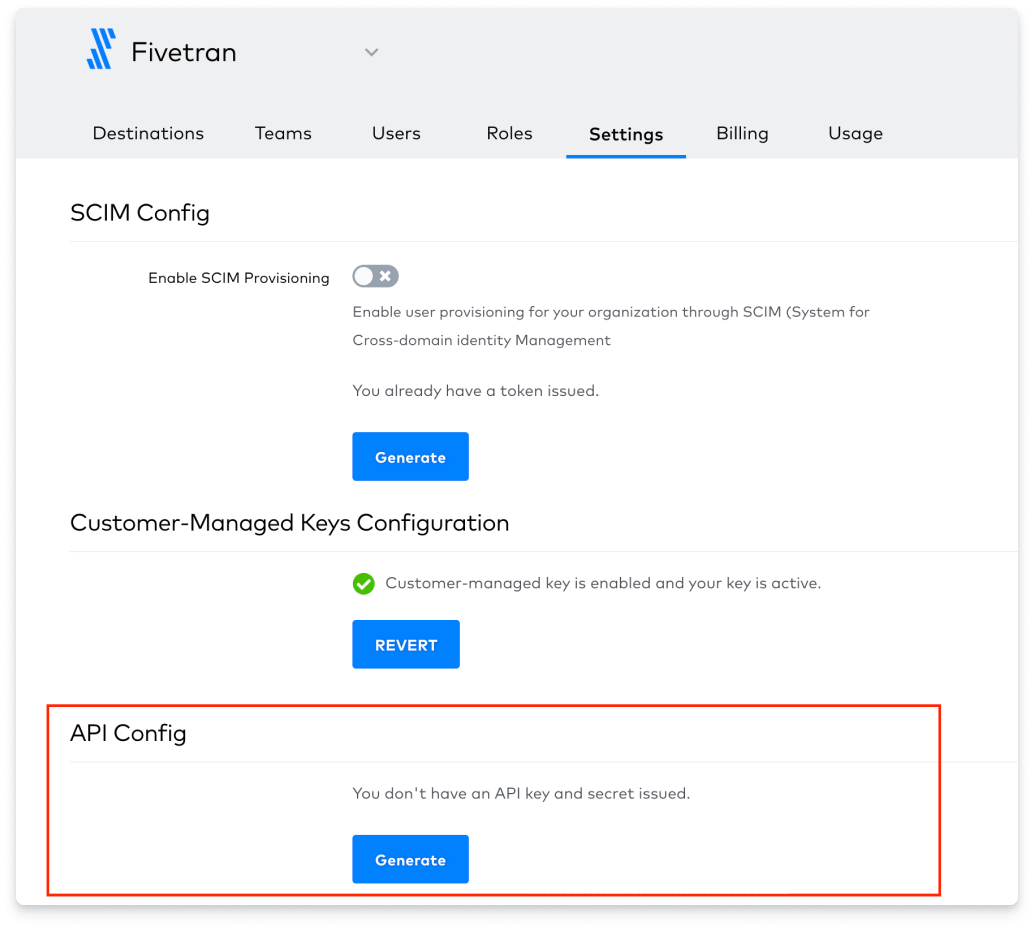
- Select the Settings tab and in the API Config section at the bottom click on the Generate Button and make a note of the API key and API secret as we will need those to set up the Paradime integration.
Step 2: Connect the Fivetran Integration
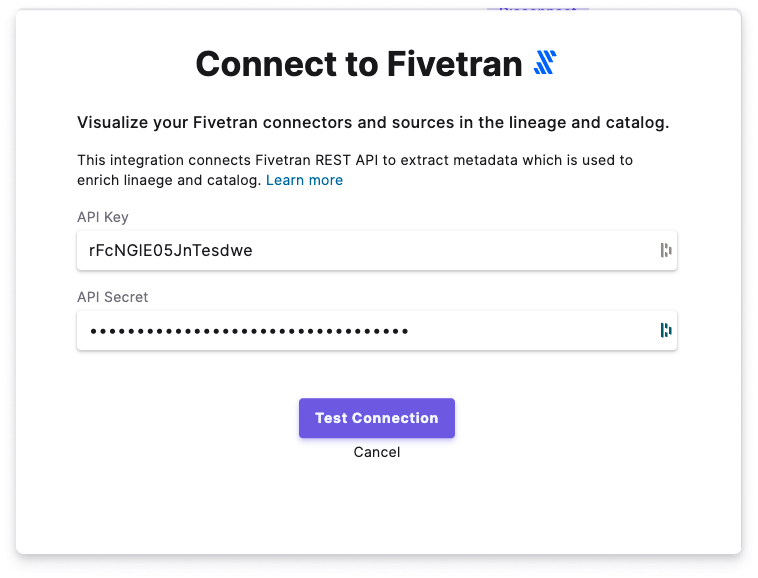
The Fivetran integration can be connected by a Paradime Admin user. In Paradime, go to Settings → Integrations (see connecting integrations), find Fivetran, and click Connect.- Add the API Key and Secret for your Fivetran account
- Click on Test Connection to validate that Paradime can connect to Fivetran and start importing Metadata from your Connectors.
Connection parameters
Paradime uses the Fivetran API and Webhooks to extract Metadata from your connectors and the most recent status of each ingestion into your destinations.