

Use cases
- Data Exploration: Quickly scan and understand the structure of large CSV files.
- Data Quality & Cleaning: Easily spot inconsistencies and efficiently edit columns using built-in functions.
- dbt Development: Enhance your ability to work with CSV sources and outputs in Paradime projects.
- Collaborative Work: Improve readability of shared CSV files among team members.
Tutorial
Access All Rainbow CSV features via the Command Panel in the Code IDE:
- Mac: ⌘+Shift+P
- Windows: Ctrl+Shift+P
Key Features
These functionalities, when used within Paradime, can significantly streamline your data preparation and analysis tasks, making your dbt development process more efficient and error-free.Discover all Rainbow CSV features via the command panel:
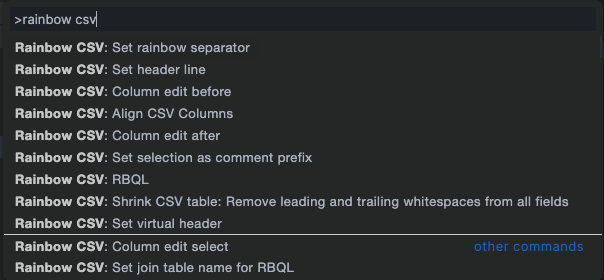
All available Rainbow CSV features